
Úvod
Thank you for choosing the Monster Clarity 101 AirLinks Wireless Earbuds. This manual provides essential information on how to set up, operate, and maintain your earbuds to ensure optimal performance and longevity. Please read this manual thoroughly before use.
Čo je v krabici
- Monster Clarity 101 AirLinks Wireless Earbuds (Left and Right)
- Nabíjacie puzdro
- Nabíjací kábel USB-C
- Viacero veľkostí náušníkov (S, M, L)
- Používateľská príručka

The package includes the wireless earbuds, a portable charging case, a USB-C cable for charging, various eartip sizes for a comfortable fit, and this user manual.
Koniec produktuview
The Monster Clarity 101 AirLinks are true wireless in-ear headphones designed for an active lifestyle. They feature powerful 6mm dynamic drivers for clear sound and deep bass, touch controls for easy management, and an IPX5 waterproof rating.

Each earbud is lightweight and ergonomically designed to provide a secure and comfortable fit, even during sports and exercise. The included charging case is compact and features a magnetic closure to keep your earbuds safe and charged.
Nastavenie
1. Nabíjanie slúchadiel a puzdra
Before first use, fully charge the earbuds and the charging case. Place the earbuds into the charging case. Connect the USB-C charging cable to the charging port on the case and the other end to a USB power source. The charging indicators on the case will show the charging status.

A quick 5-minute charge can provide up to 1.5 hours of playback. A full charge of the earbuds provides approximately 5 hours of play time, and the charging case extends this to a total of 25 hours.
2. Spárovanie s vaším zariadením
- Uistite sa, že sú slúchadlá nabité.
- Otvorte nabíjacie puzdro. Slúchadlá sa automaticky zapnú a prepnú do režimu párovania.
- Na svojom zariadení (smartfón, tablet atď.) povoľte Bluetooth.
- Hľadať Bluetooth devices and select "Clarity 101" from the list.
- Po pripojení budete počuť potvrdzovací tón a slúchadlá budú pripravené na použitie.

The earbuds feature one-step pairing for quick and convenient connection to your Bluetooth-enabled devices.
Návod na obsluhu
1. Nosenie slúchadiel do uší
Select the eartips that provide the most comfortable and secure fit for your ears. Gently insert the earbuds into your ear canal and rotate them slightly to ensure a snug fit. This helps optimize sound quality and noise isolation.

2. Dotknite sa Ovládacie prvky
The earbuds are equipped with multi-function touch controls on the outer surface. These controls allow you to manage music playback, calls, and voice assistant activation.
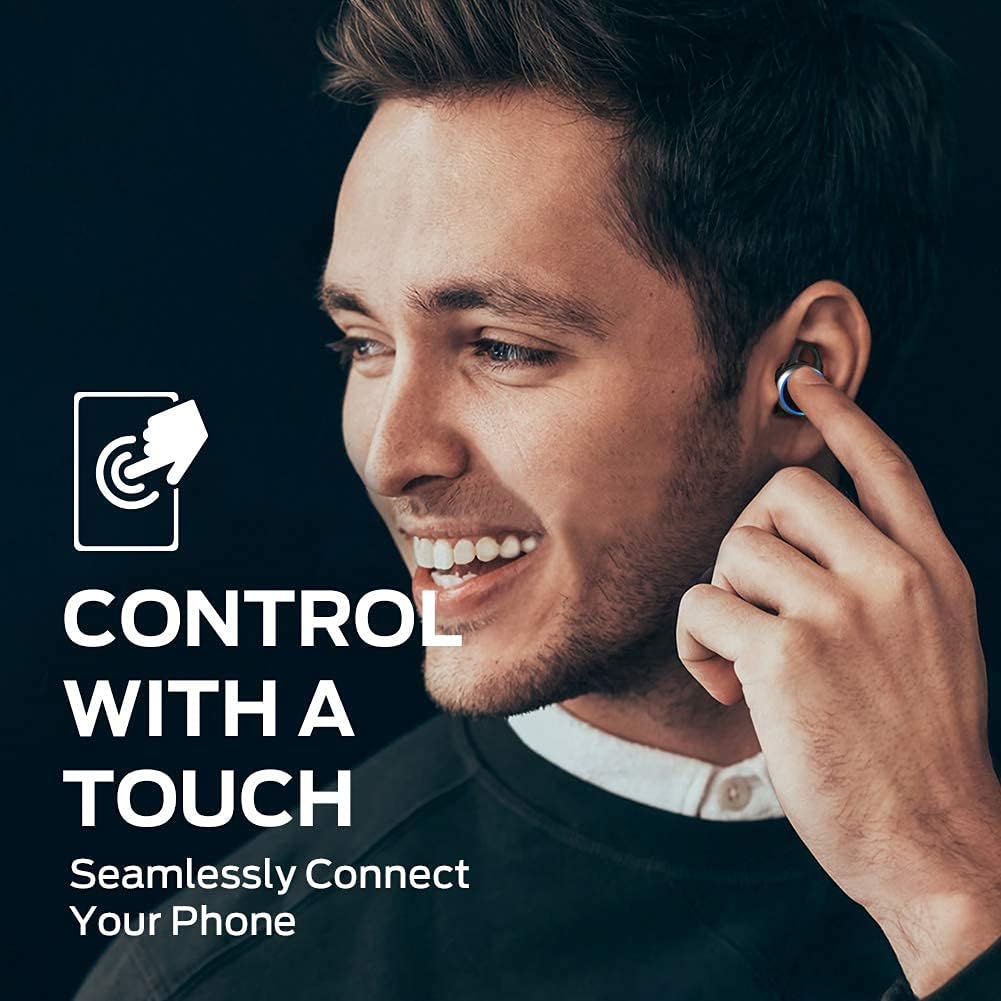
| Akcia | Funkcia |
|---|---|
| Jedno klepnutie (vľavo/vpravo) | Prehrať/Pozastaviť hudbu, Prijať/Ukončiť hovor |
| Dvojité klepnutí (vpravo) | Ďalšia skladba |
| Dvojité poklepanie (vľavo) | Predchádzajúca skladba |
| Trojité ťuknutie (vľavo/vpravo) | Aktivujte hlasového asistenta |
| Stlačte a podržte (vľavo/vpravo) | Odmietnuť hovor |
3. Uskutočňovanie a prijímanie hovorov
The earbuds support hands-free stereo calls. You can use either earbud independently or both together for calls. The built-in microphone provides clear voice quality, even in moderately noisy environments.
- Prijať/Ukončiť hovor: Jedným kliknutím vyberte ktorékoľvek slúchadlo.
- Odmietnuť hovor: Stlačte a podržte ktorékoľvek zo slúchadiel.
- Aktivovať Voice Assistant: Trikrát klepnite na ktorékoľvek slúchadlo.
Údržba
1. Upratovanie
Regularly clean your earbuds and charging case to maintain optimal performance and hygiene. Use a soft, dry, lint-free cloth to wipe the surfaces. For the eartips, remove them from the earbuds and clean with a mild soap solution if necessary, then rinse and dry thoroughly before reattaching. Do not use harsh chemicals or abrasive materials.
2. Skladovanie
When not in use, always store the earbuds in their charging case. This protects them from dust, damage, and keeps them charged. Store the charging case in a cool, dry place away from direct sunlight and extreme temperatures.
Riešenie problémov
| Vydanie | Možné riešenie |
|---|---|
| Slúchadlá sa nespárujú | Ensure earbuds are charged. Turn off and on Bluetooth on your device. Forget "Clarity 101" from your device's Bluetooth list and re-pair. |
| Žiadny zvuk z jedného slúchadla | Place both earbuds back in the charging case, close the lid, then open again to reset. Check device's audio output settings. |
| Nízka hlasitosť | Increase volume on both your device and the earbuds (if applicable via touch controls). Clean eartips and earbud mesh. |
| Nízka kvalita hovoru | Ensure microphone is not obstructed. Move closer to your connected device. Check network signal on your phone. |
| Nabíjacie puzdro sa nenabíja | Ensure USB-C cable is properly connected and power source is active. Try a different cable or power adapter. |
Špecifikácie
| Funkcia | Detail |
|---|---|
| Značka | Monštrum |
| Číslo modelu | 101 |
| Umiestnenie uší | V uchu |
| Technológia pripojenia | Bezdrôtové pripojenie (Bluetooth 5.0) |
| Dosah Bluetooth | Až 10 33 metrov (XNUMX XNUMX stôp) |
| Typ ovládania | Dotykové ovládanie |
| Veľkosť ovládača zvuku | 6 mm dynamický ovládač |
| Frekvenčný rozsah | 20 Hz až 20,000 Hz |
| Impedancia | 140 ohmov |
| Výdrž batérie (slúchadlá) | Až 5 hodín |
| Celková výdrž batérie (s puzdrom) | Až 25 hodín |
| Doba nabíjania batérie | Approximately 1.5 hours (for case) |
| Úroveň odolnosti voči vode | IPX5 (vodotesný) |
| Kontrola hluku | Aktívne potlačenie hluku (pri hovoroch) |
| Materiál | Metal (Enclosure & Carrying Case) |
| Hmotnosť položky | 0.14 kg |
Záruka a podpora
The Monster Clarity 101 AirLinks Wireless Earbuds come with a 1-year limited warranty from the date of purchase. This warranty covers manufacturing defects under normal use. It does not cover damage caused by misuse, accidents, unauthorized modifications, or normal wear and tear.
For warranty claims, technical support, or further assistance, please refer to the contact information provided on the official Monster website or your purchase documentation. Please have your proof of purchase and product model number (101) ready when contacting support.