
Úvod
This manual provides comprehensive instructions for the setup, operation, and maintenance of your memzuoix WM125B Wireless Mouse. Designed for comfort and precision, this 2.4GHz wireless mouse offers adjustable DPI settings and broad compatibility for various computing needs.
Kľúčové vlastnosti:
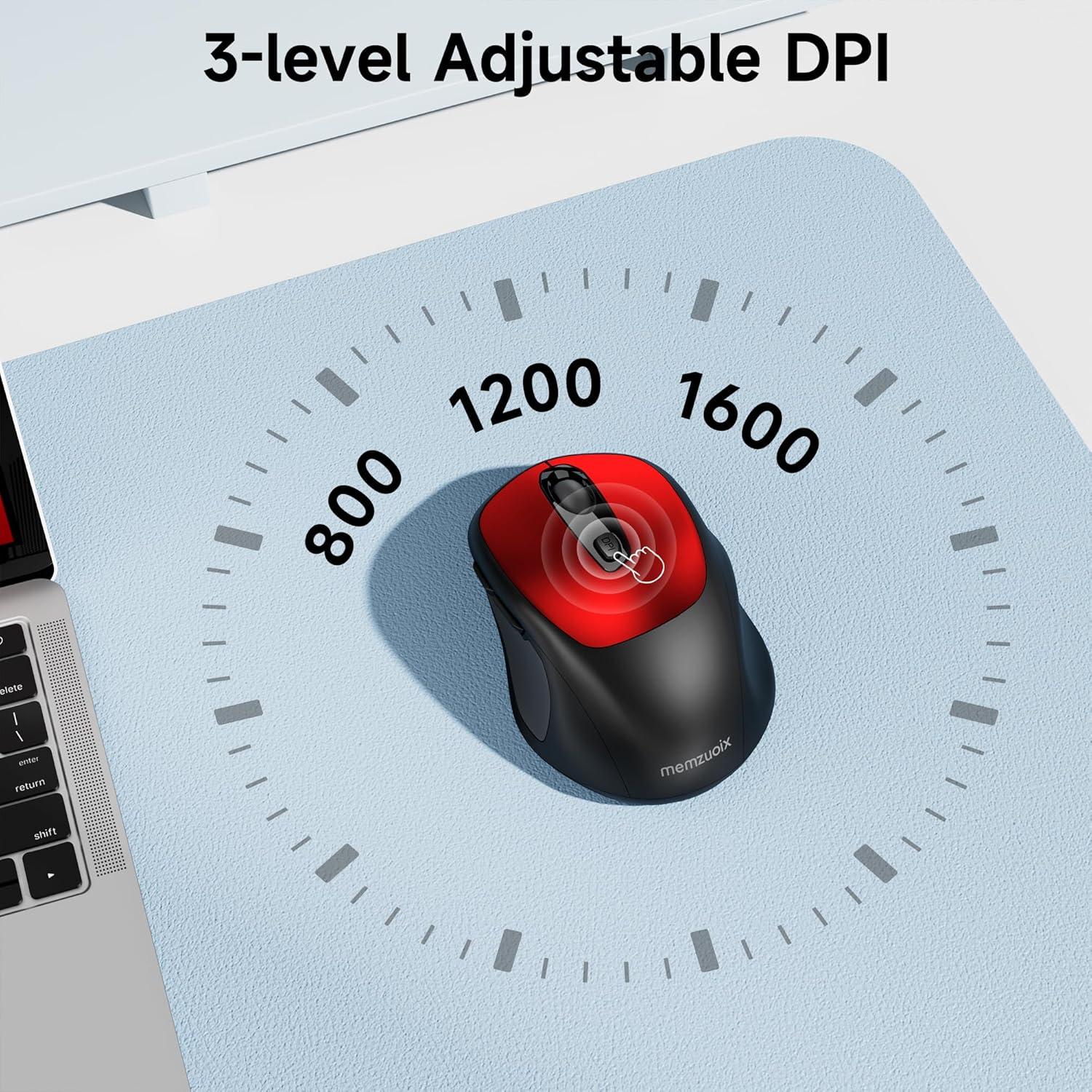
- 3 nastaviteľných úrovní DPI: Easily switch between 800, 1200, and 1600 DPI for optimal control.
- Ergonomic & Ambidextrous Design: Contoured shape with rubberized side grips for comfortable use by both left and right-handed users.
- Plug & Play 2.4GHz Nano Receiver: Instant connectivity without software installation, offering a reliable 33ft range.
- Odolná konštrukcia: Buttons and scroll wheel tested for 10 million clicks, ensuring long-term reliability.
- Univerzálna kompatibilita: Works seamlessly with Windows, macOS, Linux, and ChromeOS devices.
- Prenosný dizajn: Lightweight and compact, ideal for travel and on-the-go use.
Sprievodca nastavením
1. Nainštalujte batérie
- Nájdite kryt priehradky na batérie na spodnej strane myši.
- Jemne posuňte alebo zdvihnite kryt, aby ste otvorili priehradku.
- Vložte dve batérie typu AAA a dbajte na správnu polaritu (+/-).
- Nasaďte kryt priehradky na batérie späť, kým bezpečne nezacvakne na miesto.

2. Pripojte USB prijímač
- Locate the nano USB receiver, typically stored within the battery compartment of the mouse.
- Plug the USB receiver into an available USB port on your computer (PC, Mac, laptop, etc.).
- Počítač by mal automaticky rozpoznať a nainštalovať potrebné ovládače. Nie je potrebná žiadna inštalácia ďalšieho softvéru.

Návod na obsluhu
1. Zapnutie/vypnutie
Locate the ON/OFF switch on the underside of the mouse. Slide the switch to the 'ON' position to activate the mouse. Slide it to 'OFF' when not in use to conserve battery life.
2. Funkcie tlačidiel
- Ľavé tlačidlo: Funkcia primárneho kliknutia.
- Pravé tlačidlo: Funkcia sekundárneho kliknutia (kontextové menu).
- Rolovacie koliesko: Posúvanie dokumentov hore/dole a web pages. Can also be clicked for middle-button functionality.
- Tlačidlo DPI: Cycles through DPI settings (800/1200/1600).
- Tlačidlo dopredu: Naviguje dopredu web prehliadačov resp file prieskumníkov.
- Tlačidlo dozadu: Navigácia dozadu web prehliadačov resp file prieskumníkov.
3. Nastavenie citlivosti DPI
Stlačte tlačidlo Tlačidlo DPI located below the scroll wheel to cycle through the available sensitivity settings: 800 DPI (for precise control), 1200 DPI (standard use), and 1600 DPI (for faster cursor movement). The mouse will indicate the change, often with a brief LED flash.
Údržba
1. Upratovanie
Pre udržanie optimálneho výkonu myš pravidelne čistite. Používajte mäkkú handričku, ktorá nepúšťa vlákna, mierne navlhčenú.ampvodou alebo jemným čistiacim roztokom. Vyhnite sa agresívnym chemikáliám alebo abrazívnym materiálom. Dbajte na to, aby sa do vnútorných komponentov myši nedostala žiadna tekutina.
2. Výmena batérie
When the mouse's performance degrades or it stops responding, it may be time to replace the batteries. Follow the steps in the 'Install Batteries' section of this manual to replace the two AAA batteries. Dispose of old batteries responsibly according to local regulations.
Riešenie problémov
- Myš nereaguje:
- Ensure the mouse is switched 'ON' using the power switch on the underside.
- Skontrolujte, či sú batérie správne vložené a či sú dostatočne nabité. V prípade potreby ich vymeňte.
- Skontrolujte, či je USB prijímač bezpečne zapojený do funkčného USB portu na vašom počítači. Skúste iný USB port.
- Reštartujte počítač.
- Pohyb kurzora je nepravidelný alebo nepresný:
- Uistite sa, že myš sa používa na čistom, nereflexnom povrchu. Vyhnite sa sklu alebo vysoko reflexným povrchom.
- Optický senzor na spodnej strane myši očistite mäkkou handričkou.
- Skúste upraviť nastavenie DPI pomocou tlačidla DPI.
- Connection issues or frequent disconnections:
- Ensure the mouse is within the effective operating range (approximately 33 feet) of the USB receiver.
- Avoid using the mouse near strong electromagnetic interference sources (e.g., other wireless devices, large metal objects).
- Re-pair the mouse with the receiver if possible (refer to manufacturer's website for specific pairing instructions if needed, as this model is typically plug-and-play).
Špecifikácie
| Funkcia | Detail |
|---|---|
| Značka | memzuoix |
| Číslo modelu | WM125B |
| Technológia pripojenia | 2.4 GHz bezdrôtové pripojenie (USB Nano prijímač) |
| Úrovne DPI | 800 / 1200 / 1600 |
| Počet tlačidiel | 6 (Vľavo, Vpravo, Rolovacie koliesko, DPI, Dopredu, Dozadu) |
| Technológia detekcie pohybu | Optické |
| Zdroj napájania | 2 x AAA batérie (nie sú súčasťou balenia) |
| Hmotnosť položky | 3.2 uncí |
| Rozmery balenia | 4.8 x 3.23 x 1.85 palca |
| Farba | Červená |
| Kompatibilita | PC, Mac, Laptop (Windows, macOS, Linux, ChromeOS) |
Záruka a podpora
The memzuoix WM125B Wireless Mouse comes with a standard manufacturer's warranty. For specific warranty details, return policies, or technical support, please refer to the product packaging or contact memzuoix customer service directly through their official webstránku alebo predajcu, kde bol produkt zakúpený.
Pre ďalšiu pomoc navštívte stránku memzuoix Store on Amazon.