
1. Úvod
This manual provides detailed instructions for the setup, operation, and maintenance of your WiiM Sub Pro Wireless Smart Subwoofer. Please read this manual thoroughly before using the product to ensure proper functionality and to maximize your audio experience. The WiiM Sub Pro is designed to deliver deep, distortion-free bass, enhancing movies, music, and gaming with its 8-inch high-excursion woofer and 250W Class-D ampdoživotné.

Obrázok 1.1: Predná strana view of the WiiM Sub Pro Wireless Smart Subwoofer.
2. Bezpečnostné informácie
Dodržiavajte nasledujúce bezpečnostné opatrenia, aby ste predišli poškodeniu zariadenia alebo zraneniu osôb:
- Do not expose the subwoofer to water, moisture, or extreme temperatures.
- Zabezpečte správne vetranie okolo jednotky, aby ste predišli prehriatiu.
- Use only the provided power cable and RCA cable.
- Nepokúšajte sa jednotku otvárať ani opravovať sami. Všetky servisné práce zverte kvalifikovanému personálu.
- Subwoofer uchovávajte mimo dosahu zdrojov tepla, ako sú radiátory, ohrievače, sporáky alebo iné zariadenia, ktoré produkujú teplo.
- Position the unit on a stable, flat surface to prevent it from falling.
3. Obsah balenia
Skontrolujte, či sú v krabici všetky položky:
- WiiM Sub Pro (Black) x 1
- Používateľská príručka x 1
- Napájací kábel x 1
- RCA kábel x 1

Image 3.1: Included components: WiiM Sub Pro, power cable, and RCA cable.
4. Produkt skončilview
The WiiM Sub Pro is an 8-inch wireless smart subwoofer designed to integrate seamlessly into your home audio system. It features a 250W Class-D amplifier, Wi-Fi 6, and Bluetooth 5.3 connectivity for flexible placement. The unit also includes an RCA input for wired connections.
Kľúčové vlastnosti:
- Hlboký basový výkon: 8-inch high-excursion woofer delivers bass down to 25 Hz.
- AI RoomFit Auto-Calibration: One-tap tuning optimizes bass response for your specific room acoustics.
- Bezdrôtové pripojenie: Wi-Fi 6 and Bluetooth 5.3 for flexible placement and integration.
- App-Driven Control: Full control over EQ, crossover, phase, and latency via the WiiM Home App.
- Multi-Room Integration: Seamlessly pairs with other WiiM streamers, amplifikátory a reproduktory.
Pripojenia zadného panela:

Image 4.1: Rear panel of the WiiM Sub Pro, highlighting connectivity options.
- Príkon: Pripája sa k priloženému napájaciemu káblu.
- RCA vstup: For wired connection to any receiver or soundbar with an RCA sub-out.
- Resetovacie tlačidlo: Používa sa na obnovenie továrenských nastavení alebo riešenie problémov.
5. Nastavenie
Follow these steps to set up your WiiM Sub Pro:
- umiestnenie: Position the subwoofer in your desired location. Ensure it is near a power outlet and has adequate ventilation.
- Napájanie: Connect the power cable to the subwoofer's power input and then to a wall outlet.
- Download WiiM Home App: Download the WiiM Home App on your smartphone or tablet from the App Store or Google Play Store.
- Initial Pairing (Wireless):
- Otvorte aplikáciu WiiM Home.
- The app will automatically search for new devices. Select 'WiiM Sub Pro' when it appears.
- Follow the on-screen instructions to connect the subwoofer to your Wi-Fi network.

Image 5.1: WiiM Home App displaying the setup prompt for the WiiM Sub Pro.
- Káblové pripojenie (voliteľné): If you prefer a wired connection or are connecting to a non-WiiM system, use the included RCA cable to connect the subwoofer's RCA input to the 'Sub Out' port on your receiver or soundbar.
6. Prevádzka
The WiiM Sub Pro is primarily controlled through the WiiM Home App. Once connected, you can manage its settings and integrate it with other WiiM devices.
AI RoomFit™ Calibration:
The AI RoomFit™ feature automatically optimizes the subwoofer's sound for your room's acoustics. This process typically takes about 2 minutes.
- In the WiiM Home App, navigate to the WiiM Sub Pro settings.
- Select the 'RoomFit' option.
- Follow the on-screen prompts to initiate the calibration process. Ensure your room is quiet during calibration.

Image 6.1: WiiM Home App RoomFit welcome screen, illustrating acoustic optimization.

Image 6.2: Visual representation of the AI RoomFit calibration process in a home audio environment.
Ovládanie aplikácie:
The WiiM Home App provides comprehensive control over your subwoofer's performance:
- Nastavenie úrovne: Fine-tune the subwoofer's output level.
- Deliaca frekvencia: Set the frequency at which the subwoofer handles bass, typically between 20Hz and 250Hz. The WiiM Sub Pro supports a maximum crossover of 110Hz for optimal performance.
- Fázové riadenie: Adjust the phase (0° to 180°) to ensure proper integration with your main speakers.
- Parametrický ekvalizér: Utilize the 10-band parametric equalizer for precise sound customization.
- Latency Tweaks: Adjust for any audio delay.

Image 6.3: Screenshots of the WiiM Home App interface for device selection and subwoofer settings.
Multi-Room Integration:
The WiiM Sub Pro can be wirelessly paired with other WiiM streamers, amplifiers, and speakers to create a synchronized multi-room audio experience. This allows for cinema-grade bass to fill every corner of your home.
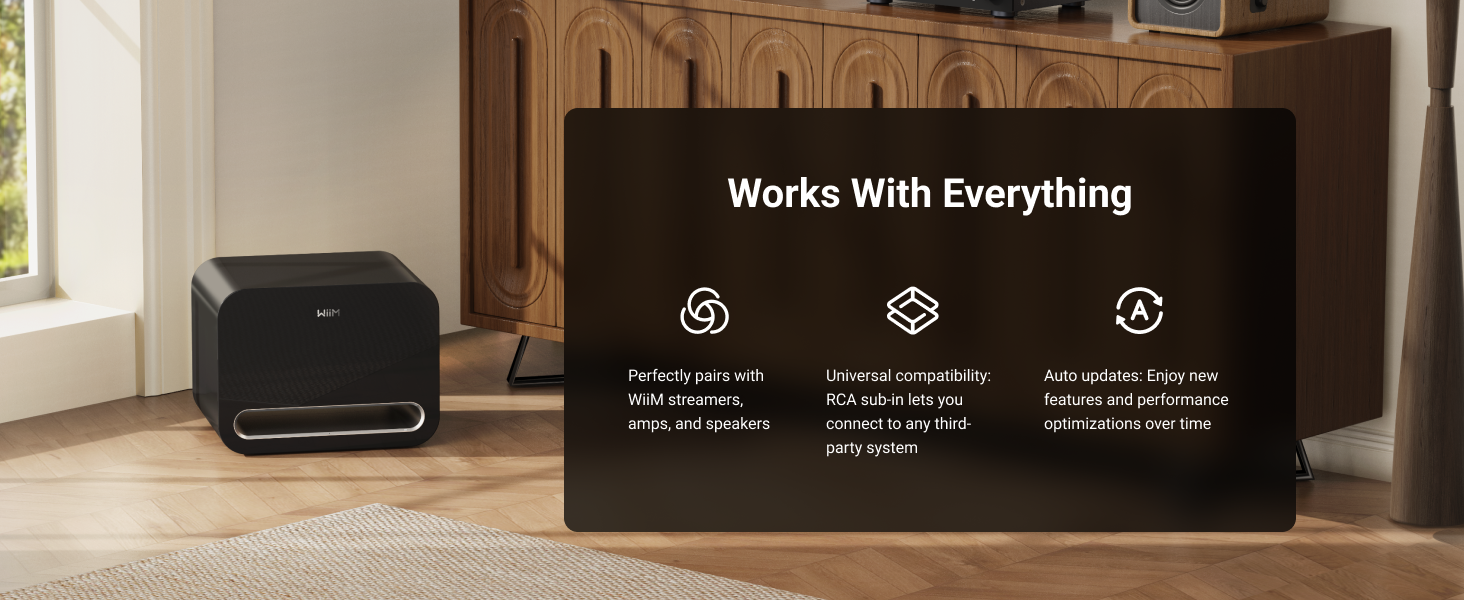
Image 6.4: The WiiM Sub Pro's compatibility with the WiiM ecosystem, RCA systems, and over-the-air updates.
7. Údržba
To ensure the longevity and optimal performance of your WiiM Sub Pro, follow these maintenance guidelines:
- Čistenie: Use a soft, dry cloth to clean the exterior of the subwoofer. Avoid abrasive cleaners, solvents, or harsh chemicals.
- Vetranie: Ensure that the ventilation ports are not blocked. Do not place the subwoofer in an enclosed space without adequate airflow.
- Správa napájania: The subwoofer features Auto Standby and Signal Wake functions. Auto Standby puts the unit into a low-power state when no audio signal is detected, and Signal Wake reactivates it upon detecting an audio signal.

Image 7.1: Illustration of the Auto Standby and Signal Wake features.
Aktualizácie firmvéru:
The WiiM Sub Pro receives Over-The-Air (OTA) firmware updates to improve performance and add new features. Ensure your device is connected to the internet for these updates.

Image 7.2: The WiiM Sub Pro supports Over-The-Air (OTA) firmware updates.
8. Riešenie problémov
If you encounter issues with your WiiM Sub Pro, refer to the following common problems and solutions:
| Problém | Možná príčina | Riešenie |
|---|---|---|
| Z subofora nie je žiadny zvuk | Power not connected; volume too low; incorrect source selection; wireless connection issue; RCA cable not connected properly. | Check power connection. Increase volume in the app. Verify correct input source. Re-establish wireless connection via WiiM Home App. Ensure RCA cable is securely connected. |
| Bass is weak or distorted | Incorrect crossover settings; improper phase; subwoofer placement; RoomFit calibration not performed or incorrect. | Adjust crossover frequency and phase in the WiiM Home App. Experiment with subwoofer placement. Perform AI RoomFit calibration. |
| Subwoofer disconnects from Wi-Fi | Slabý signál Wi-Fi; rušenie siete; problémy s routerom. | Move subwoofer closer to the Wi-Fi router. Check for other devices causing interference. Restart your Wi-Fi router. Reconnect via the WiiM Home App. |
| Bass output limitation in wireless mode (Alexa Multi-Room Music, Roon Ready, LMS, Google Cast) | Known temporary software limitation. | WiiM is actively working on a resolution for this. Ensure your device receives firmware updates. |
| App cannot find subwoofer | Subwoofer not powered on; not in pairing mode; Wi-Fi issues. | Ensure subwoofer is powered on. Check Wi-Fi connection on both subwoofer and smartphone. Try restarting the app and subwoofer. |
9. Špecifikácie
| Funkcia | Špecifikácia |
|---|---|
| Názov modelu | POD001 |
| Typ reproduktora | Subwoofer |
| Priemer subwoofera | 8 palca |
| Maximálny výstupný výkon reproduktora | 250 wattov |
| Frekvenčná odozva | Až do 25 Hz |
| Technológia pripojenia | Bluetooth 5.3, Wi-Fi 6 |
| Dosah bezdrôtovej komunikácie | Up to 200 Feet (Wi-Fi), 0.2 Kilometers (Bluetooth) |
| Metóda kontroly | App (WiiM Home App) |
| Špeciálne funkcie | Bass Boost, Hi-Res Audio, Multi-Room Audio, AI RoomFit Calibration |
| Režim zvukového výstupu | Mono |
| Impedancia | 4 ohmov |
| Pomer signál-šum | 101 dB |
| Rozmery produktu (D x Š x V) | 15.7" x 12.7" x 11.8" (399 mm x 322 mm x 301 mm) |
| Hmotnosť položky | 35.2 libier |
| Materiál | Drevo |
| Farba | Čierna |
| Zdroj napájania | Káblové elektrické |
| Vnútorné / vonkajšie použitie | Vnútorný |
| UPC | 741365254539 |

Image 9.1: Product dimensions of the WiiM Sub Pro.
10. Záruka a podpora
The WiiM Sub Pro comes with a Limited Warranty. For specific warranty terms and conditions, please refer to the warranty card included in your package or visit the official WiiM website. For technical support, troubleshooting assistance, or service inquiries, please contact WiiM customer support through their official channels.