
1. Úvod
This manual provides essential information for the safe operation and maintenance of your SuperRC V666 Drone with Camera. Please read it thoroughly before first use to ensure proper setup and to maximize your flying experience. The V666 drone features a brushless motor, optical flow positioning, and an HD 180° adjustable camera, designed for both beginner and adult users.
2. Bezpečnostné opatrenia
- Letové prostredie: Lietajte na otvorenom priestranstve, ďaleko od ľudí, zvierat, budov a elektrického vedenia. Vyhnite sa lietaniu v silnom vetre alebo za nepriaznivých poveternostných podmienok.
- Bezpečnosť batérie: Use only the provided batteries and charging cable. Do not overcharge or puncture batteries. Discontinue use if batteries show signs of damage or swelling.
- Bezpečnosť vrtule: Udržujte ruky, tvár a voľné oblečenie v bezpečnej vzdialenosti od rotujúcich vrtúľ. Pred letom sa uistite, že vrtule sú bezpečne upevnené.
- Priama viditeľnosť: Počas letu vždy udržiavajte vizuálnu líniu s dronom.
- Odporúčaný vek: Tento produkt je vhodný pre používateľov vo veku 14 rokov a viac.
- rušenie: Vyhnite sa lietaniu v blízkosti silných zdrojov elektromagnetického rušenia.
- Multiple Drones: When operating multiple drones simultaneously, power on and pair each drone and its remote control separately to prevent frequency conflicts.
3. Obsah balenia
Overte si, či sú vo vašom balení všetky nižšie uvedené položky:
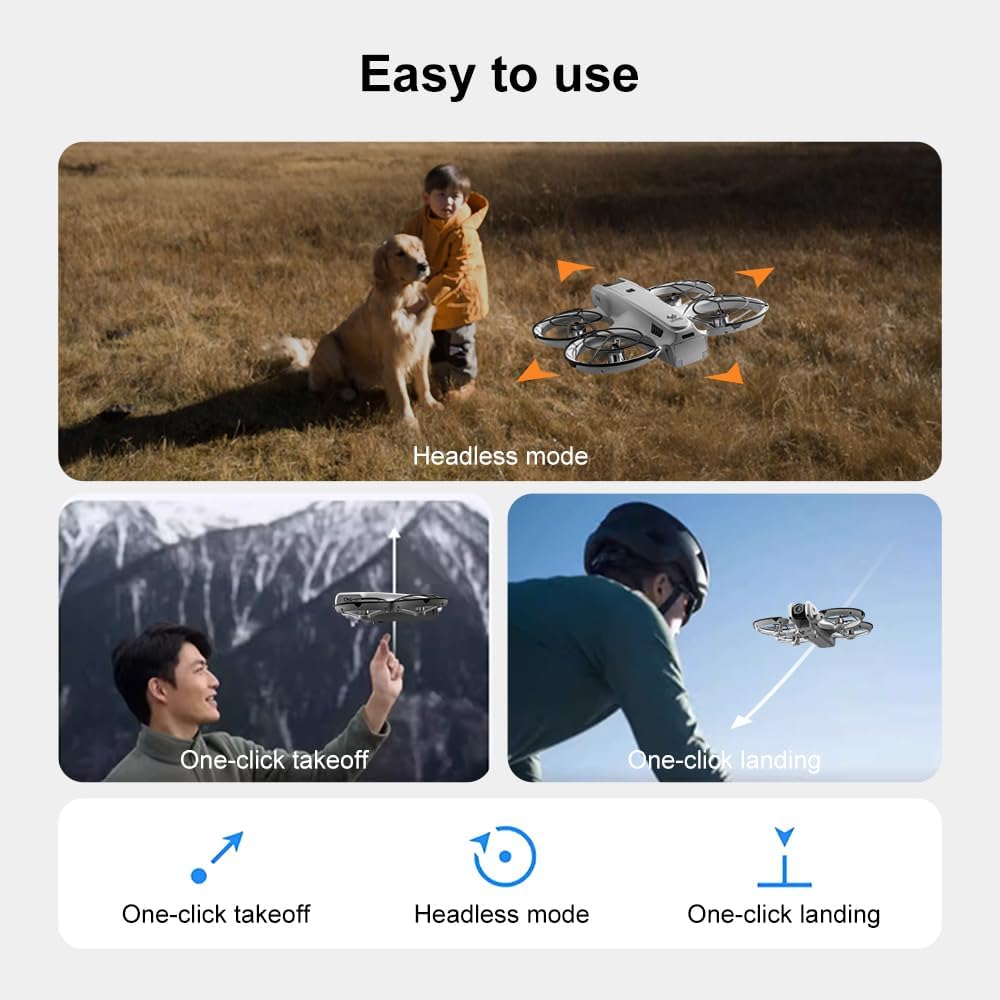
Obrázok: Cezview of the SuperRC V666 Drone package contents, showing the drone, remote control with screen, two batteries, spare propellers, screwdriver, USB charging cable, card reader, and memory card.
- SuperRC V666 Drone
- Diaľkové ovládanie s integrovanou obrazovkou
- 2 x lítium-iónové batérie (každá s kapacitou 1000 mAh)
- Náhradné vrtule
- Chrániče vrtule
- Kabelka
- Kábel micro-USB
- Skrutkovač
- Čítačka kariet
- Pamäťová karta
4. Identifikácia komponentu
4.1 Dron nadview
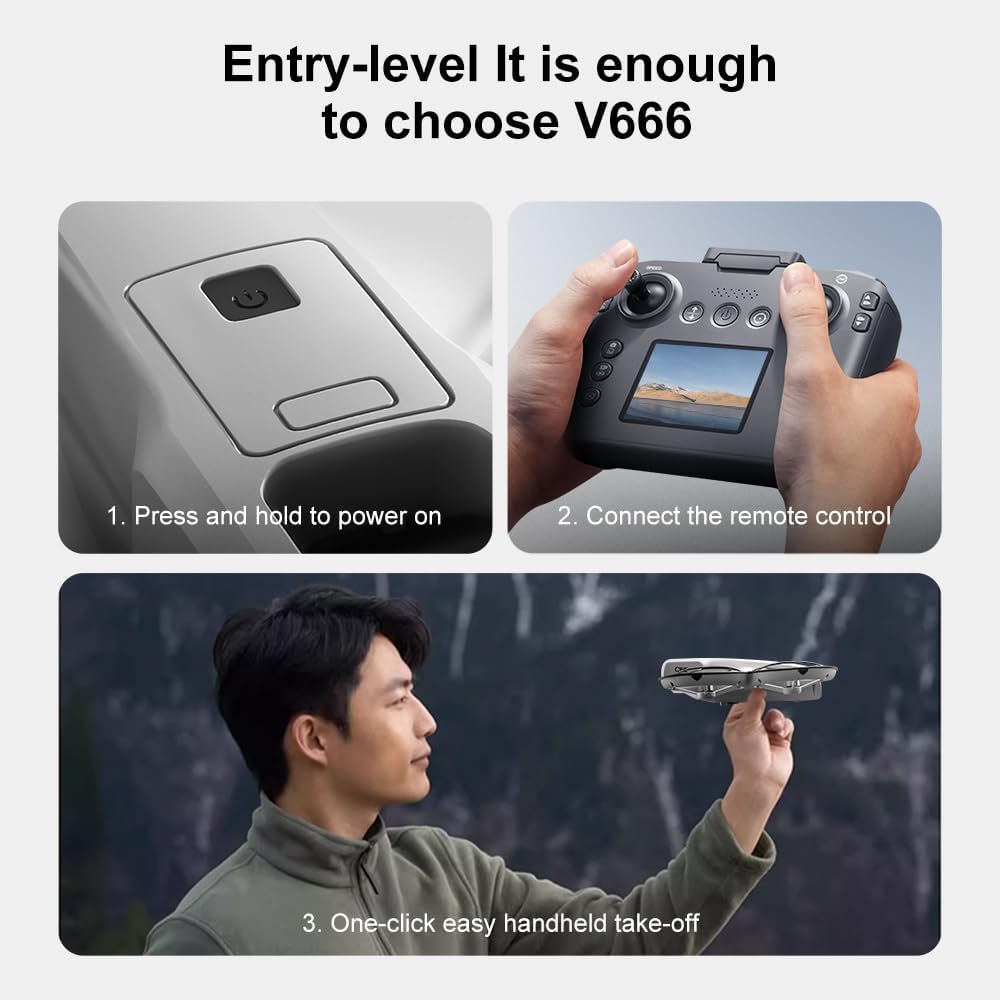
Obrázok: Podrobný view of the SuperRC V666 Drone, showing the main body, camera, and protected propellers.
Familiarize yourself with the drone's key components:
- Fotoaparát: Front-mounted, 180° manually adjustable HD camera.
- pohony: Four propellers with protective guards.
- Bezkartáčové motory: Provide stable and powerful flight.
- Priestor na batériu: Nachádza sa na tele dronu.
- Tlačidlo napájania: For turning the drone on/off.
- Body Light: Integrated lighting for visibility.
4.2 Diaľkové ovládanie Overview
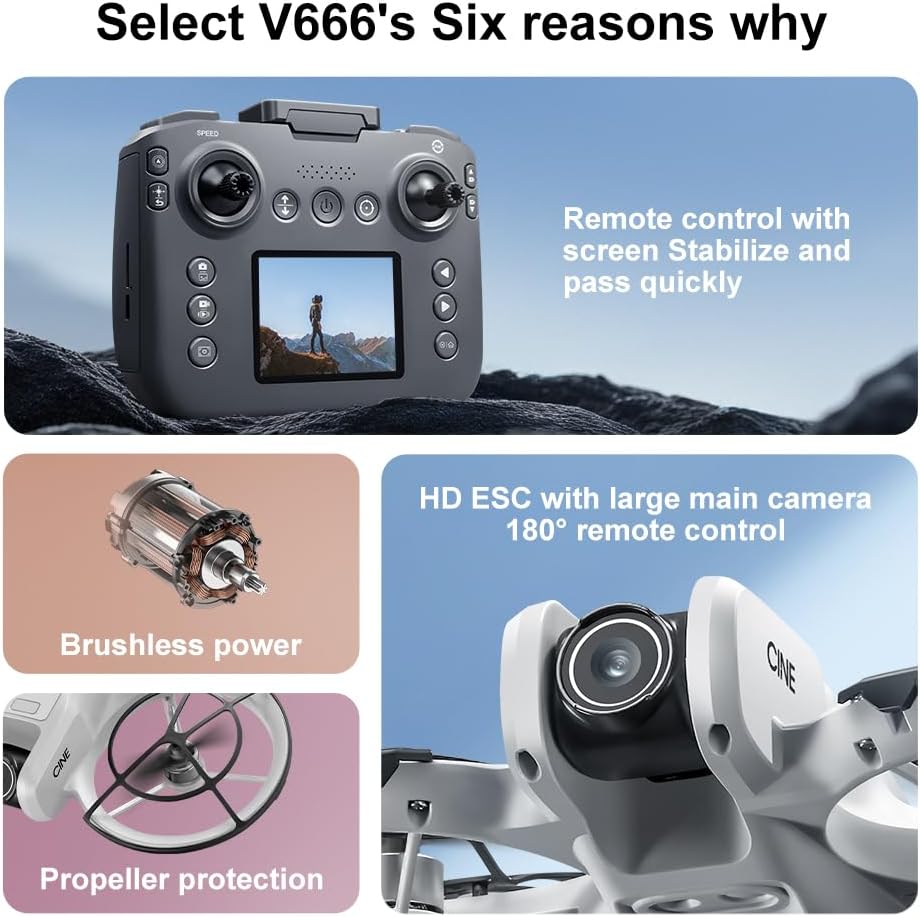
Image: The remote control for the SuperRC V666 Drone, featuring a central display screen, dual joysticks, and multiple control buttons.
Vlastnosti diaľkového ovládača:
- Joysticky: Left for throttle/yaw, right for pitch/roll.
- Integrovaná obrazovka: Displays flight information and live camera feed.
- Tlačidlo napájania: Zapnutie/vypnutie diaľkového ovládača.
- Tlačidlo pre vzlet/pristátie s jedným tlačidlom: Spustí automatický vzlet alebo pristátie.
- Tlačidlo nastavenia rýchlosti: Prepína medzi rôznymi rýchlosťami letu.
- Tlačidlá pre fotografie/video: For capturing images and recording video.
- Orezávacie tlačidlá: For fine-tuning drone stability.
5. Nastavenie
5.1 Inštalácia a nabíjanie batérie
- Insert the fully charged Lithium Ion battery into the drone's battery compartment. Ensure it clicks into place securely.
- To charge the battery, connect it to the Micro-USB cable and then to a USB power source (e.g., computer, USB wall adapter). The charging indicator will show the charging status.
- Charge the remote control battery using its dedicated charging port and cable.
5.2 Inštalácia vrtule
The drone comes with propeller guards pre-installed. If you need to replace propellers:
- Pre každý motor určte správny typ vrtule (A alebo B). Vrtule sú zvyčajne označené.
- Zarovnajte vrtuľu s hriadeľom motora a pevne ju zatlačte, kým nie je bezpečne utiahnutá.
- Uistite sa, že všetky vrtule sa voľne otáčajú bez prekážok.
5.3 Párovanie dronu a diaľkového ovládača

Image: Visual guide demonstrating the steps for powering on the drone, connecting the remote control, and initiating a one-click handheld take-off.
- Dron umiestnite na rovný a rovný povrch.
- Press and hold the power button on the drone until its indicator lights turn on.
- Zapnite diaľkové ovládanie.
- The drone and remote control will automatically attempt to pair. Once paired, the drone's indicator lights will become solid.
- Poznámka: If operating multiple drones, power on and pair each drone and its remote control individually to avoid signal interference.
6. Návod na obsluhu
6.1 Základné ovládacie prvky letu
- Ľavý joystick (plyn/stáčanie):
- Push up/down: Increase/decrease altitude (Throttle).
- Push left/right: Rotate drone left/right (Yaw).
- Pravý joystick (nakláňanie/otáčanie):
- Push up/down: Move drone forward/backward (Pitch).
- Push left/right: Move drone left/right (Roll).
- Nastavenie rýchlosti: Press the speed button on the remote to cycle through different flight speeds (e.g., low, medium, high).
6.2 One-Key Functions
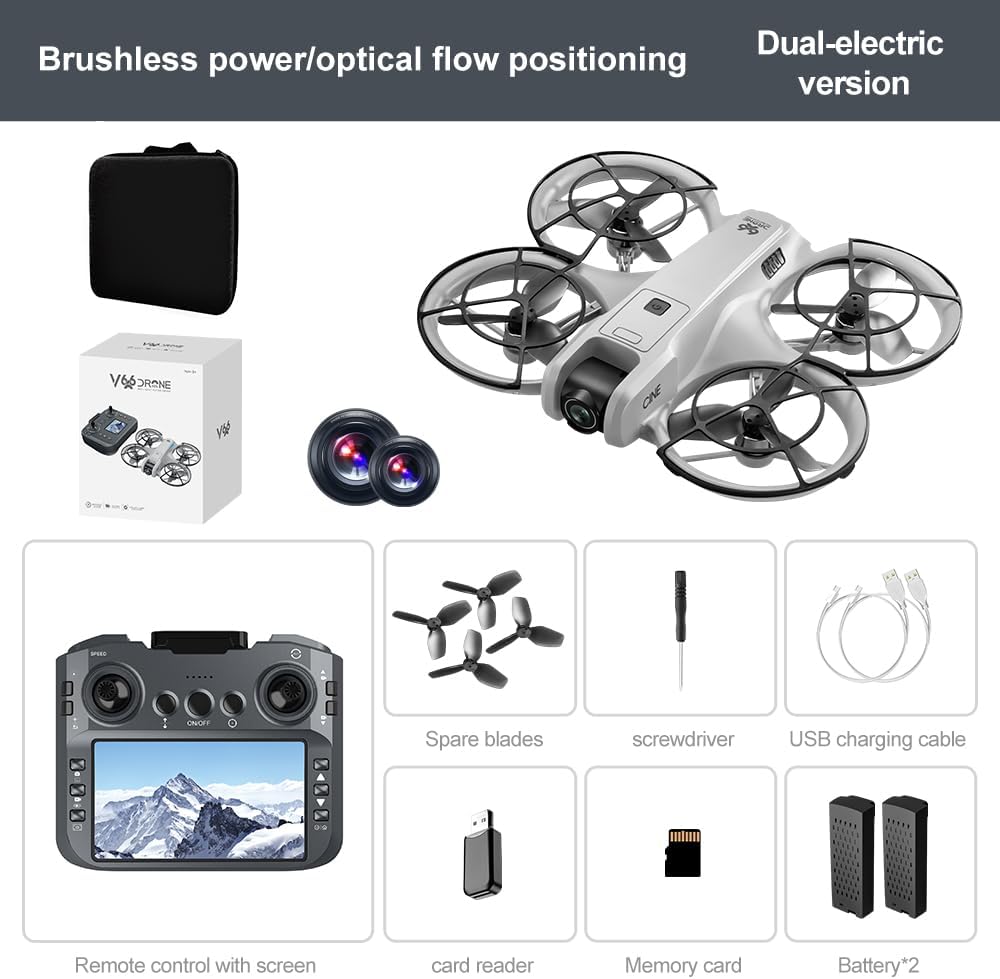
Image: Visual representation of the drone's Headless Mode, One-Click Take-off, and One-Click Landing functionalities.
- Vzlet jedným tlačidlom: Press the designated button once, and the drone will automatically ascend to a stable hovering height.
- Pristátie jedným kľúčom: Press the designated button once, and the drone will automatically descend and land gently.
- Návrat jedným kľúčom: Activates the drone's return-to-home function. The drone will attempt to return to its take-off point.
6.3 Bezhlavý režim
In Headless Mode, the drone's orientation is relative to the pilot, regardless of which way the drone's front is facing. This simplifies control for beginners.
6.4 Ovládanie gestami
The drone supports gesture-based photo and video capture. Perform specific hand gestures in front of the camera to trigger these functions during flight.
6.5 Obsluha kamery
- Nastavenie uhla kamery: The camera lens can be manually adjusted 180° before flight to achieve the desired viewing uhol.
- Zachytenie fotografie/videa: Na fotografovanie alebo spustenie/zastavenie nahrávania videa použite príslušné tlačidlá na diaľkovom ovládači.
- Priamy prenos: The integrated screen on the remote control provides a real-time view from the drone's camera via Wi-Fi connectivity.
- Ukladací priestor: Captured photos and videos are saved to the inserted memory card.
7. Údržba
- Čistenie: Na čistenie dronu a diaľkového ovládača používajte mäkkú, suchú handričku. Nepoužívajte rozpúšťadlá ani agresívne chemikálie.
- Výmena vrtule: If propellers are damaged, replace them with spare parts using the provided screwdriver. Ensure correct propeller type (A or B) is used for each motor.
- Ukladací priestor: Store the drone and its components in a cool, dry place, away from direct sunlight and extreme temperatures. Remove batteries if storing for extended periods.
8. Riešenie problémov
| Problém | Možná príčina | Riešenie |
|---|---|---|
| Dron sa nezapne | Batéria nie je nabitá alebo je nesprávne nainštalovaná. | Uistite sa, že batéria je úplne nabitá a správne vložená. |
| Drone fails to pair with remote control | Remote control not powered on, or pairing sequence incorrect. | Ensure both devices are powered on. Follow pairing steps (Section 5.3). Avoid multiple drones pairing simultaneously. |
| Dron sa počas letu unáša | Not calibrated on a flat surface, or environmental factors. | Ensure drone is placed on a flat surface before take-off. Perform calibration if available (refer to remote control instructions). Avoid strong winds. |
| Poor camera image quality or no live feed | Weak Wi-Fi signal, camera lens dirty, or memory card issue. | Ensure drone is within Wi-Fi range. Clean camera lens. Check memory card for proper insertion and sufficient space. |
| Krátky čas letu | Batéria nie je úplne nabitá alebo je batéria vybitá. | Fully charge batteries before each flight. Consider replacing old batteries if performance significantly degrades. |
9. Špecifikácie
| Funkcia | Detail |
|---|---|
| Značka | SuperRC |
| Názov modelu | V666 |
| Farba | Šedá |
| Hmotnosť položky | 0.2 kilogramu (približne 7 unce) |
| Rozmery produktu | 7 cm D x 6 cm Š x 2 cm V |
| Úroveň zručností | Začiatočník |
| Typ motora | Bezuhlíkový motor |
| Fotoaparát | HD 180° Manually Adjustable |
| Rozlíšenie snímania videa | 720p |
| Formát snímania videa | MP4 |
| Technológia pripojenia | Wi-Fi, Radio Frequency |
| Technológia optických senzorov | Optický tok, CMOS |
| Typ batérie | Lítium-ión |
| Kapacita batérie | 1000 XNUMX mAh |
| Typ ovládania | Diaľkové ovládanie |
| Špeciálne funkcie | Adjustable Camera, One Button Return, One Key Rotation, Rechargeable, Speed Adjustment, Optical Flow Positioning |
10. Záruka a podpora
For warranty information or technical support, please refer to the documentation included with your purchase or contact SuperRC customer service directly. Keep your proof of purchase for any warranty claims.
Pre ďalšiu pomoc môžete navštíviť SuperRC Store on Amazon.