
1. Úvod
Thank you for choosing the Xiaomi Smart Temperature and Humidity Monitor 3 Mini. This device is designed to provide accurate, real-time measurements of indoor temperature and humidity, helping you maintain a comfortable and healthy environment. Its compact design and smart features make it a valuable addition to any home.
2. Produkt skončilview a funkcie
The Xiaomi Smart Temperature and Humidity Monitor 3 Mini combines precision with convenience. Key features include:
- Kompaktný dizajn: Small footprint for versatile placement.
- Vysoko presný snímač: Accurate detection of temperature and humidity changes.
- Prehľadný LCD displej: Shows temperature and humidity simultaneously.
- Ideal Range Indicator: Visual cues for optimal environmental conditions.
- Ultranízka spotreba energie: Predĺžená výdrž batérie.
- Flexibilné umiestnenie: Suitable for tabletop or wall mounting.
- Kompatibilita inteligentnej domácnosti: Bluetooth connectivity for integration with smart home systems.

The monitor features a compact design with a 42.8 x 35.1 mm LCD screen, making it easy to read and place. Device dimensions are approximately 62.6 x 53.2 mm.
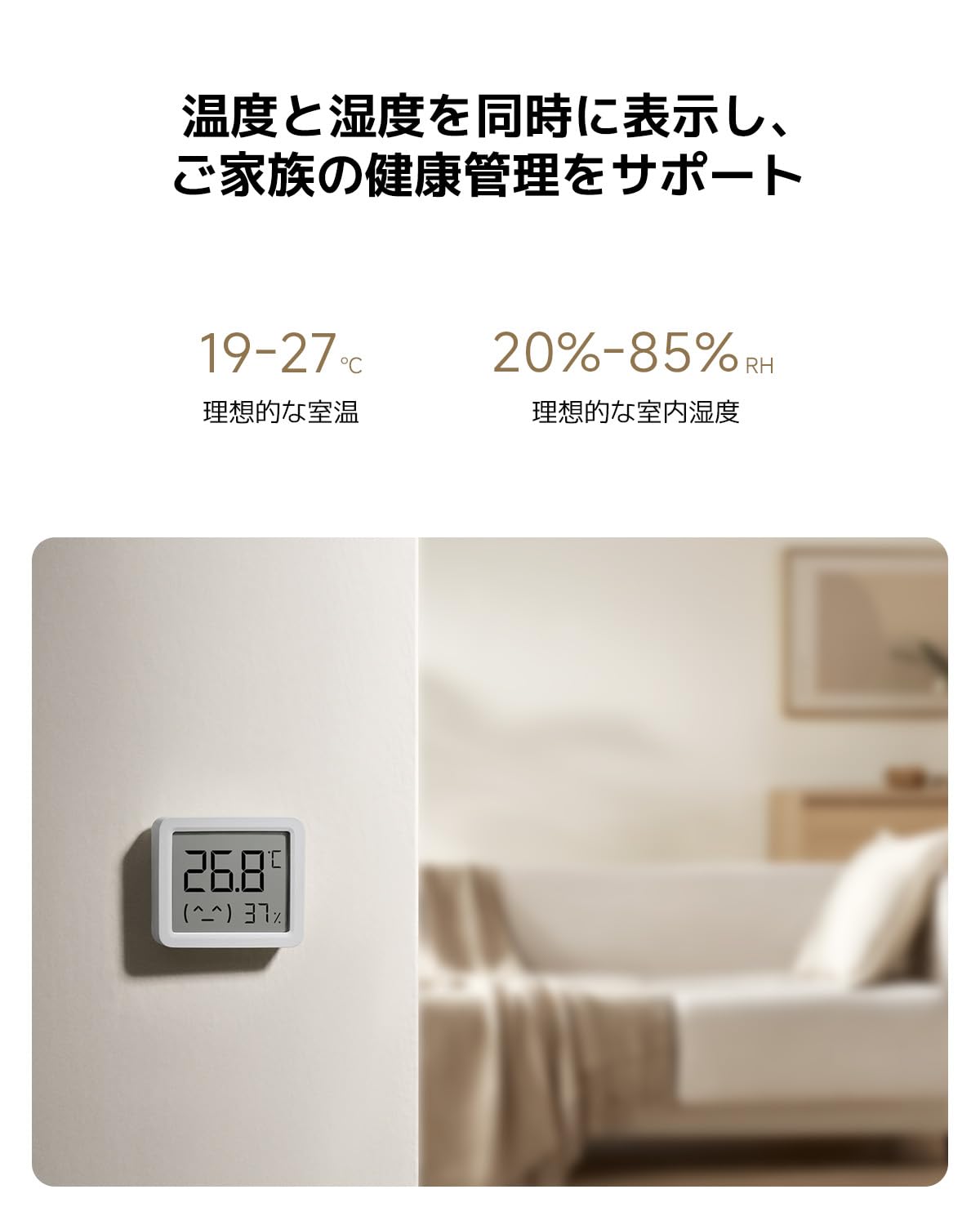
Equipped with a high-precision sensor, the monitor accurately detects changes in temperature (0.1°C resolution) and humidity (1% RH resolution).

The display simultaneously shows current temperature and humidity. Ideal indoor conditions are indicated as 19-27°C for temperature and 20-85% RH for humidity.
3. Nastavenie
3.1 Vybalenie a úvodná kontrola
Carefully remove the monitor from its packaging. Inspect the device for any signs of damage. The package should include the Xiaomi Smart Temperature and Humidity Monitor 3 Mini and this user manual.
3.2 Inštalácia batérie
- Nájdite kryt priehradky na batérie na zadnej strane zariadenia.
- Opatrne otvorte kryt.
- Insert one CR2450 button cell battery, ensuring the positive (+) side faces upwards as indicated inside the compartment.
- Close the battery compartment cover securely. The display should activate automatically.

The monitor uses a CR2450 button cell battery, offering ultra-low power consumption for up to 2 years in standard mode and 3 years in battery-saving mode.
3.3 Umiestnenie
The monitor can be placed on a flat surface using its integrated stand or mounted on a wall. For accurate readings, place the device away from direct sunlight, heat sources, and strong drafts.

Its versatile design allows for flexible placement, either on a tabletop using its integrated stand or mounted on a wall.
3.4 Smart Home Pairing (Optional)
To connect the monitor to your smart home system via Bluetooth, follow these general steps:
- Download the official Xiaomi Home app (or compatible smart home app) on your smartphone.
- Uistite sa, že je na vašom smartfóne povolená funkcia Bluetooth.
- Open the app and follow the on-screen instructions to add a new device. The monitor should appear as an available device for pairing.
- Potvrďte párovanie v aplikácii.
4. Návod na obsluhu
4.1 Čítanie displeja
The LCD screen continuously displays the current temperature in Celsius (°C) and relative humidity (RH%). The display is designed for clear visibility from a distance.
4.2 Understanding Ideal Ranges
The monitor may provide visual indicators or a simple emoji to represent comfort levels. Generally, ideal indoor conditions are:
- teplota: 19 °C až 27 °C
- vlhkosť: 20 % RH až 85 % RH
Adjust your environment (e.g., heating, cooling, humidifiers, dehumidifiers) as needed to stay within these ranges for optimal comfort and health.
5. Údržba
5.1 Čistenie
Wipe the device gently with a soft, dry cloth. Do not use liquid cleaners, abrasive materials, or immerse the device in water.
5.2 Výmena batérie
When the battery is low, a low battery indicator may appear on the display. Replace the CR2450 battery by following the installation steps in Section 3.2. Dispose of used batteries responsibly according to local regulations.
5.3 Skladovanie
Ak zariadenie skladujete dlhší čas, vyberte batériu, aby ste predišli jej vytečeniu. Skladujte na chladnom a suchom mieste.
6. Riešenie problémov
- Bez zobrazenia: Skontrolujte, či je batéria správne vložená a či je dostatočne nabitá. V prípade potreby batériu vymeňte.
- Nepresné hodnoty: Ensure the device is placed in an appropriate location, away from direct heat, cold, or drafts. Allow some time for the sensor to stabilize after placement or battery change.
- Problémy s pripojením Bluetooth: Ensure Bluetooth is enabled on your smartphone and the device is within range. Try restarting both the monitor (by reinserting the battery) and your smartphone.
- Display Not Changing: If readings appear stuck, try replacing the battery. If the issue persists, contact customer support.
7. Špecifikácie
| Číslo modelu | QBH4312GL |
| Rozmery (zariadenie) | Približne. 62.6 x 53.2 x 12.7 mm |
| Hmotnosť | 50 g |
| Rozsah merania teploty | 0 °C až 50 °C (32 °F až 122 °F) |
| Presnosť teploty | ±0.5 °C |
| Rozsah merania vlhkosti | 0 % RH až 99 % RH |
| Presnosť vlhkosti | ± 1 % relatívnej vlhkosti |
| Typ batérie | CR2450 Tlačidlo Bunka |
| Životnosť batérie | Up to 2-3 years (depending on usage mode) |
| Konektivita | Bluetooth |
| Možnosti montáže | Tabletop, Wall-mounted |
8. Záruka a podpora
8.1 Informácie o záruke
The Xiaomi Smart Temperature and Humidity Monitor 3 Mini comes with a standard manufacturer's warranty. Please refer to your purchase documentation or the official Xiaomi webpodrobné záručné podmienky špecifické pre váš región nájdete na webovej stránke.
8.2 Zákaznícka podpora
Pre technickú podporu, pomoc s riešením problémov alebo reklamácie navštívte oficiálnu podporu Xiaomi website or contact their customer service department. Contact details can typically be found on the Xiaomi official webna stránke alebo v obale vášho produktu.
Online podpora: www.mi.com/global/support