
1. Úvod
This manual provides essential instructions for the safe and efficient use of your Samsung Smart FHD 43'' TV, model LS43F6000FGXZD. Please read this manual thoroughly before operating the device and retain it for future reference. Your new television features Full HD resolution, HDR technology, PurColor, and the Tizen™ operating system for a rich viewskúsenosti.
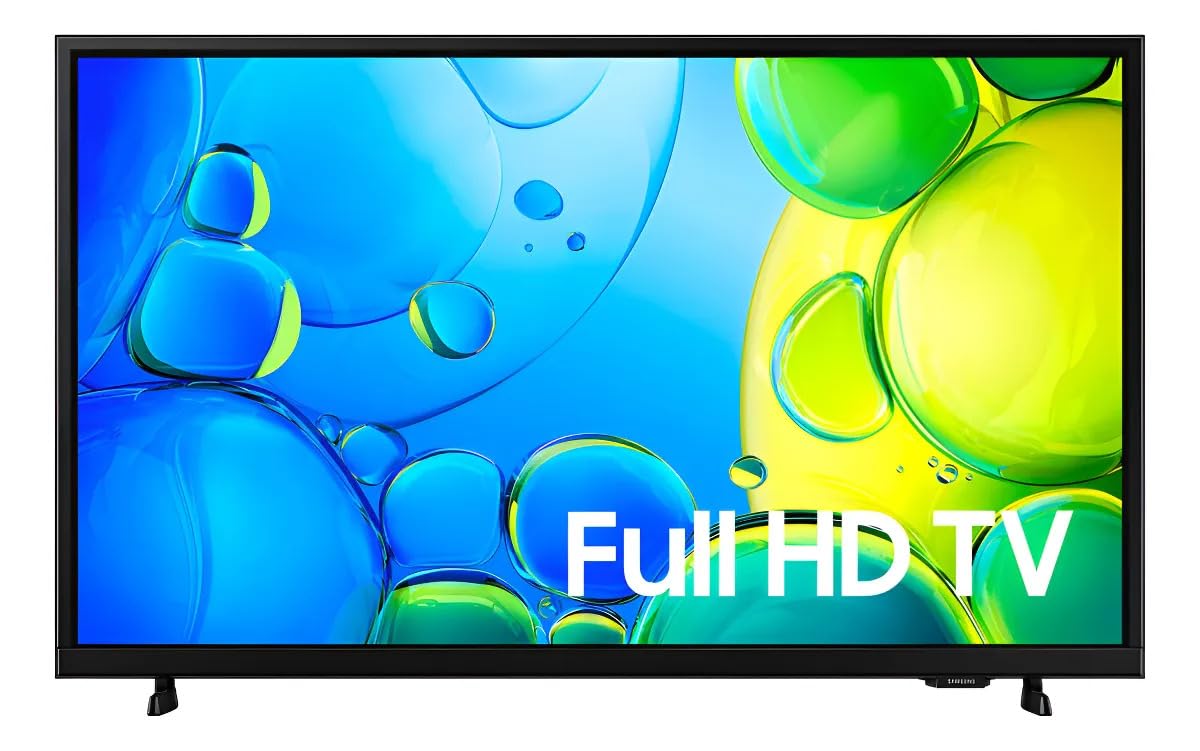
Obrázok 1: Predná strana view of the Samsung Smart FHD 43'' TV.
2. Bezpečnostné informácie
Vždy dodržiavajte tieto základné bezpečnostné opatrenia, aby ste znížili riziko požiaru, úrazu elektrickým prúdom a zranenia.
- Nevystavujte toto zariadenie dažďu ani vlhkosti.
- Neblokujte žiadne vetracie otvory. Inštalujte podľa pokynov výrobcu.
- Neinštalujte v blízkosti zdrojov tepla, ako sú radiátory, ohrievače, kachle alebo iné zariadenia (vrátane amplifikátory), ktoré produkujú teplo.
- Chráňte napájací kábel, aby sa po ňom nešliapalo alebo aby nebol priškripnutý, najmä pri zástrčkách, zásuvkách a v mieste, kde vychádza zo zariadenia.
- Používajte iba doplnky/príslušenstvo určené výrobcom.
- Všetok servis prenechajte kvalifikovanému servisnému personálu. Servis je potrebný, ak je prístroj akýmkoľvek spôsobom poškodený.
- Ensure the TV is placed on a stable surface or securely mounted to prevent tipping.
3. Čo je v krabici
Carefully unpack your TV and ensure all components are present. If any items are missing or damaged, contact your retailer.
- Samsung Smart FHD 43'' TV
- Diaľkové ovládanie (vyžaduje 2 batérie typu AA, nie sú vždy súčasťou balenia)
- Napájací kábel
- Video Adapter (if applicable)
- Stand Components (Base/Feet)
- Používateľská príručka (tento dokument)
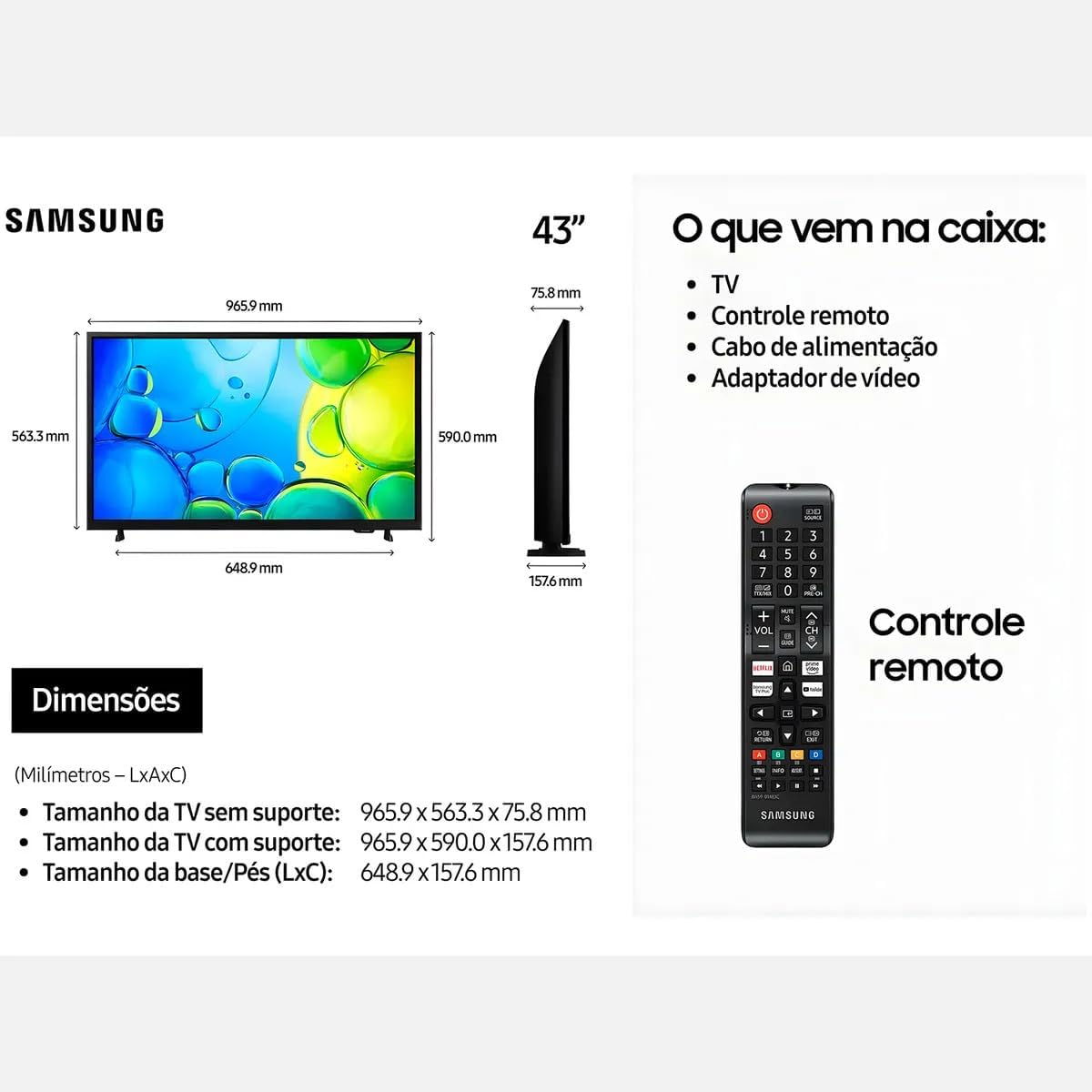
Figure 2: Illustration of items typically included in the product packaging, along with TV dimensions.
4. Nastavenie
4.1 Rozbalenie
Remove the TV and all accessories from the packaging. It is recommended to keep the original packaging for future transport or servicing.
4.2 Pripevnenie stojana
If you are placing the TV on a table or cabinet, attach the included stand. Follow the instructions provided in the stand assembly guide. Ensure all screws are tightened securely.
4.3 Montáž na stenu
For wall mounting, use a VESA-compliant wall mount kit (100 x 200 mm, sold separately). Consult a professional for wall mounting to ensure proper installation and safety.
4.4 Pripojenie periférnych zariadení
Pripojte externé zariadenia k televízoru pomocou príslušných portov.
- HDMI: Pripojte prehrávače Blu-ray, herné konzoly alebo set-top boxy k portom HDMI. Tento televízor má 2 porty HDMI.
- USB: Connect USB storage devices for media playback to the USB 3.0 port. This TV has 1 USB 3.0 port.
- Sieť (LAN): Pre káblové internetové pripojenie pripojte ethernetový kábel k portu LAN.
- Anténa/kábel: Pripojte anténu alebo káblovú televíziu.
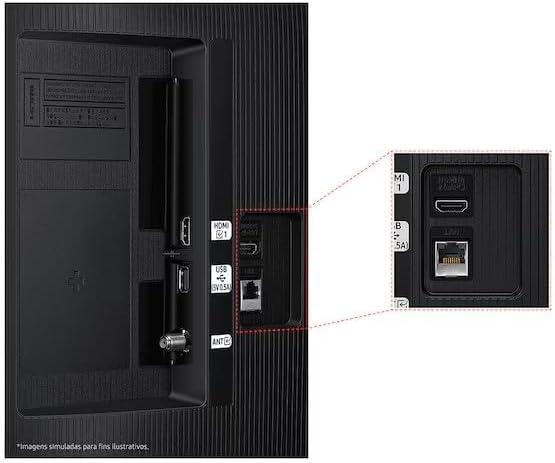
Figure 3: Rear panel connections, highlighting HDMI, USB, and LAN ports.
4.5 Sprievodca prvým zapnutím a nastavením
After connecting all necessary cables, plug the power cord into an electrical outlet. The TV will power on and guide you through the initial setup wizard, which includes language selection, network connection (Wi-Fi or wired), channel scanning, and smart features configuration.
5. Obsluha televízora
5.1 Diaľkové ovládanie Overview
Insert two AA batteries into the remote control. The remote allows you to navigate menus, change channels, adjust volume, and access smart features. Refer to the diagram on the remote control for button functions.
5.2 Základné funkcie televízora
- Výkon: Stlačením tlačidla napájania na diaľkovom ovládači zapnete alebo vypnete televízor.
- Objem: Na nastavenie hlasitosti použite tlačidlá na zvýšenie/zníženie hlasitosti.
- kanál: Na prepínanie kanálov použite tlačidlá Kanál hore/dole.
- Zdroj: Press the Source button to switch between connected input devices (HDMI 1, HDMI 2, TV, etc.).
5.3 Funkcie inteligentného televízora (operačný systém Tizen)
Your Samsung Smart TV runs on the Tizen™ operating system, providing access to a wide range of applications and services. Connect your TV to the internet via Wi-Fi or Ethernet to utilize these features.
- App Store: Download and install various applications like Netflix, YouTube, and Amazon Prime Video.
- Web Prehliadač: Prehliadajte internet priamo z vášho televízora.
- Smart Hub: Access all your smart features, apps, and connected devices from one central location.

Figure 4: The Tizen operating system interface, showing available applications.
The TV also features Knox Security, ensuring your data and privacy are protected.
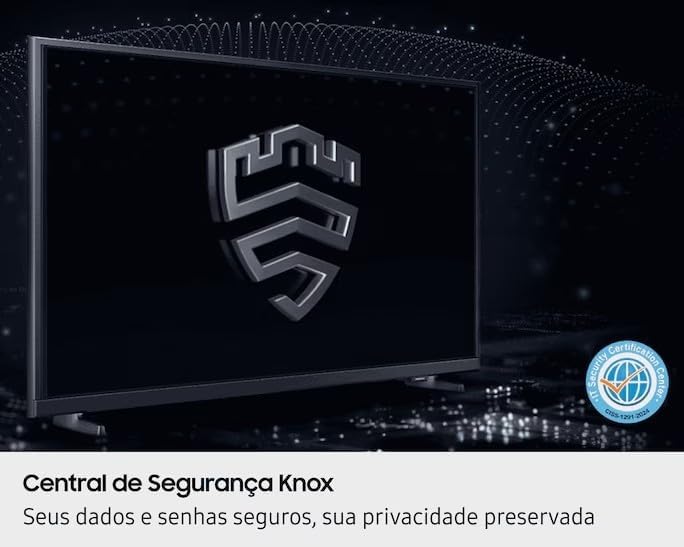
Figure 5: Knox Security Central, highlighting data and privacy protection.
5.4 Nastavenia obrazu
Upravte nastavenia obrazu pre optimalizáciu viewskúsenosti.
- Režim obrazu: Select from various preset modes (Standard, Dynamic, Movie, etc.) or customize your own.
- Jas/kontrast: Upravte tieto nastavenia tak, aby vyhovovali vášmu prostrediu.
- Technológia HDR: This TV supports HDR10+, providing greater depth in details, even in very bright or dark scenes.
- PurColor: Enhances color accuracy and vibrancy for a more lifelike image.
- Zvýrazňovač kontrastu: Automatically adjusts contrast for improved picture depth.

Figure 6: HDR Technology in action, showing enhanced detail in both bright and dark areas.
5.5 Nastavenia zvuku
Customize audio output through the sound settings menu. Options may include sound modes, equalizer settings, and audio output selection (TV speakers, external soundbar, Bluetooth audio).
5.6 Pripojenie
- Bluetooth: Bezdrôtovo pripojte kompatibilné zariadenia Bluetooth, ako sú slúchadlá alebo soundbary.
- Wi-Fi: Pripojte sa k domácej bezdrôtovej sieti a získajte prístup na internet a inteligentné funkcie.
6. Údržba
6.1 Čistenie televízora
- Obrazovka: Obrazovku jemne utrite mäkkou handričkou, ktorá nepúšťa vlákna. V prípade odolných škvŕn ju jemne utrite.amphandričku vodou alebo špeciálnym čistiacim prostriedkom na obrazovky. Nikdy nestriekajte tekutinu priamo na obrazovku.
- Telo televízora: Na utieranie prachu z rámu a zadného panela televízora použite mäkkú, suchú handričku.
- Dôležité: Pred čistením vždy odpojte televízor od elektrickej zásuvky.
6.2 Aktualizácie softvéru
Your TV may receive software updates to improve performance and add new features. You can usually configure the TV to update automatically or check for updates manually through the settings menu (typically under Support > Software Update).
7. Riešenie problémov
Ak sa vyskytnú problémy s televízorom, pred kontaktovaním podpory si pozrite nasledujúce bežné riešenia.
| Problém | Možné riešenie |
|---|---|
| Žiadna sila | Uistite sa, že napájací kábel je bezpečne zapojený do televízora aj do funkčnej elektrickej zásuvky. Otestujte zásuvku s iným zariadením. |
| Žiadny obraz, ale zvuk je prítomný | Skontrolujte vstupný zdroj. Uistite sa, že pripojené zariadenie je zapnuté a funguje správne. Skúste iný kábel HDMI. |
| Žiadny zvuk, ale obraz je prítomný | Check the volume level and ensure the TV is not muted. Verify audio output settings. If using external speakers, check their connections and power. |
| Diaľkové ovládanie nefunguje | Replace the batteries (AA type). Ensure there are no obstructions between the remote and the TV's IR sensor. |
| Nedá sa pripojiť k sieti Wi-Fi | Ensure your router is on and functioning. Re-enter the Wi-Fi password. Try restarting both the TV and your router. |
| Problémy s kvalitou obrazu (napr. rozmazaný, skreslený) | Skontrolujte rozlíšenie zdroja. Upravte nastavenia obrazu (jas, kontrast, ostrosť). Uistite sa, že káble sú bezpečne pripojené. |
8. Špecifikácie
Key technical specifications for the Samsung Smart FHD 43'' TV (Model: LS43F6000FGXZD).
| Funkcia | Detail |
|---|---|
| Číslo modelu | LS43F6000FGXZD |
| Veľkosť obrazovky | 43 palca |
| Technológia displeja | FHD (plné vysoké rozlíšenie) |
| Rozlíšenie | FHD (1920 x 1080 pixels) |
| Obnovovacia frekvencia | 60 Hz |
| Operačný systém | Tizen™ |
| Podpora HDR | HDR10+ |
| Vylepšenie obrazu | HDR Technology, PurColor, Contrast Enhancer |
| Konektivita | Bluetooth, Wi-Fi, 2x HDMI, 1x USB 3.0 |
| Podporované internetové služby | Netflix, YouTube, Amazon Prime |
| Štandard uchytenia VESA | 100 x 200 mm |
| Rozmery (Š x H x V) bez stojana | 965.9 x 75.8 x 563.3 mm |
| Dimensions (W x D x H) with stand | 965.9 x 157.6 x 590.0 mm |
| Hmotnosť (bez podstavca) | 6.5 kg |
| Voltage | 110-220 Volts (check product label for specific range) |
| Typ batérie diaľkového ovládača | AA (x2) |
9. Záruka a podpora
9.1 Záruka na výrobok
This Samsung Smart FHD 43'' TV (Model: LS43F6000FGXZD) comes with a 12-mesačná obmedzená záruka from the date of purchase. This warranty covers manufacturing defects and malfunctions under normal use. Please retain your proof of purchase for warranty claims. For detailed terms and conditions, refer to the warranty card included with your product or visit the official Samsung support webstránky.
9.2 Zákaznícka podpora
For technical assistance, troubleshooting beyond this manual, or warranty service, please contact Samsung Customer Support. You can find contact information (phone numbers, chat support, service center locations) on the official Samsung webstránky pre váš región.
When contacting support, please have your TV's model number (LS43F6000FGXZD) and serial number ready. The serial number is typically located on a sticker on the back of the TV.