
1. Úvod
Thank you for choosing the Tacens AEROSLIM500 MicroATX PC Case. This slim mini-tower is designed for efficient and compact PC builds, supporting MicroATX and Mini-ITX motherboards. It features optimized airflow, an integrated 500W TFX power supply, and modern connectivity. This manual provides essential information for safe installation, operation, and maintenance of your new PC case.
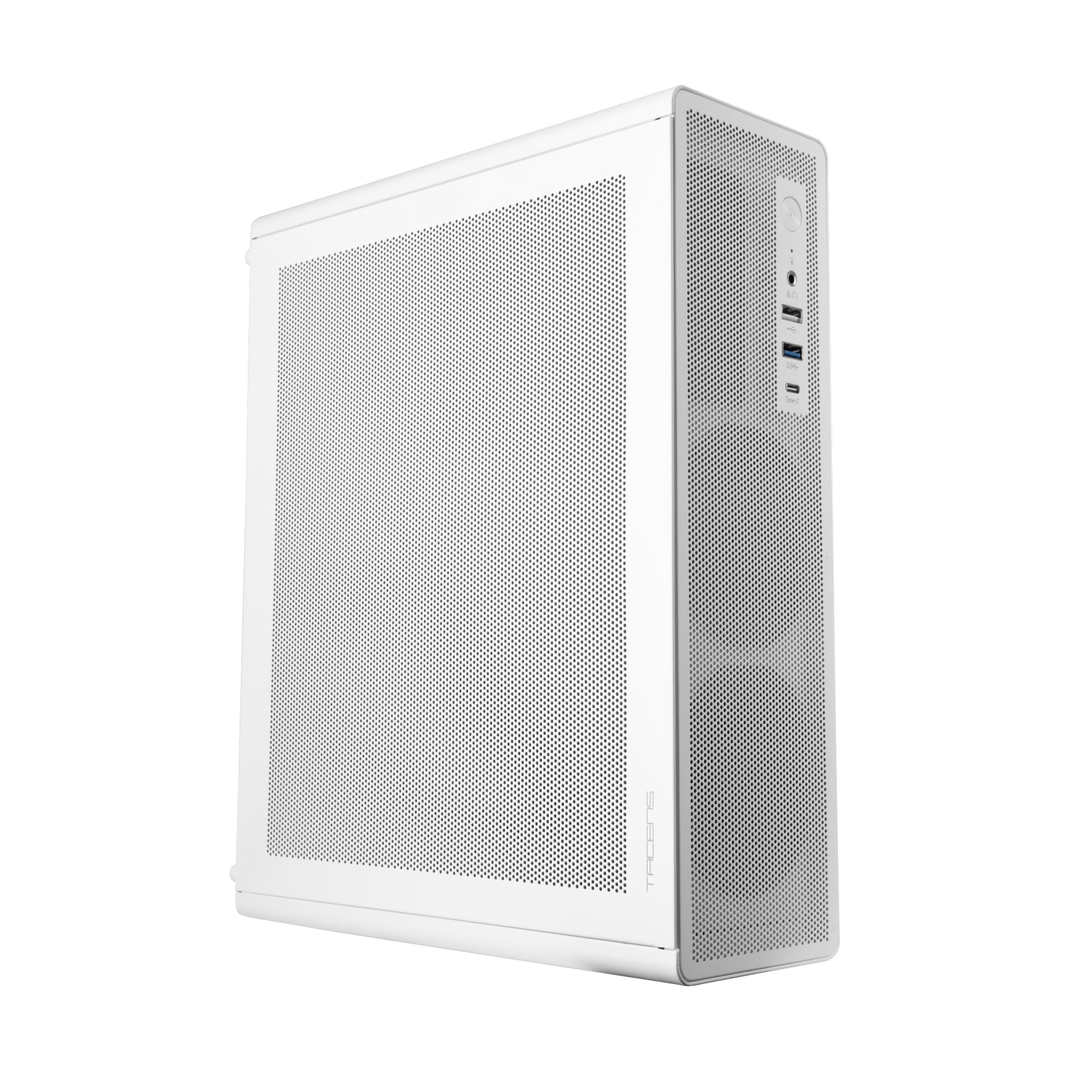
Figure 1: Tacens AEROSLIM500 MicroATX PC Case (Overall View)
2. Bezpečnostné informácie
Please read and follow these safety guidelines to prevent damage to the product or injury to yourself.
- Odpojenie napájania: Always disconnect the power cable from the wall outlet before opening the case or performing any installation/maintenance.
- Statická elektrina: Discharge static electricity from your body before handling internal components. Use an anti-static wrist strap if available.
- Ostre hrany: Be cautious of sharp edges inside the case during installation.
- Vetranie: Ensure proper ventilation around the case. Do not block air vents.
- Kvapalina a vlhkosť: Keep the case away from liquids and excessive moisture.
- Profesionálna inštalácia: Ak si nie ste istí niektorými krokmi inštalácie, vyhľadajte pomoc kvalifikovaného technika.
3. Obsah balenia
Overte si, či sú v balení všetky položky. Ak niektoré položky chýbajú alebo sú poškodené, kontaktujte svojho predajcu.
- Tacens AEROSLIM500 MicroATX PC Case with integrated 500W TFX Power Supply
- Pre-installed 90mm FDB Front Fan
- Sada príslušenstva (skrutky, dištančné stĺpiky, káblové zväzky)
- Používateľská príručka (tento dokument)
4. Vlastnosti produktu
The Tacens AEROSLIM500 PC case offers a range of features for a compact and efficient build:
- Integrated TFX 500W Power Supply: Ensures stable and efficient power delivery for your components.
- Pokročilé chladenie: Front and side ultra-fine mesh panels provide constant airflow and act as a dust barrier.
- Pre-installed Front Fan: Includes a 90mm FDB (Fluid Dynamic Bearing) fan for optimal cooling. Supports up to two 90mm front fans.
- Optimized Internal Space: Compatible with MicroATX (up to 210mm wide) and Mini-ITX motherboards.
- Podpora GPU: Accommodates low-profile GPUs up to 220mm long and 63mm wide.
- Možnosti úložiska: Features 5 x 2.5" SSD drive bays.
- Rozširujúce sloty: Provides 3 expansion slots for MicroATX or 1-2 for Mini-ITX configurations.
- Kompletná konektivita: Front panel includes USB-C, USB 3.0, USB 2.0 ports, and HD audio/microphone jacks.
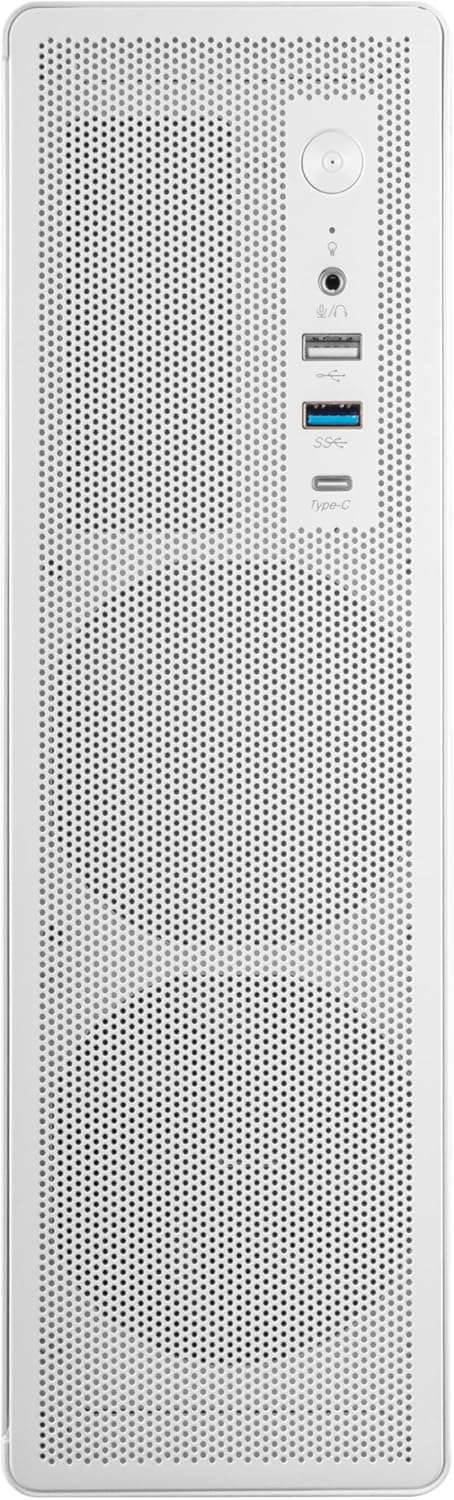
Obrázok 2: Pripojenie predného panela

Obrázok 3: Detailný View of Front I/O Ports
5. Nastavenie a inštalácia
Follow these steps to install your components into the Tacens AEROSLIM500 PC case. Ensure the system is powered off and unplugged before beginning.
5.1. Otvorenie prípadu
- Puzdro umiestnite na rovný a stabilný povrch.
- Locate the thumbscrews or standard screws on the rear panel securing the side panel(s).
- Remove the screws and carefully slide the side panel(s) backward, then lift them off.

Figure 4: Case Interior View with Pre-installed Fan
5.2. Inštalácia základnej dosky
- Install the CPU, CPU cooler (ensure it fits within the 73mm height limit), and RAM onto your MicroATX or Mini-ITX motherboard before placing it in the case.
- Align the motherboard with the pre-installed standoffs inside the case.
- Základnú dosku upevnite pomocou príslušných skrutiek zo súpravy príslušenstva.

Figure 5: Motherboard Mounting Area
5.3. Storage Device Installation (2.5" SSD/HDD)
- Locate the 2.5" drive bays/mounting points. The case supports up to 5 x 2.5" drives.
- Secure your 2.5" SSDs or HDDs using the provided screws.
- Pripojte dátové a napájacie káble SATA k diskom.

Figure 6: Power Supply and Drive Bay Area
5.4. Inštalácia rozširujúcej karty (GPU)
- Odstráňte potrebné kryty rozširujúcich slotov zo zadnej strany skrinky.
- Carefully insert your low-profile GPU (max 220mm length, 63mm width) into the PCIe slot on the motherboard.
- Secure the expansion card with a screw.
5.5. Pripojenie káblov predného panela
Connect the front panel cables (USB-C, USB 3.0, USB 2.0, HD Audio, Power Switch, Reset Switch, Power LED, HDD LED) to their corresponding headers on your motherboard. Refer to your motherboard manual for exact header locations.
5.6. Správa káblov
Route cables neatly to improve airflow and aesthetics. Use the provided cable ties to secure bundles of cables.
5.7. Closing the Case
- Once all components are installed and cables are managed, reattach the side panel(s).
- Secure the side panel(s) with the thumbscrews or standard screws.
6. Návod na obsluhu
After successful assembly, connect your peripherals (monitor, keyboard, mouse) and the power cable to the integrated TFX 500W power supply.
- Zapnutie: Press the power button located on the front panel to turn on your computer.
- USB porty: Use the front USB-C, USB 3.0, and USB 2.0 ports for connecting external devices.
- Zvukové konektory: Connect headphones or a microphone to the front audio jacks.
- Vypnúť: Shut down your computer through the operating system. For a hard shutdown, press and hold the power button for several seconds.
7. Údržba
Pravidelná údržba pomáha zabezpečiť optimálny výkon a dlhú životnosť komponentov vášho počítača.
- Čistenie prachu: The mesh panels act as dust filters. Periodically clean the front and side mesh panels using compressed air or a soft brush to remove accumulated dust.
- Vnútorné čistenie: Every 6-12 months, open the case (after disconnecting power) and use compressed air to clean dust from internal components, especially CPU coolers and GPU fans.
- Kontrola správy káblov: Ensure cables remain neatly routed and do not obstruct airflow.
8. Riešenie problémov
Ak narazíte na problémy, pozrite si nasledujúce bežné kroky na riešenie problémov.
- Bez napájania:
- Ensure the power cable is securely connected to both the wall outlet and the PC's power supply.
- Verify that the power supply switch (if present) is in the 'ON' position.
- Check all internal power connections (24-pin ATX, 8-pin CPU, GPU power) to the motherboard and components.
- Uistite sa, že kábel tlačidla napájania na prednom paneli je správne pripojený ku konektoru základnej dosky.
- Bez zobrazenia:
- Confirm your monitor is powered on and connected to the correct video output on your GPU or motherboard.
- Reseat your GPU and RAM modules.
- Nadmerný hluk:
- Check if any cables are obstructing fan blades.
- Clean dust from fans (CPU, GPU, case fans, PSU fan).
- Ensure all screws are tightened to prevent vibrations.
- Porty na prednom paneli nefungujú:
- Verify that the USB and audio cables from the front panel are correctly connected to the motherboard headers.
9. Špecifikácie
| Značka | Tacens |
| Názov modelu | AEROSLIM500 |
| Kompatibilita základnej dosky | Micro ATX, Mini ITX |
| Typ prípadu | Compact Desktop / Mini-Tower |
| Farba | Biela |
| Materiál | Kovové |
| Napájanie | Integrated TFX 500W |
| Spôsob chladenia | Air (Pre-installed 90mm FDB front fan) |
| Limit výšky chladiča CPU | Až do 73 mm |
| Obmedzenie dĺžky GPU | Up to 220mm (low-profile iba) |
| GPU Width Limit | Až do 63 mm |
| Drive Bays | 5 x 2.5" SSD/HDD |
| Rozširujúce sloty | 3 (MicroATX), 1-2 (Mini-ITX) |
| Predné I / O porty | 1x USB-C, 1x USB 3.0, 2x USB 2.0, HD Audio (Headphone/Microphone) |
| Hmotnosť položky | 2.25 kg |
10. Záruka a podpora
Tacens products are manufactured to the highest quality standards. For information regarding warranty coverage, terms, and conditions, please refer to the warranty card included with your product or visit the official Tacens webstránky.
For technical support, troubleshooting assistance beyond this manual, or to inquire about replacement parts, please contact Tacens customer service through their official webstránku alebo kontaktné informácie uvedené v dokumentácii k produktu.
Official Tacens Webmiesto: www.tacens.com (Poznámka: Toto je zástupný symbol URLSprávne oficiálne údaje nájdete na obale produktu. webstránky.)


