
1. Úvod
The Aurzen Roku TV Smart Projector (Model A02A11) offers a comprehensive home entertainment solution with a built-in Roku streaming experience. This portable projector delivers 1080P Full HD resolution, Dolby Audio, and convenient features like auto-focus and keystone correction. Designed for versatility, it is suitable for various environments, from home theaters to outdoor movie nights, and integrates seamlessly with smart home ecosystems.
2. Čo je v krabici
- Aurzen EAZZE D1R Roku TV Projector x1
- Remote Control x1 (2*AAA Batteries Not Included)
- Napájací kábel x1
- Warranty Card x1 & Quick Start Guide x1
- Note: No HDMI Cable Included
3. Produkt skončilview
The Aurzen Roku TV Smart Projector combines high-quality projection with the convenience of the Roku streaming platform. Below are its key features and components.
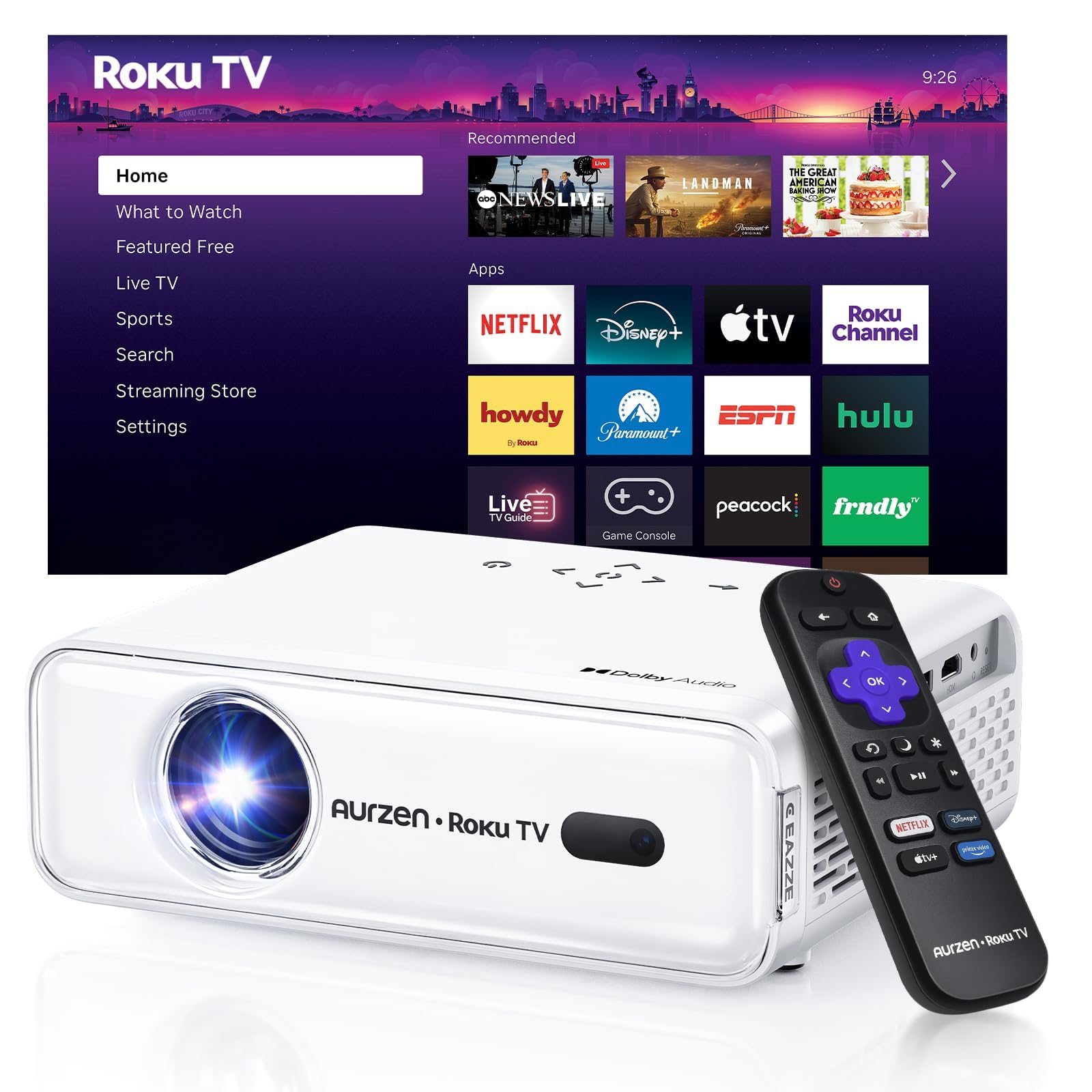
Obrázok 1: Predná strana view of the Aurzen Roku TV Smart Projector.
3.1. Roku TV Streaming Experience
Enjoy America's #1 TV streaming platform built directly into your projector. Access popular apps like Netflix, Prime Video, Disney+, Hulu, YouTube, Roku Channel, and Apple TV. A Roku account and internet connection are required for activation.

Figure 2: The simple and fast Roku TV home screen interface.
3.2. High-Definition Visuals
The projector offers 1080P Full HD resolution, providing enhanced clarity and detail for your favorite movies and TV shows. It can project a massive screen size from 60 to 150 inches, ideal for home theater and outdoor viewing.
3.3. Úrovne jasu
Choose from 3 brightness levels to suit your environment:
- Low (LOW POWER): For dim environments like basements.
- Medium (STANDARD): Suitable for cozy bedrooms.
- High (VIVID): For living rooms or outdoor nights, cutting through extra light for sharp visuals.
3.4. Automatické úpravy
Advanced auto-focus and auto-keystone correction features instantly adjust for a sharp, aligned screen. Simply place the projector, power it on, and enjoy a perfectly adjusted image without manual setup.

Figure 3: Illustration of the automatic focus and keystone correction.
3.5. Pohlcujúci zvuk
Experience deep, resonant audio with Dolby Audio and built-in Dual 5W speakers. These speakers deliver crisp, powerful sound that fills the room, making you feel part of the action.

Figure 4: Dolby Audio integration for enhanced sound quality.
3.6. Možnosti pripojenia
The projector supports dual-band WiFi (2.4G/5G) for smooth, lag-free streaming and Bluetooth 5.2 for connecting to headphones or external speakers. It also includes HDMI and USB ports for wired connections.
Obrázok 5: Zadná časť view of the projector showing USB, HDMI, and audio ports.
3.7. Integrácia inteligentnej domácnosti
The projector is compatible with Apple HomeKit, Siri, Alexa, and Google Assistant, allowing for easy voice control and seamless integration into your smart home ecosystem.

Figure 6: Projector's compatibility with various smart home voice assistants.
4. Nastavenie
4.1. Počiatočné zapnutie
- Pripojte napájací kábel k projektoru a do elektrickej zásuvky.
- Zapnite projektor stlačením tlačidla napájania na projektore alebo diaľkovom ovládači.
- The projector will automatically perform auto-focus and auto-keystone correction upon startup.
4.2. Roku Account and Internet Connection
A Roku account and an active internet connection are required for full functionality and activation of the Roku streaming platform. Follow the on-screen prompts to connect to your Wi-Fi network and set up or log in to your Roku account.
5. Návod na obsluhu
5.1. Navigating the Roku Home Screen
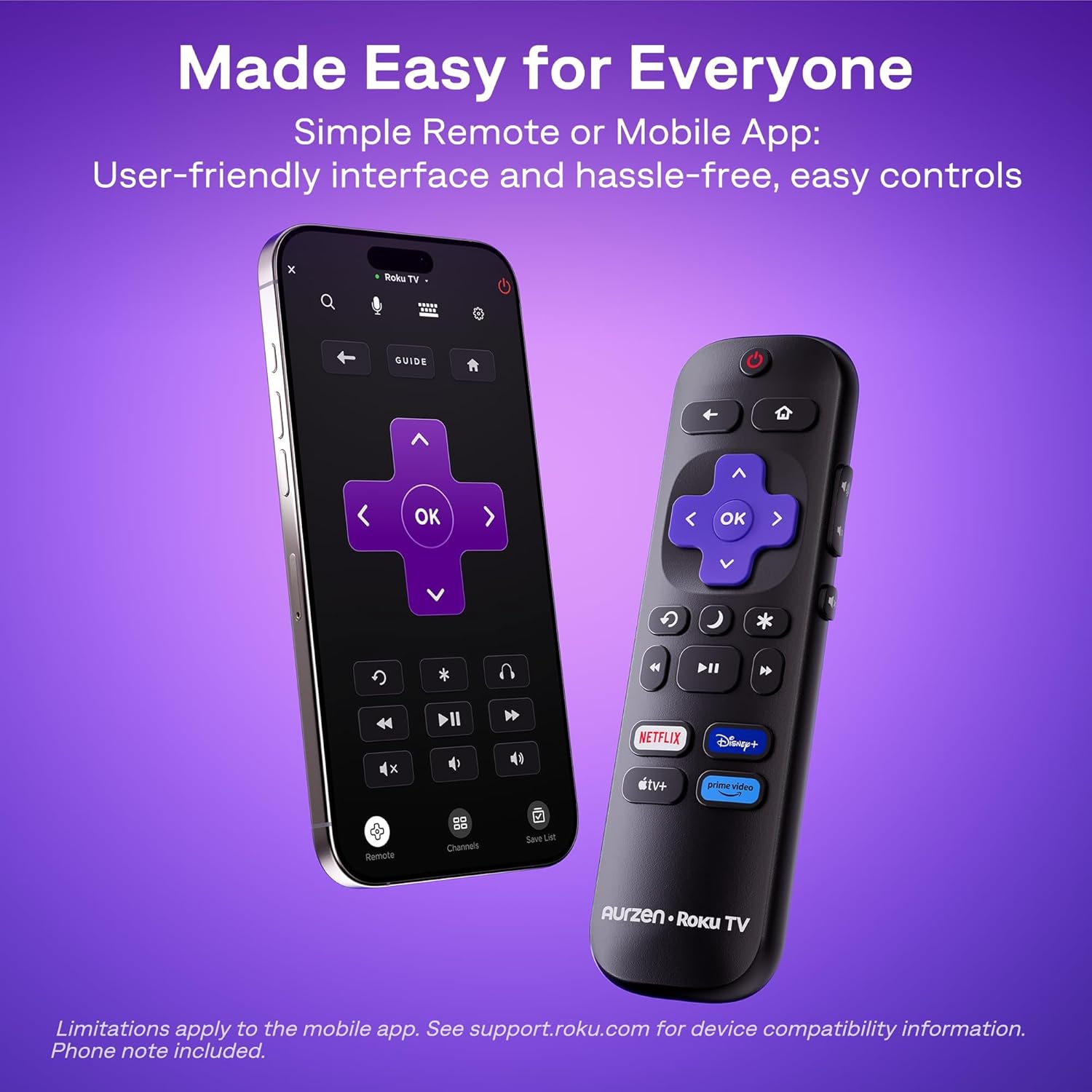
The Roku interface offers intuitive navigation, quick search, and personalized recommendations. Use the included remote control or the Roku mobile app to browse channels, search for content, and access settings.
5.2. Diaľkové ovládanie
The included remote control provides easy access to all Roku functions. For enhanced control, including typing and voice commands, download the Roku mobile app on your smartphone.
5.3. Úprava jasu
To change the brightness mode, navigate to the projector settings via the Roku menu and select your preferred brightness level (Low, Medium, or High) based on your viewprostredia.
5.4. Casting and Screen Mirroring
The projector supports Apple AirPlay for seamless streaming of videos, photos, and music from your Apple devices. It also supports other casting features for compatible devices.

Figure 7: Stream content effortlessly using Apple AirPlay.
6. Konektivita
6.1. Pripojenie Wi-Fi
Connect to your home network using dual-band Wi-Fi (2.4G/5G) for stable and fast streaming. Navigate to the network settings in the Roku menu to set up your Wi-Fi connection.
6.2. Párovanie pomocou Bluetooth
Pair Bluetooth 5.2 compatible headphones or speakers for a private listening experience or enhanced audio. Access Bluetooth settings in the Roku menu to pair your devices.
6.3. HDMI and USB Ports
Use the HDMI port to connect external devices such as gaming consoles, Blu-ray players, or laptops. The USB port allows for playback of media filez USB disku.
7. Údržba
7.1. Čistenie objektívu
Gently wipe the projector lens with a soft, lint-free cloth. For stubborn smudges, use a lens cleaning solution specifically designed for optical surfaces. Avoid abrasive materials that could scratch the lens.
7.2. Cleaning the Vents
Regularly clean the projector's ventilation grilles to prevent dust buildup, which can affect performance and lead to overheating. Use a soft brush or a can of compressed air to remove dust.
7.3. Skladovanie
Keď projektor nepoužívate, skladujte ho na chladnom a suchom mieste mimo dosahu priameho slnečného žiarenia a extrémnych teplôt. Ak ho skladujete dlhší čas, zvážte použitie originálneho balenia alebo ochranného puzdra, aby ste predišli hromadeniu prachu a poškodeniu.
8. Riešenie problémov
8.1. Dim Image
Zabezpečte viewing environment is sufficiently dark. Adjust the projector's brightness setting to High (VIVID) mode if there is ambient light. For optimal clarity, use the projector in a dark room.
8.2. Rozmazaný alebo skreslený obraz
The projector features automatic focus and keystone correction. If the image appears blurry or distorted, try moving the projector slightly to trigger the automatic adjustment. Alternatively, navigate to 'Projector settings' in the Roku menu to manually adjust focus and keystone.
8.3. Žiadny zvuk alebo slabá kvalita zvuku
Check the projector's volume settings. If using external Bluetooth speakers, ensure they are properly paired and charged. For wired connections, verify that audio cables are securely connected. The built-in speakers support Dolby Audio, but for a more immersive experience, consider connecting to a dedicated sound system via Bluetooth or the audio output port.
8.4. Problémy s pripojením
For Wi-Fi problems, ensure your router is working and the projector is within range. Reconnect to the Wi-Fi network via Roku settings. For Bluetooth, ensure the device is in pairing mode. For HDMI/USB, check cable connections and ensure the correct input source is selected.
8.5. Input Lag for Gaming
While the projector offers a large screen, it may not be ideal for fast-paced competitive gaming due to potential input lag. For optimal gaming performance, a dedicated gaming monitor or TV is recommended.
9. Špecifikácie
| Funkcia | Detail |
|---|---|
| Značka | Aurzen |
| Číslo modelu | A02A11 |
| Rozlíšenie displeja | 1920 x 1080 (1080P Full HD) |
| Jas | 280 ANSI lúmeny |
| Technológia pripojenia | WiFi (2.4G/5G), Bluetooth 5.2, HDMI, USB, Audio |
| Špeciálne funkcie | Roku Streaming Experience, Dolby Audio, Auto Focus & Keystone, Official Apple AirPlay, Ecosystem Compatible (Apple HomeKit, Siri, Alexa, Google Assistant) |
| Hmotnosť položky | 4.64 libry |
| Rozmery balenia | 13.19 x 9.45 x 4.29 palca |
| Farba | Biela |
10. Záruka a podpora
Aurzen products are designed for quality and reliability. For warranty information, please refer to the Warranty Card included in your product packaging. For technical support or customer service, please visit the official Aurzen webalebo priamo kontaktujte ich tím zákazníckej podpory. Uschovajte si doklad o kúpe pre prípad reklamácie.
11. Bezpečnostné informácie
- Nepozerajte sa priamo do objektívu projektora, keď je zapnutýamp je zapnutý, pretože to môže spôsobiť poškodenie očí.
- Zabezpečte dostatočné vetranie okolo projektora, aby ste predišli prehriatiu. Neblokujte žiadne vetracie otvory.
- Projektor chráňte pred vodou alebo inými tekutinami.
- Používajte iba napájací kábel dodaný s projektorom.
- Nepokúšajte sa projektor otvárať ani opravovať sami. Všetky servisné práce zverte kvalifikovanému servisnému personálu.
- Uchovávajte mimo dosahu detí.