
Úvod
Thank you for choosing KICKER TW3 Wireless Earbuds. These earbuds are designed to provide a superior audio experience with advanced features such as Hybrid Active Noise Cancellation (ANC) and Environmental Noise Cancellation (ENC) for clear calls. Enjoy extended listening times, intuitive touch controls, and a durable, sweatproof design suitable for various activities.
Čo je v krabici
- Bezdrôtové slúchadlá KICKER TW3
- Recharging Carrying Case
- Nabíjací kábel USB-C
- Three (3) Sizes of Rubber Ear Tips (S, M, L)
- Stručná úvodná príručka / Používateľská príručka

Image: Contents of the KICKER TW3 Earbuds box, including the earbuds, charging case, USB-C cable, and various sizes of ear tips.
Koniec produktuview
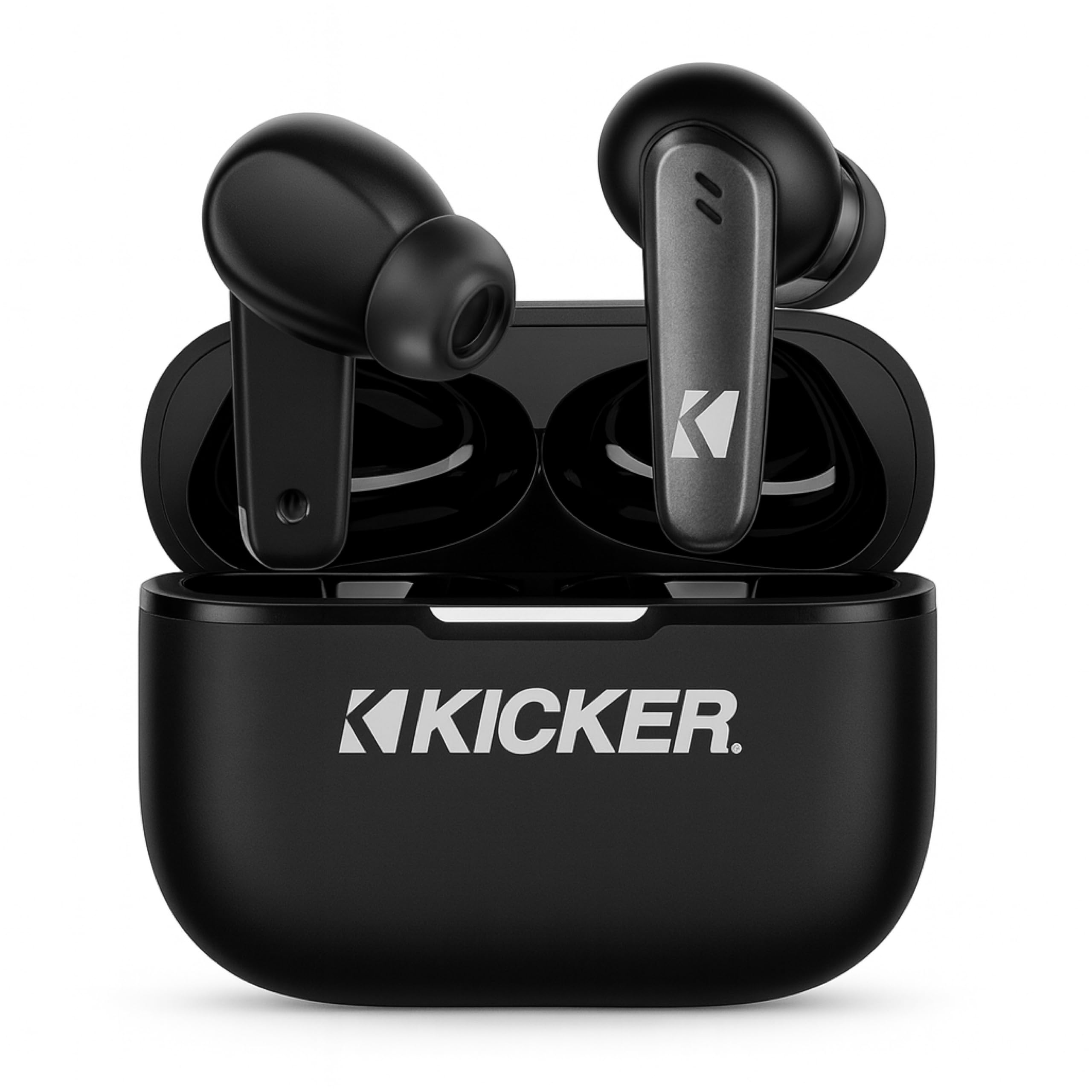
Image: The KICKER TW3 Wireless Earbuds resting inside their sleek black charging case.

Obrázok: Detailný záber view of a KICKER TW3 earbud, illustrating its noise reduction feature with a graphic showing noise being reduced by 35dB.
Nastavenie
1. Fitting Ear Tips
Select the ear tips (Small, Medium, Large) that provide the most comfortable and secure fit for your ears. A proper seal is crucial for optimal sound quality and noise cancellation. Insert the earbud into your ear and gently twist it until it feels snug.

Image: A diagram illustrating the correct way to insert the earbuds and the three available ear tip sizes (S, M, L) for a comfortable fit.
2. Počiatočné nabitie
Before first use, fully charge the earbuds and the charging case. Place the earbuds into the charging case and connect the USB-C cable to the case and a power source. The indicator light on the case will show charging status.
3. Spárovanie s vaším zariadením
- Otvorte nabíjacie puzdro. Slúchadlá sa automaticky prepnú do režimu párovania.
- Na svojom zariadení (smartfón, tablet, notebook) prejdite do nastavení Bluetooth.
- Select "KICKER TW3" from the list of available devices.
- Po pripojení budete počuť potvrdzovací tón a slúchadlá sú pripravené na použitie.
Image: An icon representing Bluetooth wireless earbuds with auto-pairing functionality to a smartphone or device.
Návod na obsluhu
Zapnutie/vypnutie
- Zapnutie: Otvorte nabíjacie puzdro a slúchadlá sa automaticky zapnú.
- Vypnúť: Place the earbuds back into the charging case and close the lid. They will automatically power off. Earbuds will also auto power off after 3 minutes of no signal.
Dotykové ovládacie prvky
The KICKER TW3 earbuds feature intuitive touch sensors on each earbud for easy control of music, calls, and noise modes.

Image: A visual guide to the touch controls on the KICKER TW3 earbuds, showing actions for play/pause, previous/next song, voice assistance, ANC on/off/transparency, answer/end call, and reject call.
| Akcia | Kontrola |
|---|---|
| Prehrať/Pozastaviť | Jediným klepnutím na ktorékoľvek slúchadlo |
| Ďalšia skladba | Dvakrát klepnite na pravé slúchadlo |
| Predchádzajúca skladba | Dvakrát klepnite na ľavé slúchadlo |
| Prijať/Ukončiť hovor | Jediným klepnutím na ktorékoľvek slúchadlo |
| Odmietnuť hovor | Dlhé zatlačenie na jedno slúchadlo |
| Aktivujte hlasového asistenta | Trikrát klepnite na ktorékoľvek slúchadlo |
| Prepnúť režim ANC/priehľadnosť | Dlhé stlačenie ktoréhokoľvek slúchadla (keď práve nehovoríte) |
Aktívne potlačenie hluku (ANC) a potlačenie hluku okolia (ENC)
The TW3 earbuds feature Hybrid Active Noise Cancellation, reducing ambient noise by up to -35dB, allowing you to focus on your audio. Transparency mode can be activated to hear your surroundings when needed. Environmental Noise Cancellation with dual microphones ensures your voice is clear during calls by blocking background chatter.

Image: A graphic illustrating the benefits of ENC for clear calls and ANC for blocking external noise from airplanes, offices, and cafes.
Nabíjanie
The KICKER TW3 earbuds offer extended battery life with their charging case.
- Čas prehrávania slúchadiel: Až 5 hodín na jedno nabitie.
- Celkový čas prehrávania s puzdrom: Up to 25 hours (20 additional hours from the charging case).
- Doba nabíjania: Úplné nabitie puzdra a slúchadiel trvá približne 1.5 hodín.
Nabíjanie puzdra a slúchadiel
- Place the earbuds securely into their respective slots in the charging case.
- Connect the provided USB-C charging cable to the charging port on the case and to a USB power adapter (not included).
- The LED indicator on the case will flash red while charging.
- The LED indicator will turn solid red when the case is fully charged.
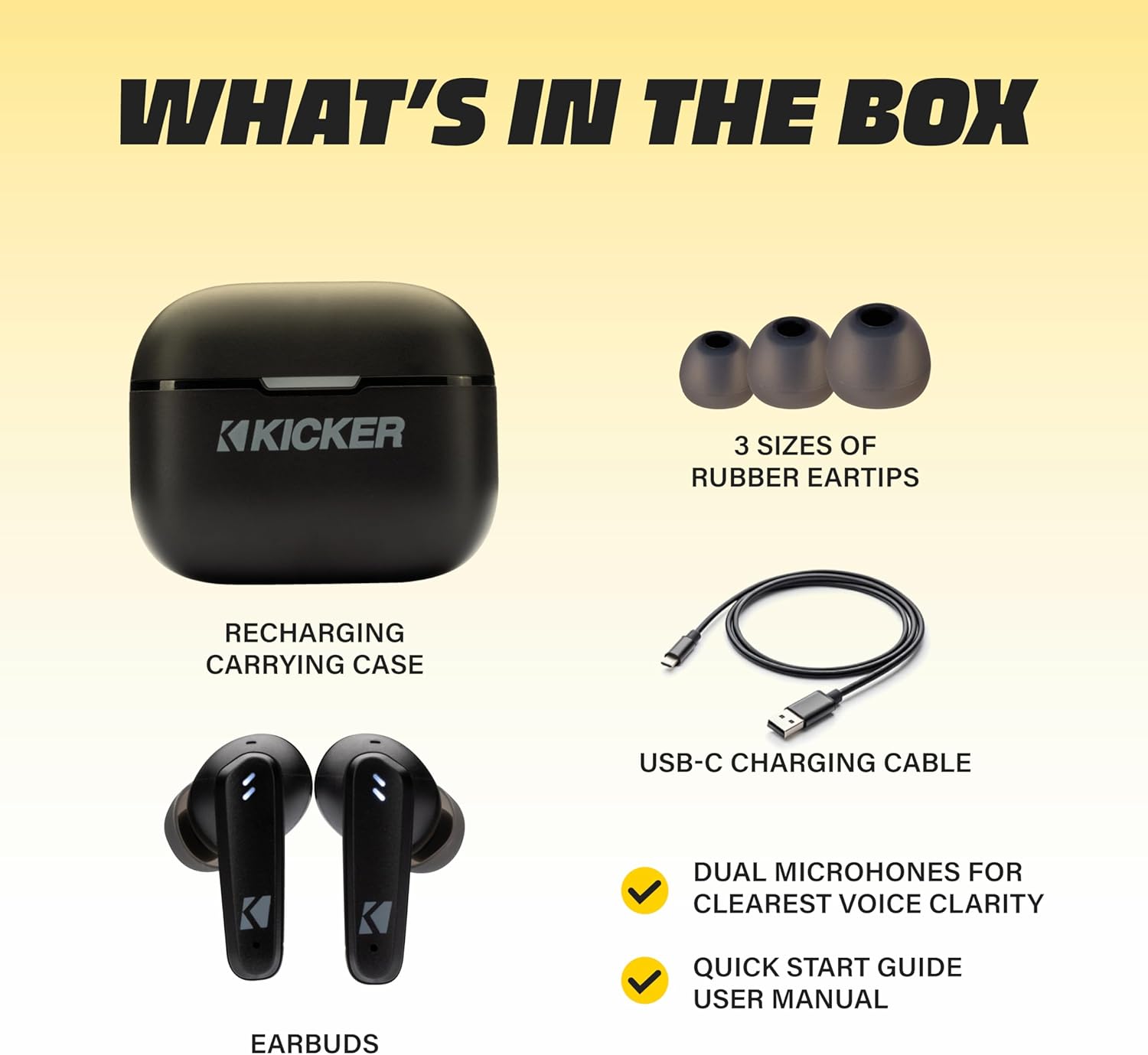
Image: The KICKER TW3 charging case being charged via a USB-C cable, with text indicating 5 hours of playtime for earbuds and 20 additional hours from the charging case, totaling 25 hours.
Údržba
Upratovanie
Regularly clean your earbuds and charging case to ensure optimal performance and hygiene. Use a soft, dry, lint-free cloth. Do not use harsh chemicals or abrasive materials. Gently remove ear tips and clean them with mild soap and water, ensuring they are completely dry before reattaching.
Odolnosť voči vode (IPX4)
The KICKER TW3 earbuds are IPX4 sweatproof, meaning they are resistant to splashes and sweat. They are suitable for workouts and outdoor activities but should not be submerged in water.

Image: An icon indicating the earbuds are sweat and water resistant.
Skladovanie
When not in use, store the earbuds in their charging case to protect them and keep them charged. Avoid storing them in extreme temperatures.
Riešenie problémov
| Problém | Možné riešenie |
|---|---|
| Slúchadlá sa nespárujú | Ensure earbuds are charged. Turn off and on your device's Bluetooth. Forget "KICKER TW3" in your device's Bluetooth settings and re-pair. |
| Žiadny zvuk z jedného slúchadla | Ensure both earbuds are charged. Place both earbuds back in the case, close the lid, then open again to reset. Check device audio balance settings. |
| Nabíjacie puzdro sa nenabíja | Check USB-C cable connection. Try a different USB power adapter or port. Ensure the charging port is clean and free of debris. |
| ANC nie je účinné | Ensure ear tips provide a proper seal. Switch between ANC and Transparency modes using touch controls to confirm functionality. |
Špecifikácie
- Model: 3 TWS
- Verzia Bluetooth: 5.0
- Bezdrôtový dosah: Až 10 33 metrov (XNUMX XNUMX stôp)
- Kontrola hluku: Hybrid Active Noise Cancellation (up to -35dB), Environmental Noise Cancellation (ENC)
- Čas prehrávania slúchadiel: Až 5 hodín
- Celkový čas prehrávania s puzdrom: Až 25 hodín
- Doba nabíjania: Približne 1.5 hodiny
- Odolnosť voči vode: IPX4 (odolný voči potu)
- Mikrofóny: Dual Microphones for clear voice clarity
- Automatické vypnutie: After 3 minutes of no signal
Oficiálne video o produkte
Video: An official product features video for the KICKER Bluetooth TW3 ANC Earbuds, showcasing their design, noise cancellation, and other key functionalities.
Záruka a podpora
KICKER products are designed for durability and performance. For warranty information, technical support, or any questions regarding your KICKER TW3 Wireless Earbuds, please refer to the official KICKER website or contact KICKER customer service directly. Keep your proof of purchase for warranty claims.
Contact KICKER Support: 1(800) 256-0800 or visit kicker.com/support
