
1. Úvod
Welcome to the LIGE DM1-E Smartwatch user manual. This guide provides detailed instructions on how to set up, operate, maintain, and troubleshoot your new smartwatch. Please read this manual thoroughly to ensure optimal performance and longevity of your device.
Čo je v krabici
- 1 x LIGE DM1-E Smartwatch
- 1 x Magnetic Buckle Strap
- 1 x silikónový remienok
- 1 x nabíjací kábel
- 1 x Návod na použitie
2. Nastavenie
2.1 Nabíjanie zariadenia
Before initial use, fully charge your smartwatch. Connect the magnetic charging cable to the charging contacts on the back of the watch and plug the USB end into a power adapter (not included) or a computer's USB port. The watch will display a charging indicator. A full charge typically takes approximately 2.5 hours.

Image: The LIGE DM1-E Smartwatch connected to its magnetic charging cable, displaying battery life indicators. The watch features a 530mAh battery, offering up to 30 days standby, 5-7 days working time, and 20 days in power-saving mode, with a 2.5-hour charging time. It also highlights the powerful LED flashlight function.
2.2 Zapnutie/vypnutie
- Zapnutie: Press and hold the power button (usually on the side) until the LIGE logo appears on the screen.
- Vypnutie: Press and hold the power button, then select 'Power Off' from the options displayed on the screen.
2.3 Párovanie so smartfónom
To unlock all features, pair your smartwatch with the companion app on your smartphone.
- Download the official LIGE smartwatch app from your phone's app store (compatible with Android 5.0+ and iOS 11+).
- Uistite sa, že je na vašom smartfóne povolená funkcia Bluetooth.
- Otvorte aplikáciu a podľa pokynov na obrazovke vytvorte účet alebo sa prihláste.
- In the app, search for your device (DM1-E) and initiate the pairing process.
- Potvrďte žiadosť o párovanie na telefóne aj inteligentných hodinkách.
2.4 Inštalácia a nastavenie popruhu
The LIGE DM1-E comes with interchangeable straps. To attach or remove a strap, locate the quick-release pins on the underside of the strap. Slide the pin to detach or attach the strap to the watch body. Adjust the strap to a comfortable fit on your wrist, ensuring it is snug enough for accurate sensor readings but not too tight.
Obrázok: Detailný záber view of the LIGE DM1-E Smartwatch strap, highlighting its outer leather material for durability, improved inner silicone for comfort and sweat resistance, and a strong magnetic metal buckle for secure and adjustable fit.
3. Návod na obsluhu
3.1 Navigácia na displeji
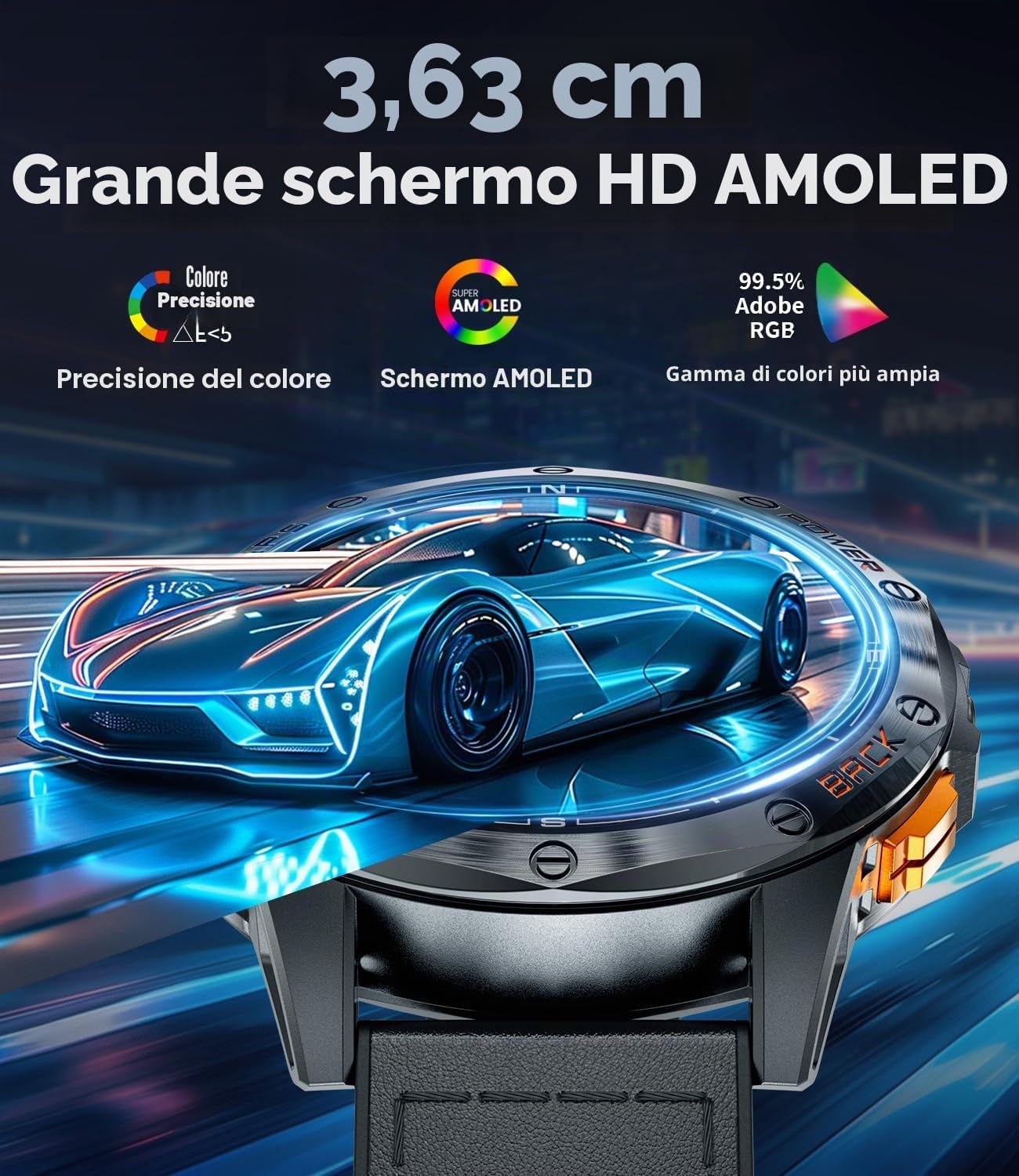
The LIGE DM1-E features a 1.43-inch AMOLED touchscreen display for intuitive interaction. Swipe left, right, up, or down to navigate through menus and features. Press the side buttons for quick access to specific functions or to return to the home screen.

Image: The LIGE DM1-E Smartwatch in a tactical outdoor environment, showcasing its bright display and the integrated LED flashlight function.
3.2 Volania a upozornenia cez Bluetooth
Once paired with your smartphone, the DM1-E allows you to make and receive Bluetooth calls directly from your wrist. You will also receive real-time notifications for calls, text messages, and social media alerts.
- Uskutočňovanie hovorov: Access the 'Dialer' or 'Contacts' menu on your watch to initiate a call.
- Prijímanie hovorov: Tap the green icon on the watch screen to answer incoming calls.
- Upozornenia: Potiahnite prstom nadol z hornej časti ciferníka, aby ste view nedávne oznámenia.

Image: A user interacting with the LIGE DM1-E Smartwatch for Bluetooth calls, showing the watch's microphone, call log, contacts, and dialing features, alongside various social media notification icons.
3.3 Funkcie GPS a navigácie
The DM1-E features integrated GPS, a compass, altimeter, and barometer, making it suitable for outdoor activities.
- Sledovanie GPS: The integrated GPS precisely tracks your movement trajectory during outdoor activities. You can view your route on the watch and the companion app.
- Kompas: Access the compass feature to determine your direction.
- Výškomer a barometer: Monitor altitude and atmospheric pressure for environmental awareness during hikes or climbs.

Image: The LIGE DM1-E Smartwatch showing integrated GPS functionality, with a map displaying a tracked route on both the watch and a connected smartphone.

Image: The LIGE DM1-E Smartwatch displaying its compass interface, showing direction, altitude, and atmospheric pressure readings.
3.4 Športové režimy
The smartwatch supports over 100 professional sport modes. To select a sport mode:
- Swipe to the 'Sport' menu or press the dedicated sport mode button (if available).
- Select your desired activity (e.g., running, cycling, hiking).
- The watch will begin tracking metrics such as calories burned, distance, steps, and workout duration.

Image: The LIGE DM1-E Smartwatch interface displaying various functions including a wrist compass, camera control, music controls, and weather forecast.
3.5 LED baterka
The integrated LED flashlight can be activated with a single touch. This feature is useful for camping, night cycling, or in low-light conditions.
3.6 Hlasový asistent
The built-in voice assistant allows for quick command execution and efficient daily planning. Activate it through the watch interface and speak your commands.
4. Údržba
4.1 Čistenie
Regularly clean your smartwatch and strap to prevent skin irritation and maintain functionality.
- Obrazovku a telo hodiniek utrite mäkkou handričkouamp, handrička nepúšťajúca vlákna.
- For silicone straps, you can use mild soap and water. For leather straps, use a specialized leather cleaner and avoid excessive moisture.
- Pred nabíjaním sa uistite, že nabíjacie kontakty sú čisté a suché.
4.2 Odolnosť voči vode
The LIGE DM1-E Smartwatch is rated IP68 and is water-resistant up to 50 meters. This means it can withstand splashes, rain, and shallow-water activities like swimming. However, it is not recommended for hot showers, saunas, or deep diving, as steam and high pressure can compromise the seals.

Image: The LIGE DM1-E Smartwatch worn by a diver underwater, illustrating its water resistance and ability to track metrics like distance, calories, and steps during aquatic activities. The watch supports over 100 sport modes.
4.3 Starostlivosť o batérie
- Vyhýbajte sa extrémnym teplotám, ktoré môžu znížiť životnosť batérie.
- Nenechávajte hodinky úplne vybité dlhší čas.
- Používajte iba dodaný nabíjací kábel.
4.4 Aktualizácie softvéru
Periodically check the companion app for available software updates. Updates often include performance improvements, new features, and bug fixes. Ensure your watch is sufficiently charged before starting an update.
5. Riešenie problémov
5.1 Bežné problémy
- Hodinky sa nezapínajú: Ensure the watch is fully charged. If it still doesn't turn on, try a hard reset (see 5.2).
- Nedá sa spárovať s telefónom: Ensure Bluetooth is enabled on your phone and the watch. Make sure the app is open and searching for devices. Try restarting both the watch and phone.
- Nepresné údaje zo senzorov: Uistite sa, že hodinky pevne priliehajú k vášmu zápästiu. Vyčistite oblasť senzora na zadnej strane hodiniek.
- Nezobrazujú sa upozornenia: Check app permissions on your phone to ensure the smartwatch app has access to notifications. Verify that notifications are enabled in the smartwatch app settings.
5.2 Resetovanie zariadenia
If your smartwatch is experiencing persistent issues, you may need to perform a factory reset. This will erase all data on the watch and restore it to its original settings.
- Prejdite na svojich inteligentných hodinkách do časti „Nastavenia“.
- Look for 'System', 'Reset', or 'Factory Reset' options.
- Confirm the reset. The watch will restart automatically.
6. Špecifikácie
| Funkcia | Detail |
|---|---|
| Názov modelu | DM1-E |
| Displej | 1.43-inch AMOLED, 360x360 Resolution, 1500 NIT Max Brightness |
| Kapacita batérie | Lítium-polymérová kapacita 530 mAh |
| Výdrž batérie (typické použitie) | Až 12 dní |
| Výdrž batérie (pohotovostný režim) | Až 30 dní |
| Doba nabíjania | Pribl. 2.5 hodín |
| Kapacita pamäte | 256 MB |
| Konektivita | Bluetooth |
| Kompatibilita | Android 5.0+ a iOS 11+ |
| Senzory | Integrated GPS, Compass, Altimeter, Barometer, Pedometer, Heart Rate Monitor |
| Odolnosť voči vode | IP68, 50 Meters |
| Materiál puzdra | Nerezová oceľ |
| Materiál popruhu | Leather (interchangeable with silicone/magnetic) |
| Hmotnosť | 180 gramov |
| Špeciálne funkcie | LED Flashlight, Bluetooth Calls, Voice Assistant, 100+ Sport Modes, Customizable Watch Faces, SOS Function |
7. Záruka a podpora
7.1 Informácie o záruke
The LIGE DM1-E Smartwatch comes with a 2-ročná obmedzená záruka od dátumu nákupu, ktorá pokrýva výrobné chyby. Okrem toho, 6-month return service is available. Please retain your proof of purchase for warranty claims.
7.2 Zákaznícka podpora
For any questions, technical assistance, or warranty claims, please contact our professional customer service team. We offer 24-hour online service aby sme vám pomohli.

Image: The LIGE brand logo accompanied by icons and text detailing customer support services: 24-hour online service, 6-month return service, and a 2-year warranty.


