
Úvod
The CORBOBO LINGBAO K75 is a 75% wireless mechanical keyboard designed for versatility and performance. It features multiple connection modes, hot-swappable switches, RGB backlighting, and a durable design. This manual provides detailed instructions for setting up, operating, and maintaining your keyboard.
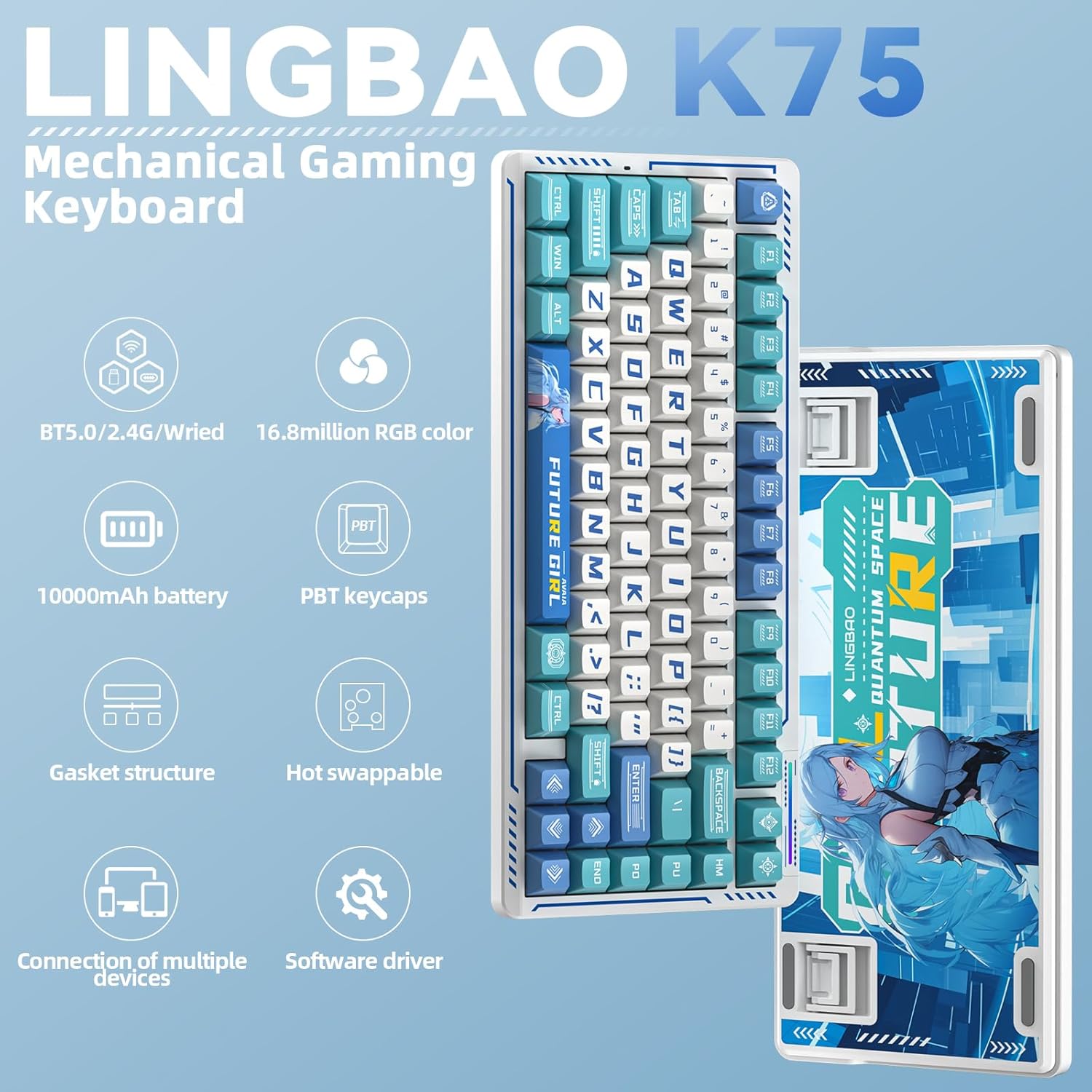
Obrázok: Cezview of the LINGBAO K75 Mechanical Gaming Keyboard highlighting its key features.
Čo je v krabici
- Klávesnica x 1
- Používateľská príručka
- Kábel USB-C x 1
- Sťahovač kľúčov
- Extra Switch x 2
Nastavenie
Režimy pripojenia
The K75 keyboard supports three connection modes: 2.4GHz wireless, Bluetooth (BT), and wired (USB-C). You can seamlessly switch between these modes to connect to up to 5 different devices. The mode can be easily switched using the power button located on the top of the keyboard.
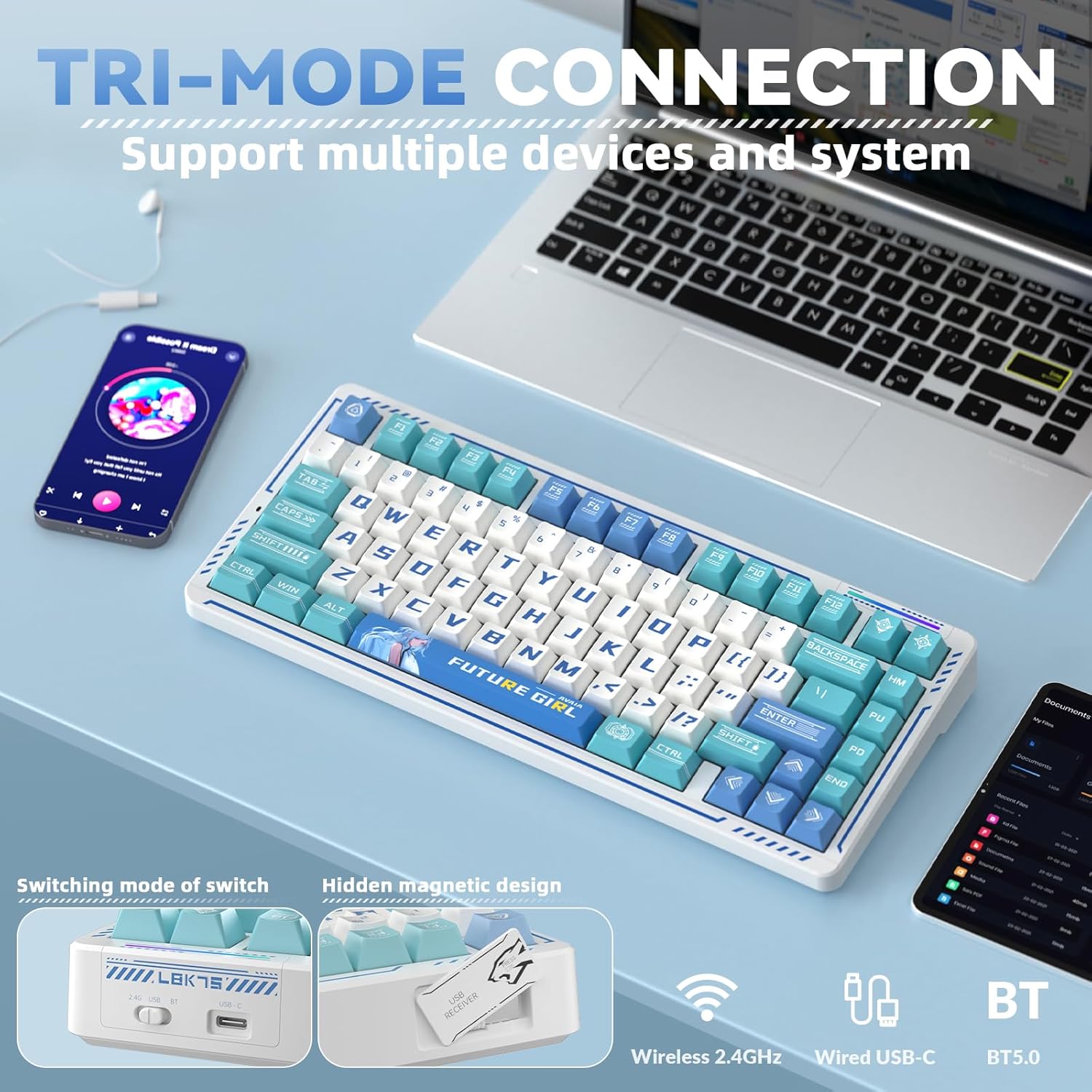
Image: The keyboard demonstrating its tri-mode connection capability with various devices.
Video: Demonstrates the LINGBAO K75 keyboard's features, including its tri-mode connection, hot-swappable switches, and RGB lighting effects.
Inštalácia ovládača
For comprehensive customization, including full-key macro command programming and advanced lighting effects, install the dedicated driver software. The driver can only be set via a wired connection on Windows systems. Download the driver from: bit.ly/m/corbobo.

Image: The software driver interface for customizing keyboard settings and RGB lighting.
Návod na obsluhu
Key Functions and Customization
The 75% layout retains independent arrow keys. Utilize the programmable driver for full-key macro commands to enhance efficiency in work or gaming. Refer to the driver software for detailed key remapping and macro creation.
Ovládanie podsvietenia RGB
The keyboard offers 16.8 million RGB colors and various lighting effects. You can adjust the backlight using keyboard shortcuts or through the driver software. A unique music rhythm lighting effect mode allows the keyboard's RGB backlight to synchronize with audio played on your computer.

Obrázok: Výstava klávesniceasing its 16.8 million RGB backlight with control shortcuts.
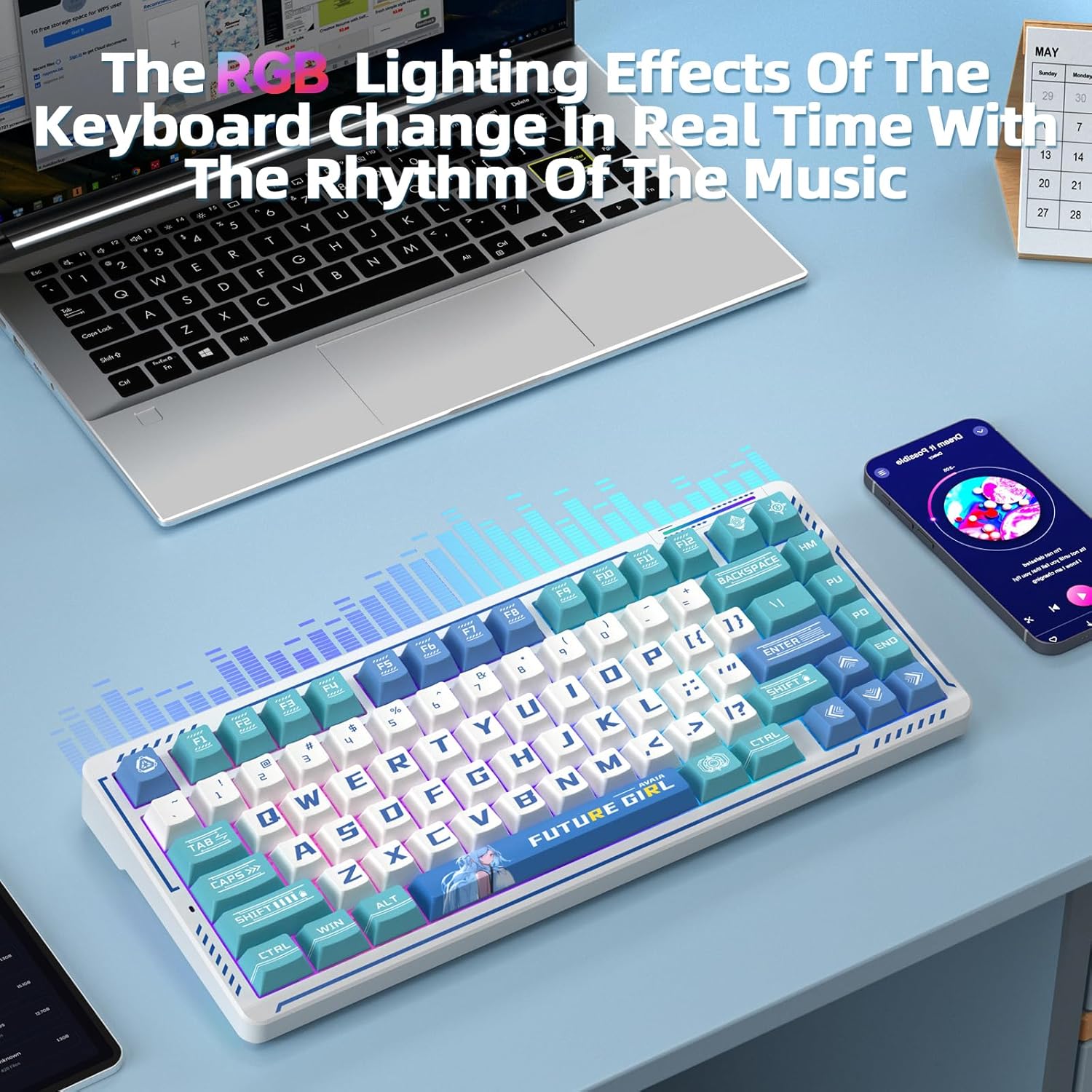
Image: The keyboard's RGB lighting effects dynamically changing with music rhythm.
Prepínače vymeniteľné za chodu
The keyboard features a hot-swappable base compatible with 3-pin or 5-pin mechanical switches. This allows for easy replacement and customization of switches without soldering, providing a personalized typing experience.
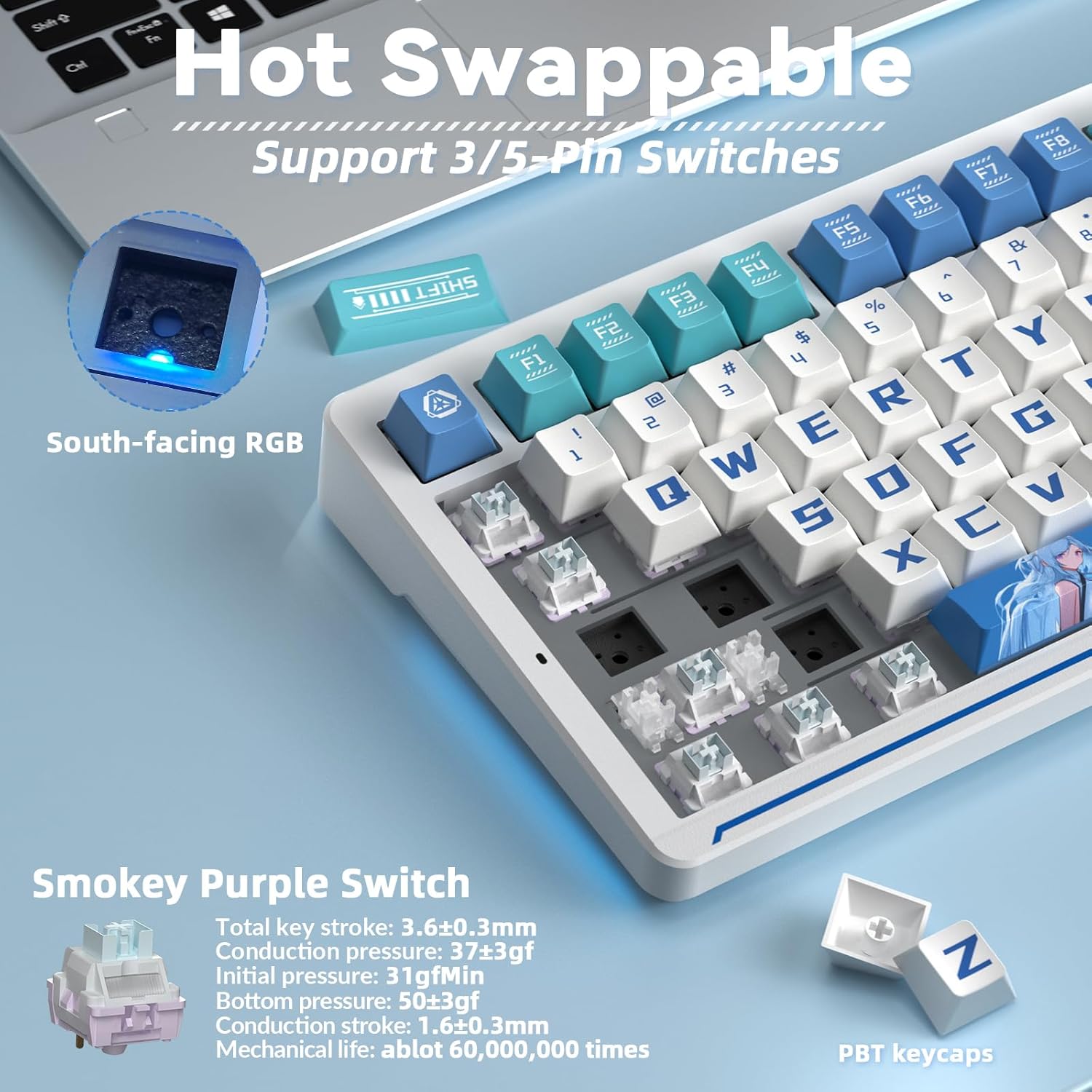
Image: Illustration of the hot-swappable switch functionality.
Údržba
Nabíjanie batérie
The keyboard is equipped with a 10000mAh battery. For optimal battery health and longevity, charge the keyboard exclusively via a computer's USB port. Avoid using mobile phone fast chargers or overcurrent/overvoltage nabíjačky.
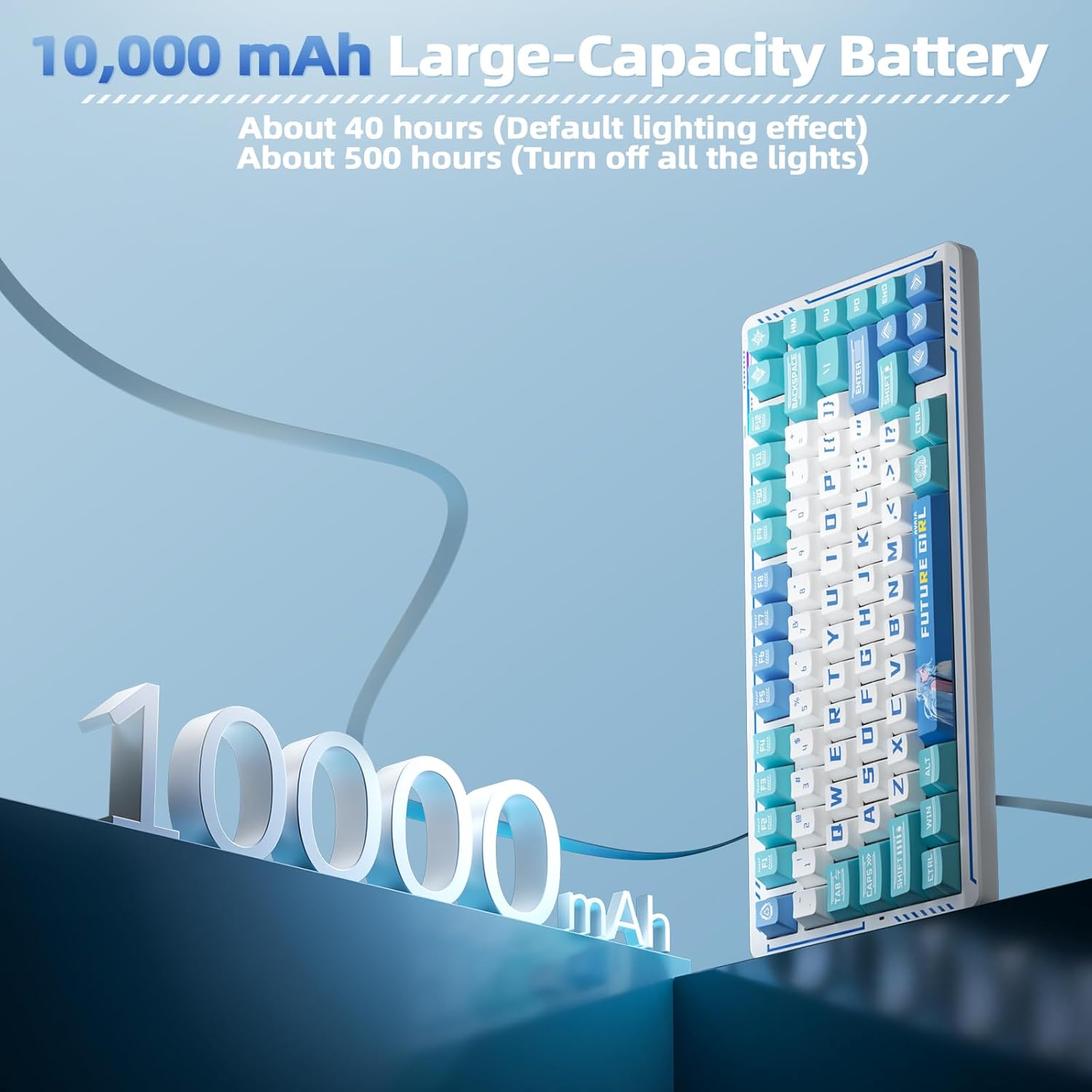
Image: Visual representation of the keyboard's 10000mAh battery capacity.
PBT Keycaps and Gasket Structure
The keyboard features two-color injection-molded PBT keycaps, known for their wear resistance and durability, ensuring characters do not fade. The five-layer gasket structure reduces noise and provides a comfortable typing experience. Regular cleaning with a soft, dry cloth is recommended to maintain the keyboard's appearance.

Obrázok: Rozložený view of the keyboard's gasket structure and PBT keycaps.
Riešenie problémov
Problémy s pripojením
- Uistite sa, že klávesnica je nabitá.
- Verify the correct connection mode (2.4G, BT, or wired) is selected on the keyboard.
- For 2.4G wireless, ensure the USB receiver is securely plugged into your device.
- For Bluetooth, ensure the keyboard is in pairing mode and visible to your device.
- Skúste reštartovať počítač alebo zariadenie.
Driver Software Issues
- The driver software is compatible with Windows systems only.
- Ensure the keyboard is connected via USB-C cable when using the driver for customization.
- If issues persist, reinstall the driver software from the official download link.
Špecifikácie
| Funkcia | Detail |
|---|---|
| Rozmery produktu | 13.77 x 7.08 x 1.88 palca |
| Hmotnosť položky | 3.14 libry |
| Výrobca | CORBOBO |
| Číslo modelu položky | K75 |
| Batérie | Vyžadujú sa 2 neštandardné batérie (súčasťou balenia) |
| Kompatibilné zariadenia | Gaming Console, Laptop, PC, Smartphone |
| Technológia pripojenia | 2.4G Wireless, BT5.0, USB-C |
| Popis klávesnice | Mechanická herná klávesnica |
| Špeciálna funkcia | Anime, Hot-Swappable, Mechanical keyboard, Programmable Keys |
| Podsvietenie klávesnice | RGB |
Záruka a podpora
For warranty information, technical support, or further assistance, please refer to the official CORBOBO webalebo kontaktujte priamo ich zákaznícky servis. Podrobnosti sa zvyčajne nachádzajú na obale produktu alebo na etikete výrobcu. webstránky.