
1. Úvod
Thank you for choosing the tenlamp G10-P15B-NB25 Podcast Equipment. This comprehensive kit is designed to provide studio-quality audio for podcasters, gamers, streamers, and content creators. It includes a 3.5mm condenser microphone with an articulated suspension arm and an advanced audio mixer. This manual will guide you through the setup, operation, and maintenance of your new equipment, ensuring a smooth and convenient audio experience.
2. Obsah balenia
Zaškrtnite políčko pri nasledujúcich položkách:
- G10 Audio Mixer
- Kondenzátorový mikrofón
- Microphone Suspension Arm
- Popový filter
- 3.5mm TRS Headphone Cable
- Kábel USB OTG
- 3.5 mm audio kábel TRRS
- USB AC kábel
- Používateľská príručka (tento dokument)

Obrázok: Cezview of the tenlamp G10 Podcast Equipment and its included accessories.
3. Produkt skončilview
The tenlamp G10 audio mixer features an intuitive interface with various controls for sound customization and live streaming. The condenser microphone captures clear audio, and the suspension arm provides flexible positioning.
3.1 Kľúčové komponenty a ovládacie prvky
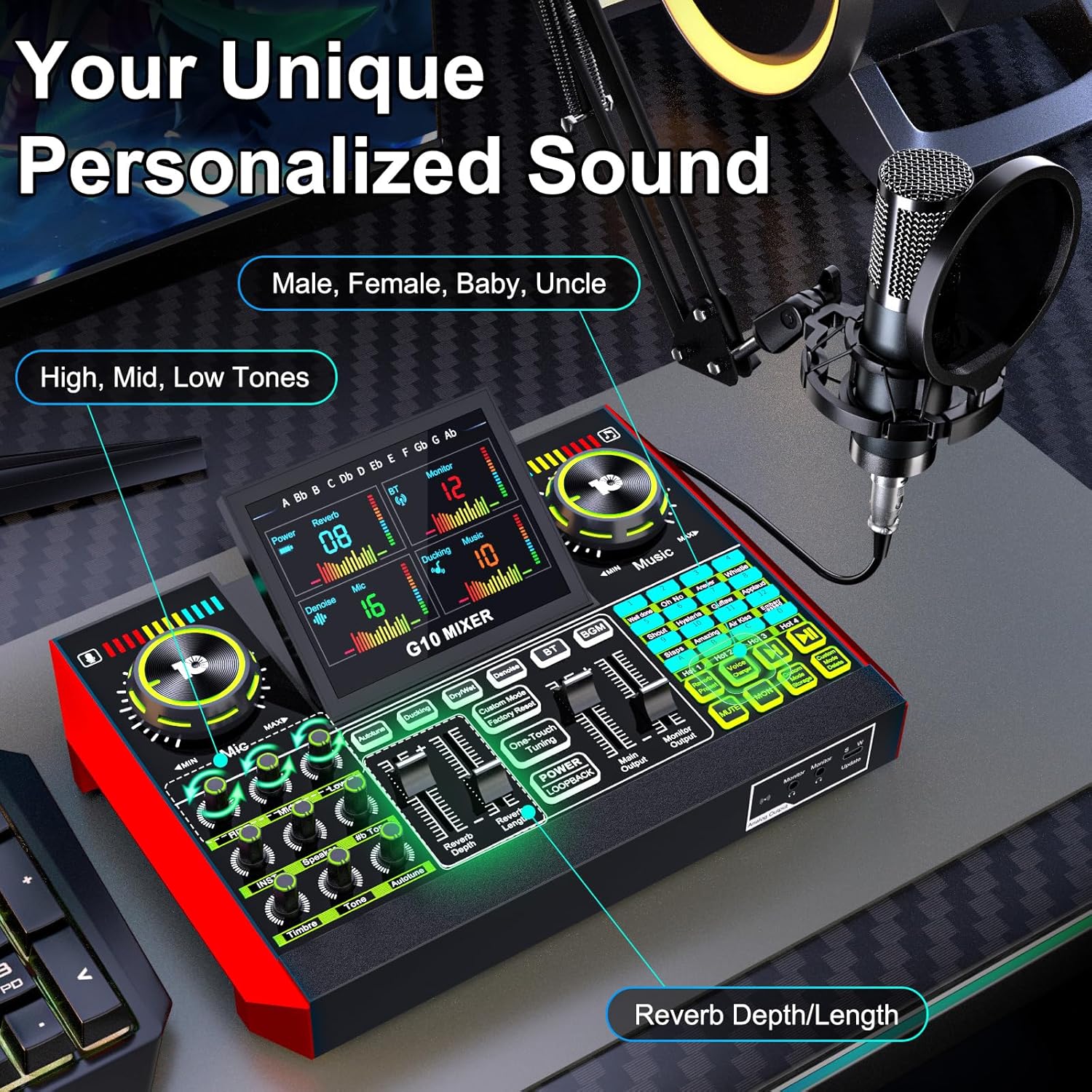
Obrázok: Podrobný view of the G10 mixer's control panel, highlighting voice and music adjustments.
- Vstup pre mikrofón: Connect the condenser microphone.
- Ovládanie hlasitosti: Independent knobs for microphone, music, and monitor levels.
- Tone Adjustments: Bass, Mid, and Treble controls for microphone.
- Ovládanie reverbu: Adjust reverb depth and length.
- Zvukové efekty: Trigger various built-in sound effects.
- Menič hlasu: Buttons for different voice modes (Male, Female, Baby, Uncle, etc.).
- Zníženie hluku: Dedicated button to activate noise reduction.
- Funkcia stlmenia zvuku: Mute microphone input.
- Porty pre pripojenie: USB-C, 3.5mm TRRS, XLR, Bluetooth.

Image: Detailed connection diagram of the G10 mixer's ports.
4. Nastavenie
Follow these steps to set up your tenlamp G10 Podcast Equipment:
- Assemble the Microphone Arm: Securely attach the suspension arm to your desk using the clamp. Mount the condenser microphone onto the arm and attach the pop filter.
- Pripojte mikrofón: Plug the microphone cable into the designated XLR or 3.5mm microphone input on the G10 mixer. Ensure a secure connection.
- Zapnutie: Connect the G10 mixer to a power source using the provided USB-C cable. The mixer is battery-powered and can be charged via USB-C.
- Pripojiť k zariadeniu:
- PC/laptop: Use the USB-C cable to connect the mixer to your computer. The mixer will be recognized as an audio device.
- Smartfón/tablet: Use the 3.5mm TRRS audio cable or USB OTG cable to connect to your mobile device.
- Bluetooth: Activate Bluetooth on your mobile device and pair with the G10 mixer for wireless music input.
- Connect Monitoring Headphones: Plug your headphones into the 'Monitor' output for real-time audio monitoring.
- Connect Speakers (Optional): If desired, connect external speakers to the 'Speaker' output.
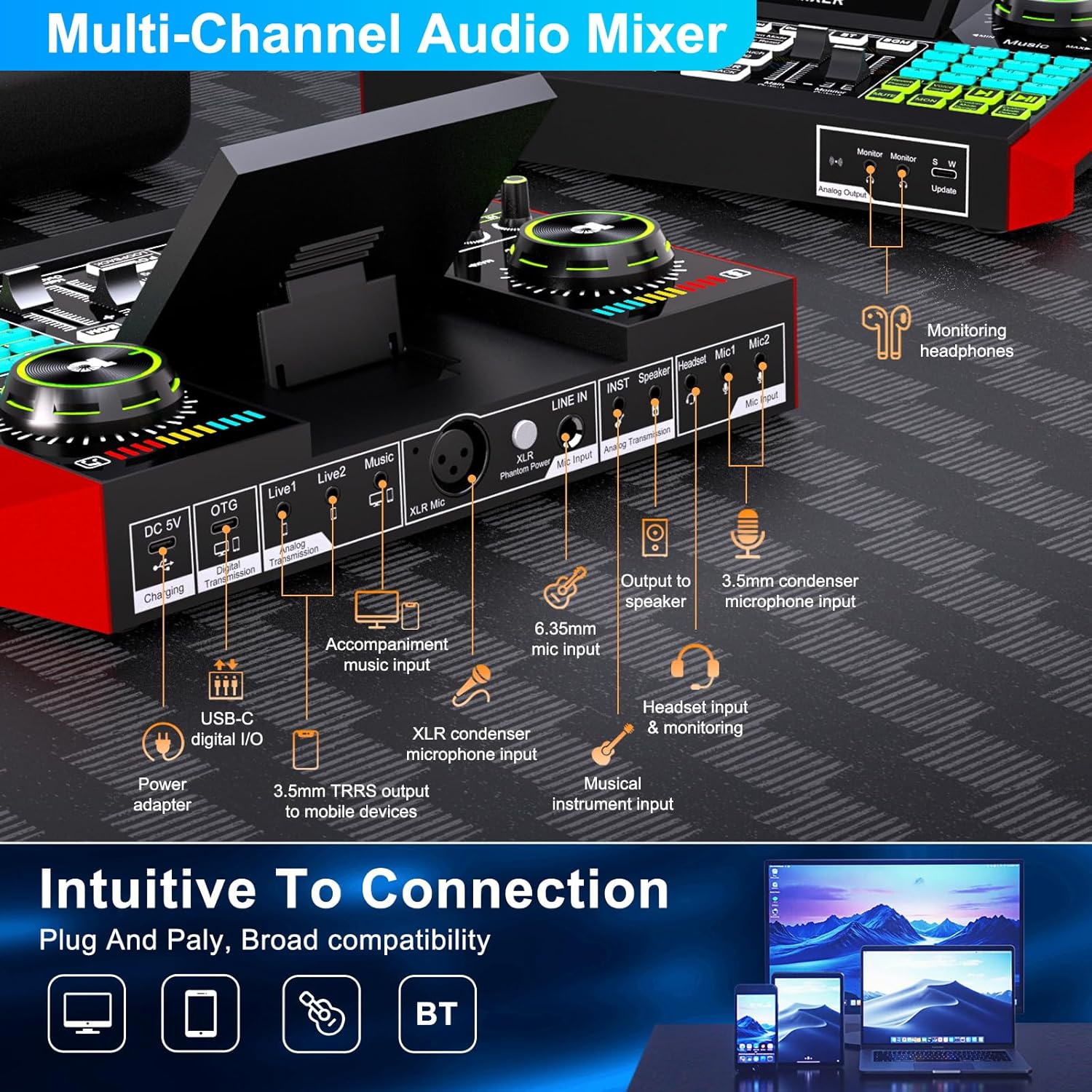
Image: Intuitive connection options for the G10 mixer.

Image: Demonstrating the Bluetooth connectivity feature.
5. Návod na obsluhu
5.1 Basic Audio Control
- Hlasitosť mikrofónu: Adjust the 'Mic' knob to control your microphone input level.
- Hlasitosť hudby: Adjust the 'Music' knob to control the background music level.
- Hlasitosť monitora: Adjust the 'Monitor' knob to control the headphone output volume.
- Úprava tónu: Use the 'Bass', 'Mid', and 'Treble' sliders to fine-tune your vocal sound.
- Reverb: Use the 'Reverb Depth' and 'Reverb Length' controls to add echo effects to your voice.

Image: Customizing your sound and scene with the G10 mixer.
5.2 Špeciálne funkcie
Menič hlasu
The G10 mixer includes a built-in voice changer. Press the dedicated buttons to instantly transform your voice into various modes such as Male, Female, Baby, or Uncle. You can further customize these voices using the bass and reverb settings.
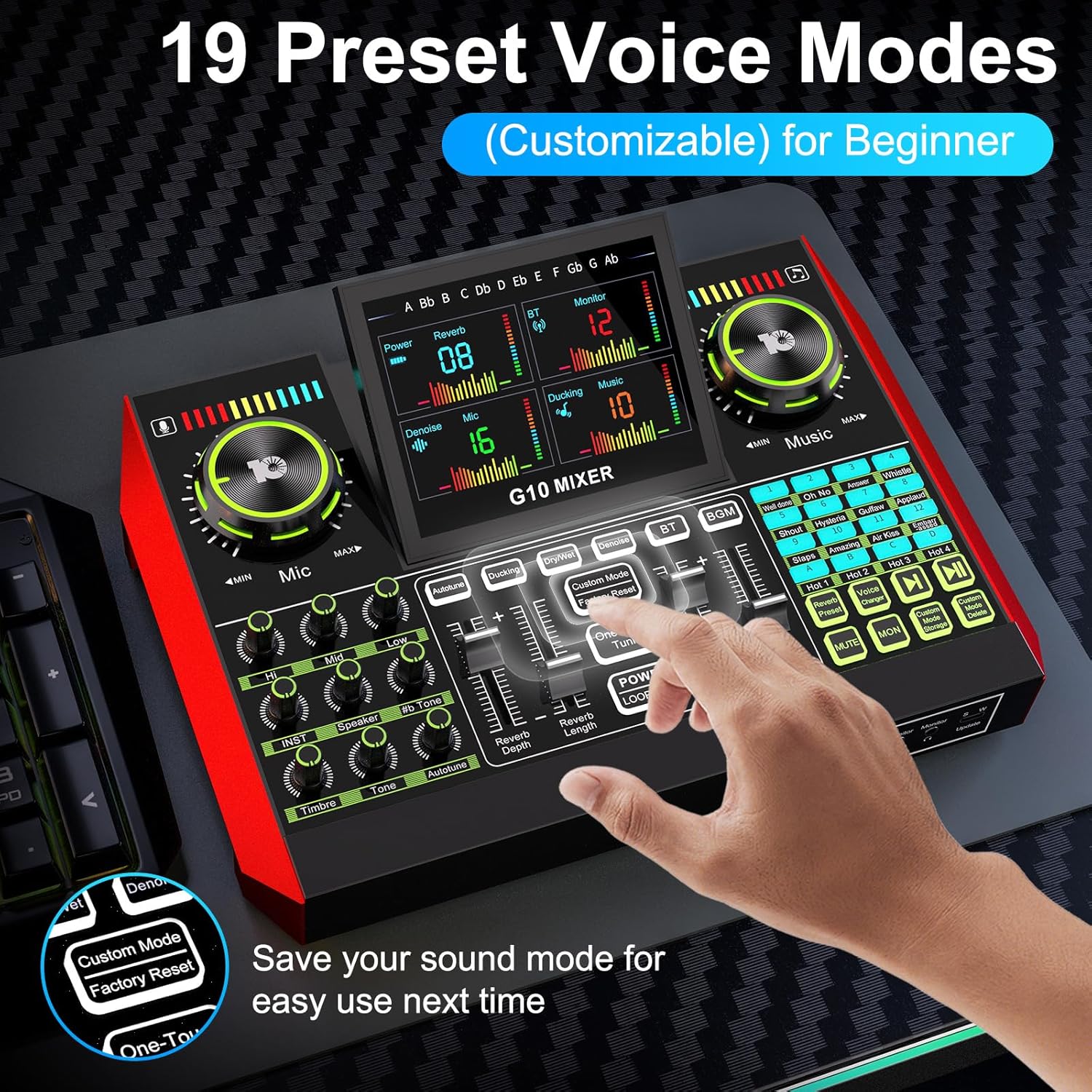
Image: Exploring the 19 preset voice modes for beginners.
Zvukové efekty
The sound effects panel offers 12 built-in effects, including applause, laughter, and more, to enhance your live broadcasts and make them more interactive. Simply press the corresponding pad to trigger an effect.
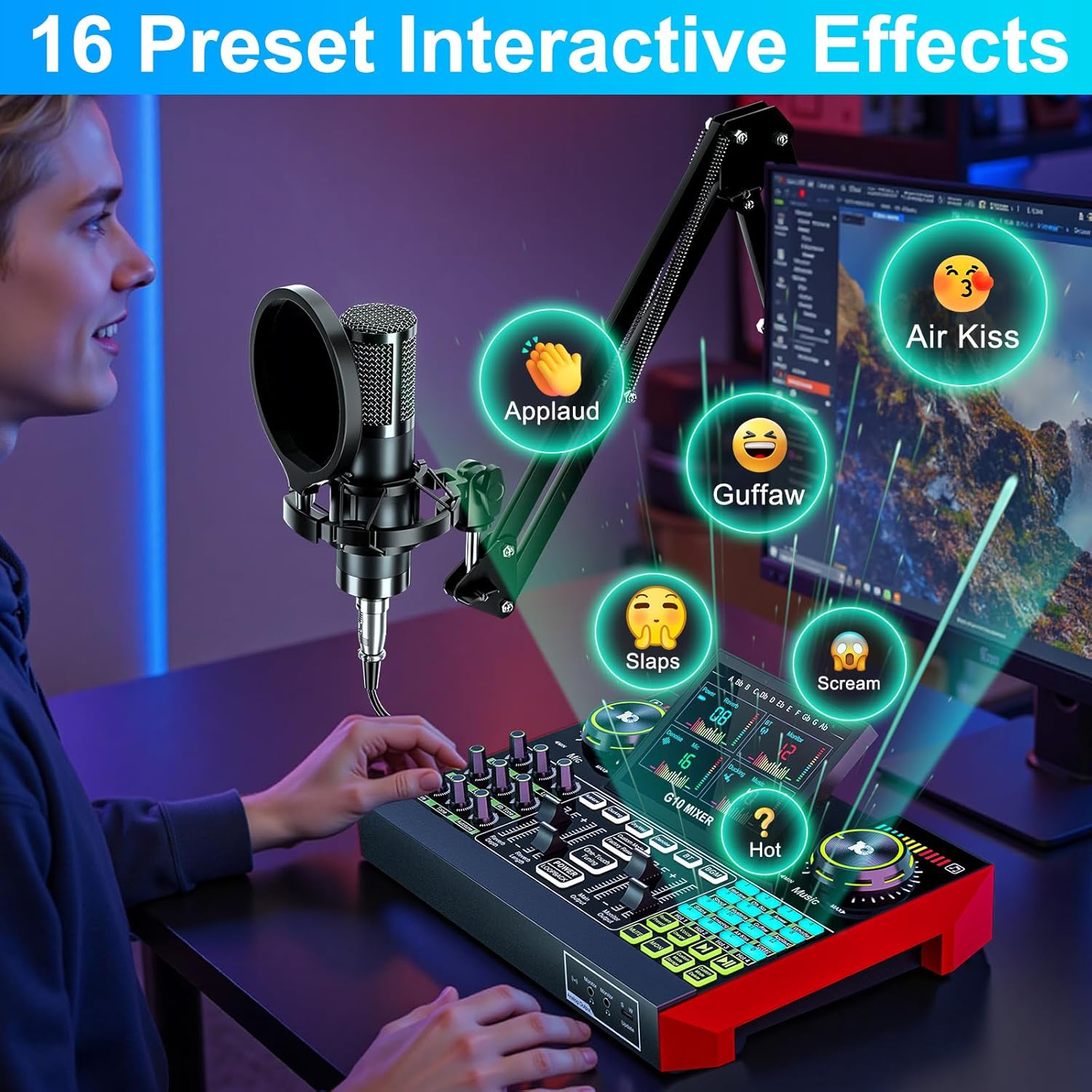
Image: Activating 16 preset interactive effects on the G10 mixer.
Redukcia hluku
The G10 audio mixing console is equipped with a noise reduction system. Activate this feature to ensure crystal-clear voice by minimizing background noise, ideal for podcasts, voice-overs, and live streaming.
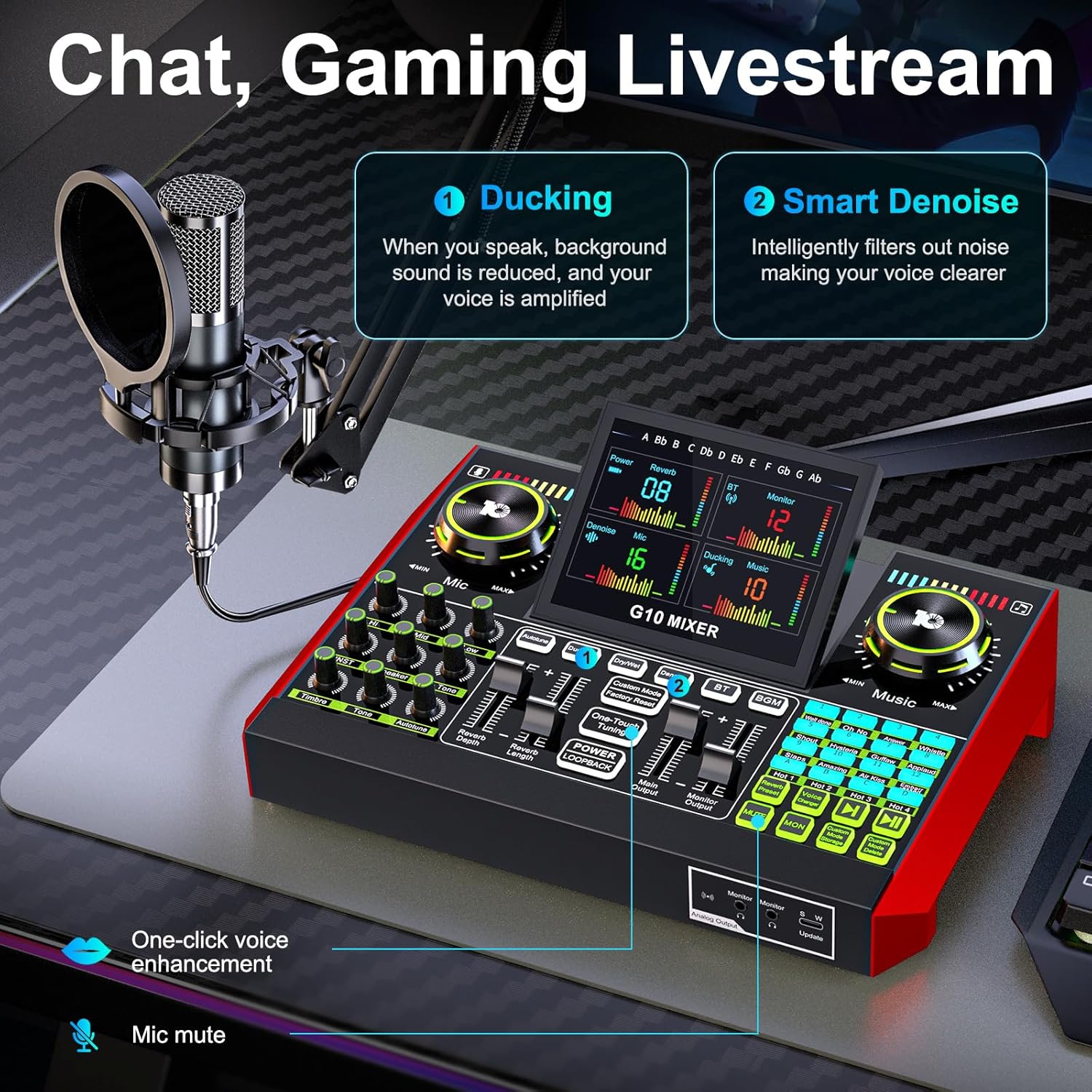
Image: Chat and Gaming Livestream features: Ducking and Smart Denoise.
Reverb režimy
The mixer offers 5 preset reverb modes: Original, KTV, Chat, Livestream, and MC. Select the mode that best suits your content type for optimal audio ambiance.
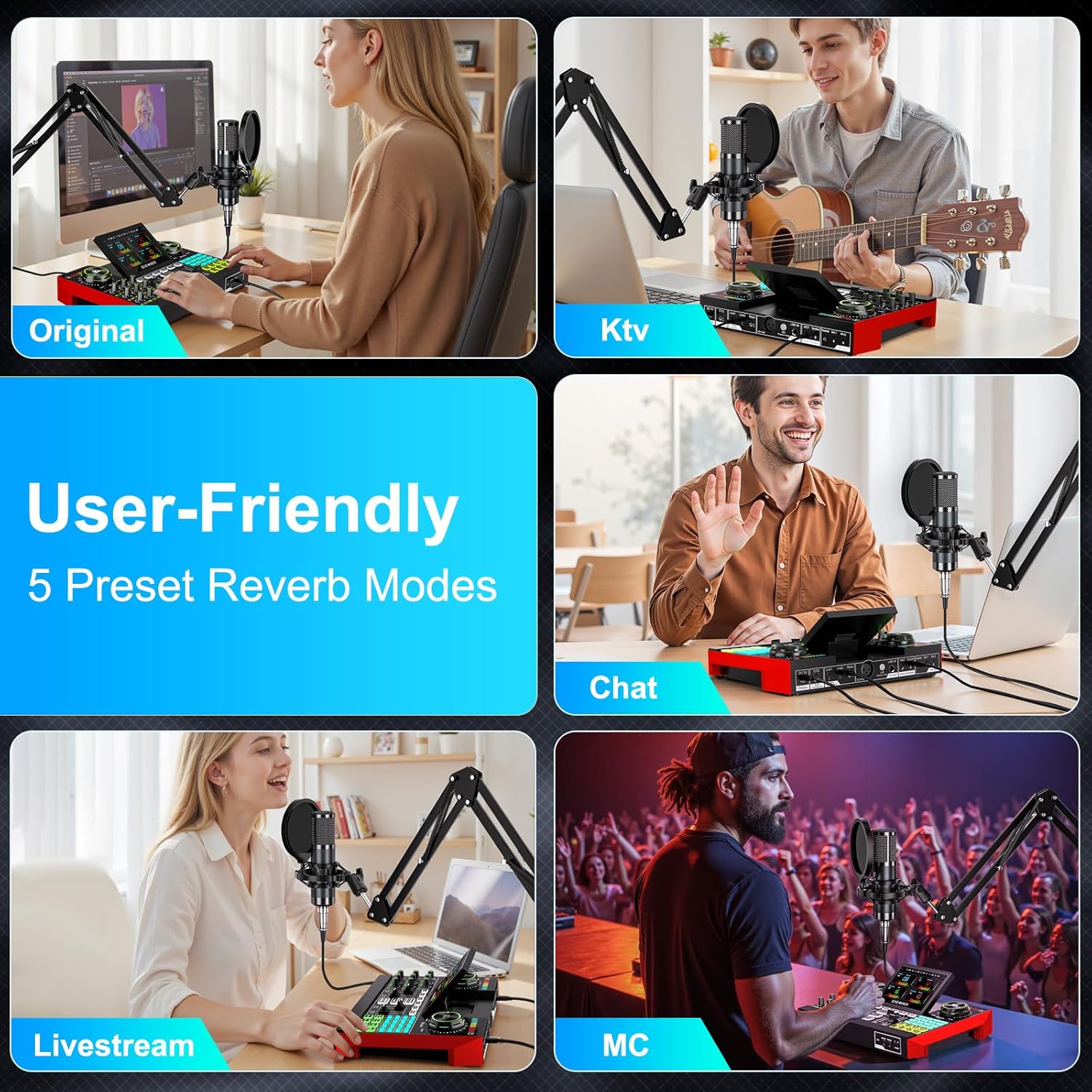
Image: User-friendly 5 preset reverb modes.
5.3 Live Streaming and Recording
The G10 mixer supports various applications for live streaming and recording:
- Chat/Gaming Livestream: Utilize the 'Ducking' feature where background sound is reduced when you speak, and your voice is amplified. The 'Smart Denoise' intelligently filters out noise for clearer voice.
- Singing Livestream: Features like 'Follow Singing' allow you to continuously hear original vocals, while 'Remove Vocal' can eliminate original vocals from a song, letting the audience hear only your voice and the accompaniment.
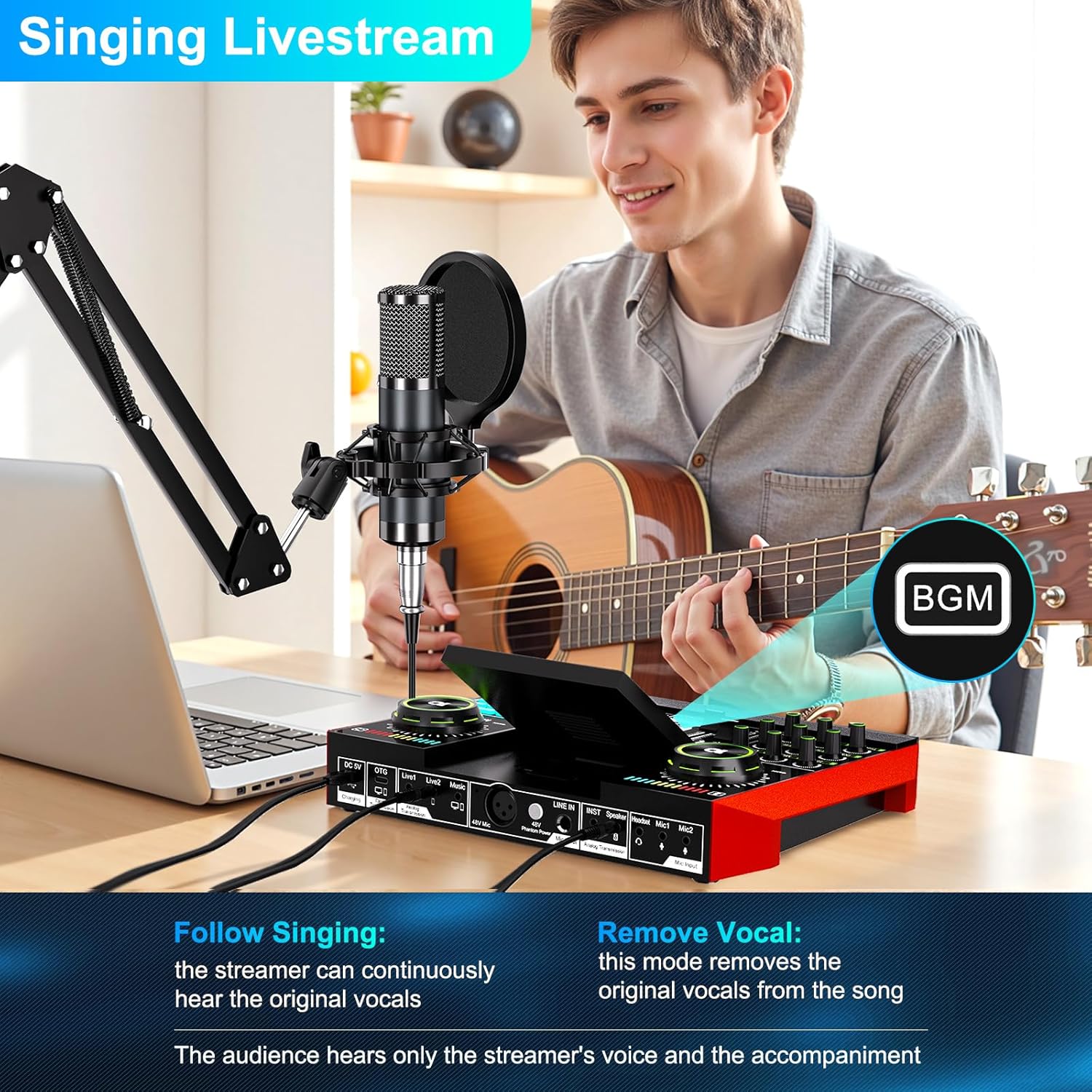
Image: Singing Livestream features: Follow Singing and Remove Vocal.

Image: Multi-channel audio mixer supporting 1-3 people for live streaming.
6. Údržba
To ensure the longevity and optimal performance of your tenlamp G10 Podcast Equipment, follow these maintenance guidelines:
- Čistenie: Use a soft, dry cloth to wipe down the mixer and microphone. Avoid using liquid cleaners or abrasive materials.
- Ukladací priestor: Zariadenie skladujte na chladnom a suchom mieste mimo dosahu priameho slnečného žiarenia a extrémnych teplôt.
- Starostlivosť o káble: Avoid bending or twisting cables excessively. Disconnect cables by pulling the plug, not the wire.
- Batéria: The mixer is powered by an internal battery. Charge it regularly to maintain battery health. The mixer offers up to 12 hours of usage on a full charge.

Image: The G10 mixer is built for creators with up to 12 hours of live streaming usage.
7. Riešenie problémov
If you encounter issues with your tenlamp G10 Podcast Equipment, refer to the following common problems and solutions:
- Žiadny zvukový výstup:
- Check all cable connections (microphone, headphones, speakers, device).
- Ensure volume knobs (Mic, Music, Monitor) are turned up.
- Verify the mixer is powered on and charged.
- Confirm the G10 mixer is selected as the input/output device in your computer's sound settings or mobile app.
- Slabá kvalita zvuku/šum:
- Activate the 'Noise Reduction' feature on the mixer.
- Adjust microphone gain and tone settings (Bass, Mid, Treble).
- Ensure the microphone is positioned correctly and the pop filter is used.
- Skontrolujte rušenie inými elektronickými zariadeniami.
- Voice Changer Not Working:
- Ensure the microphone is properly connected and receiving input.
- Press the voice changer buttons firmly.
- Problémy s pripojením Bluetooth:
- Uistite sa, že je Bluetooth zapnutý na mixéri aj na vašom zariadení.
- Zrušte párovanie a znova spárujte zariadenia.
- Move devices closer to each other to reduce interference.
8. Špecifikácie
| Značka | tenlamp |
| Názov modelu | G10-P15B-NB25 |
| Technológia pripojenia | Pomocný, Bluetooth, USB, XLR |
| Typ konektora | 3.5 mm jack, USB typu C |
| Špeciálne funkcie | Volume control, Echo control, Mute function, Noise reduction |
| Kompatibilné zariadenia | Headphones, Personal computer, Laptop, Smartphone, Tablet |
| Vrátane komponentov | Microphone, Audio Mixer |
| Hmotnosť položky | 1200 gramov |
| Faktor tvaru mikrofónu | Štúdiový kondenzátor |
| Zdroj napájania | Napájanie z batérie (1 A batéria je súčasťou balenia) |
| Hardvérová platforma | Computer, Laptop, Smartphone |
| Počet kanálov | 4 |
| Frekvenčná odozva | 20 kHz |
| Vnútorný materiál | Plastové |
9. Záruka a podpora
The tenlamp G10-P15B-NB25 Podcast Equipment comes with a 1-ročná záruka for spare parts availability. For technical support, troubleshooting assistance, or warranty claims, please contact tenlamp customer service through your purchase platform or the official tenlamp webstránky.