
1. Úvod
Thank you for choosing the Picun G2 Wireless Gaming Headset. This manual provides detailed instructions for setting up, operating, and maintaining your headset to ensure optimal performance and an immersive gaming experience. Please read this manual thoroughly before use.
Čo je v krabici
- 1 x Picun G2 Wireless Gaming Headset
- 1 x USB-A & Type-C 2-in-1 Wireless Dongle
- Nabíjací kábel 1 x USB-C
- 1 x 3.5 mm audio kábel
- 1 x Návod na použitie
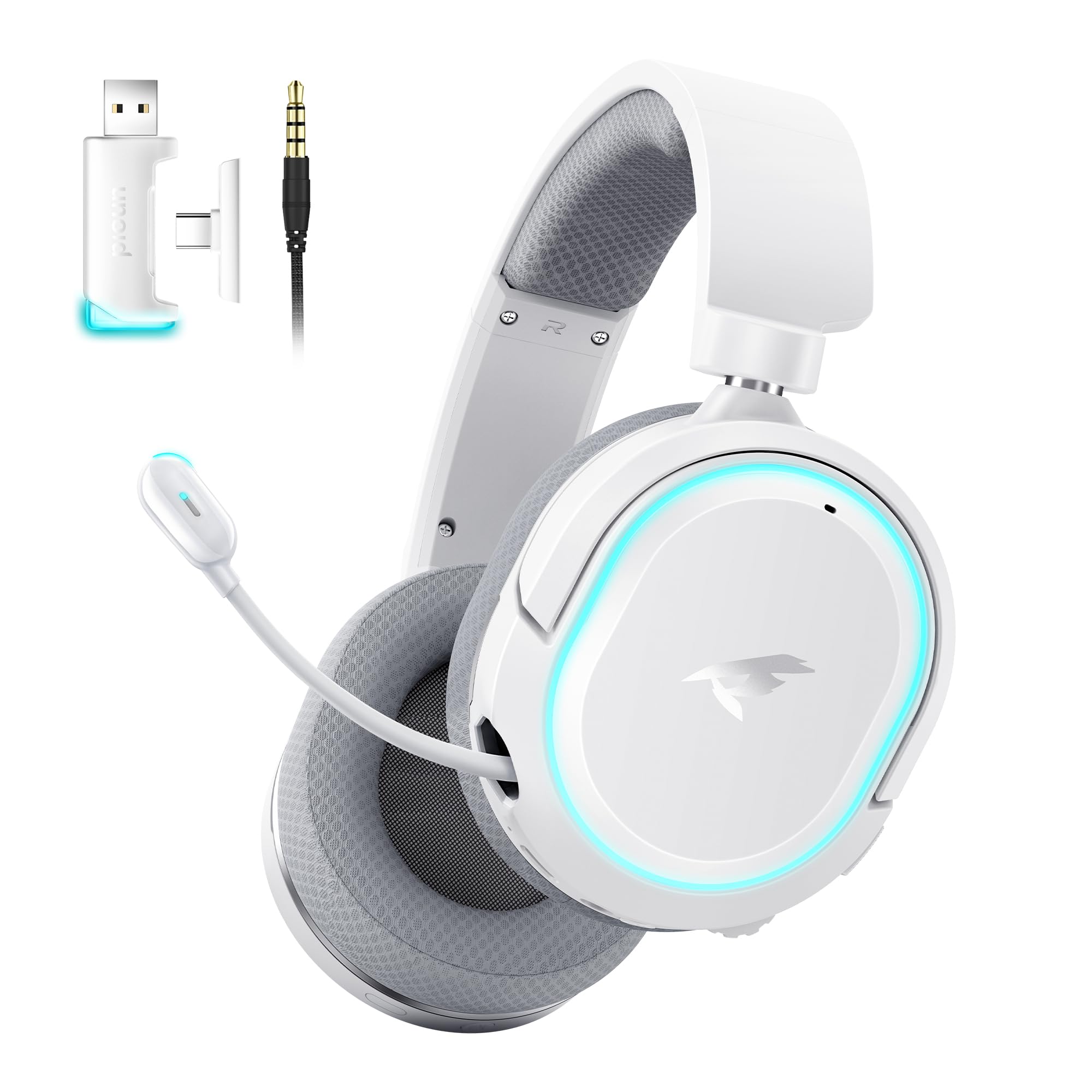
Image: Picun G2 Wireless Gaming Headset (Grey)
2. Produkt skončilview
Familiarize yourself with the various components and controls of your Picun G2 headset.

Image: Headset Controls Diagram
- 7.1 Mode Light Control: Button to activate/deactivate 7.1 virtual surround sound and control RGB lighting.
- Nabíjací port: Port USB-C na nabíjanie slúchadiel.
- 3.5 mm audio port: Pre káblové pripojenie pomocou priloženého 3.5 mm audio kábla.
- Tlačidlo napájania: Press and hold to power on/off. Short press for play/pause in Bluetooth mode.
- Koliesko hlasitosti: Scroll up or down to adjust the volume.
- Vypnutie mikrofónu: Slide switch to mute or unmute the microphone.
3. Nastavenie a pripojenie
3.1 Nabíjanie slúchadiel
Before first use, fully charge the headset using the provided USB-C charging cable. Connect the USB-C end to the headset's charging port and the USB-A end to a power source (e.g., computer USB port, USB wall adapter).
3.2 Connecting via 2.4GHz Wireless (Dongle)
For ultra-low latency gaming on PC, PS5, PS4, or Nintendo Switch (docked mode):
- Insert the 2.4GHz USB-A/Type-C dongle into an available USB port on your device.
- Zapnite slúchadlá. Automaticky sa pripoja k hardvérovému kľúču.
- Ensure the headset is selected as the audio output and input device in your device's sound settings.
3.3 Pripojenie cez Bluetooth 5.4
For wireless connection to smartphones, tablets, and other Bluetooth-enabled devices:
- With the headset powered off, press and hold the Power Button until the LED indicator flashes blue and red, indicating pairing mode.
- On your device, enable Bluetooth and search for "Picun G2".
- Select "Picun G2" to pair. The LED will turn solid blue once connected.
3.4 Connecting via 3.5mm Wired
For universal compatibility with devices featuring a 3.5mm audio jack:
- Pripojte jeden koniec 3.5 mm audio kábla k 3.5 mm audio portu na slúchadlách.
- Connect the other end to your device's 3.5mm audio jack.
- Poznámka: Funkcie mikrofónu sa môžu v káblovom režime líšiť alebo byť nedostupné v závislosti od zariadenia.

Image: Multiple Connection Options
4. Návod na obsluhu
4.1 Zapnutie/vypnutie
- Zapnutie: Stlačte a podržte tlačidlo napájania na 3 sekundy.
- Vypnúť: Stlačte a podržte tlačidlo napájania na 3 sekundy.
4.2 Ovládanie hlasitosti
- Otočte Koliesko hlasitosti upwards to increase volume.
- Otočte Koliesko hlasitosti smerom nadol znížite hlasitosť.
4.3 Microphone Usage (Retractable ENC Noise-Canceling Mic)
- Extend/Retract Mic: Gently pull out or push in the microphone from the left earcup.
- Stlmiť/Zapnúť zvuk: Použite Stlmenie mikrofónu slide switch located on the earcup.

Image: Retractable ENC Noise-Canceling Microphone
4.4 7.1 Virtual Surround Sound Activation
- Stlačte tlačidlo 7.1 Mode Light Control button to toggle 7.1 virtual surround sound on or off.
- The RGB lighting will indicate the status of the 7.1 mode.

Image: 7.1 Surround Sound Activation
5. Informácie o batérii
The Picun G2 headset offers extended battery life for prolonged usage.
- Up to 100 hours playtime in Bluetooth mode (RGB off).
- Approximately 42-45 hours playtime via 2.4GHz wireless (RGB on).
- Full charge typically takes 2-3 hours.
- The headset supports charging while in use.

Obrázok: Výdrž batérie a nabíjanie
6. Pohodlie a dizajn
The Picun G2 is designed for comfort during extended gaming sessions.
- Nastaviteľná čelenka: Customize the fit for various head sizes.
- Otočné náušníky: Allows for flexible positioning and storage.
- Soft Memory Sponge Cushions: Breathable fabric earcups and headband provide comfort and reduce pressure.

Image: Comfort Features
7. Riešenie problémov
If you encounter any issues with your Picun G2 headset, please refer to the following common solutions:
| Problém | Riešenie |
|---|---|
| Z náhlavnej súpravy nie je žiadny zvuk |
|
| Mikrofón nefunguje |
|
| Cannot connect via 2.4GHz wireless |
|
| Nedá sa pripojiť cez Bluetooth |
|
| Krátka výdrž batérie |
|
8. Špecifikácie
| Funkcia | Detail |
|---|---|
| Značka | Picun |
| Názov modelu | Picun-G2 |
| Technológia pripojenia | Bezdrôtové pripojenie 2.4 GHz, Bluetooth 5.4, káblové pripojenie 3.5 mm |
| Umiestnenie uší | Cez ucho |
| Typ zvukového ovládača | Dynamický menič (40 mm) |
| Impedancia | 32 ohmov |
| Frekvenčný rozsah | 20 Hz – 20 000 Hz |
| Audio latencia | 5 Milliseconds (2.4GHz) |
| Verzia Bluetooth | 5.4 |
| Dosah Bluetooth | 10 metra |
| Životnosť batérie | Up to 100 Hours (Bluetooth, RGB off) / 42-45 Hours (2.4GHz, RGB on) |
| Doba nabíjania | 2-3 hodín |
| Mikrofón | Retractable ENC Noise-Canceling Omnidirectional Mic |
| Kompatibilné zariadenia | PC, Mac, Laptop, Desktop, Phone, Pad, Tablet, PlayStation 4/5/pro/Slim, Gaming Consoles, Switch, Nintendo Switch (microphone invalid on Switch via 3.5mm) |
| Materiál | ABS, Breathable Fabric, PC, Soft Memory Sponge Cushions |
| Ďalšie funkcie | 7.1 Virtual Surround Sound, RGB Lighting, Adjustable Headband, Rotatable Earcups |
9. Záruka a podpora
9.1 Informácie o záruke
The Picun G2 Wireless Gaming Headset comes with a 1-ročná záruka od dátumu nákupu. Táto záruka sa vzťahuje na výrobné chyby a zaručuje, že výrobok pri bežnom používaní neobsahuje chyby materiálu a spracovania. Pre prípad uplatnenia záruky si uschovajte doklad o kúpe.
Záruka sa nevzťahuje na:
- Škoda spôsobená nesprávnym použitím, zneužitím, nehodou alebo nedbanlivosťou.
- Neoprávnená oprava alebo úprava.
- Bežné opotrebovanie.
9.2 Zákaznícka podpora
For technical assistance, warranty claims, or any questions regarding your Picun G2 Wireless Gaming Headset, please contact Picun customer support through the following channels:
- Email: support@picun.com (Naprampnapr. skutočný e-mail nebol poskytnutý)
- Webmiesto: Visit the official Picun webstránka s najčastejšími otázkami a zdrojmi podpory.
Please have your model number (Picun-G2) and proof of purchase ready when contacting support.