
1. Produkt skončilview
The HP Laptop 15-fd2353la is a versatile and efficient computing device designed for everyday tasks, entertainment, and productivity. It features an Intel Core Ultra 5 processor, a vibrant 15.6-inch Full HD display, ample memory, and fast solid-state storage. This manual will guide you through the setup, operation, and maintenance of your new laptop.

Predné view of the HP Laptop 15-fd2353la, highlighting its Intel Core Ultra 5 processor, 24 GB RAM, 512 GB SSD, and 15.6-inch Full HD display.
2. Nastavenie
2.1 Rozbalenie
Opatrne vyberte notebook a všetko príslušenstvo z obalu. Uistite sa, že sú v balení nasledujúce položky:
- HP Laptop 15-fd2353la
- Napájací adaptér a kábel
- Dokumentácia (Stručná úvodná príručka, informácie o záruke)
2.2 Pripojenie napájacieho adaptéra
Before first use, connect the power adapter to the laptop's power port and then plug it into a wall outlet. Allow the battery to charge for a few hours, or until fully charged, before initial use.
2.3 Počiatočné zapnutie a inštalácia systému Windows
Press the power button located on the keyboard to turn on the laptop. Follow the on-screen instructions to complete the Windows 11 Home setup process. This includes selecting your language, connecting to a Wi-Fi network, and creating a user account.
3. Návod na obsluhu
3.1 Zapnutie/vypnutie a režim spánku
- Zapnutie: Stlačte tlačidlo napájania.
- Vypnúť: Kliknite na tlačidlo Štart a potom na položky Napájanie > Vypnúť.
- Režim spánku: Zatvorte veko alebo kliknite na tlačidlo Štart a potom na položky Napájanie > Režim spánku.
3.2 Používanie klávesnice a touchpadu
The laptop features a full-size Spanish QWERTY keyboard and a precision touchpad. Use the touchpad for navigation, clicking, and multi-touch gestures. Refer to Windows settings for touchpad customization.
3.3 Pripojenie k sieti Wi-Fi
Ak sa chcete pripojiť k bezdrôtovej sieti:
- Kliknite na ikonu Wi-Fi na paneli úloh.
- Vyberte požadovanú sieť zo zoznamu.
- Ak sa zobrazí výzva, zadajte heslo siete a potom kliknite na Pripojiť.
4. Kľúčové vlastnosti
The HP Laptop 15-fd2353la offers a range of features designed to enhance your computing experience:
- procesor: Intel Core Ultra 5 225U (up to 4.8 GHz with Intel Turbo Boost Technology, 12 MB L3 Cache, 12 cores, 14 threads) for efficient multitasking.
- Ukladací priestor: 512 GB PCIe NVMe M.2 Solid State Drive for fast boot times and application loading.
- pamäť: 24 GB DDR5-5600 MT/s RAM for smooth performance across demanding applications.
- Displej: 15.6-inch Full HD (1920 x 1080) IPS anti-glare display with 250 nits brightness and 62.5% sRGB for clear visuals.
- Operačný systém: Predinštalovaný systém Windows 11 Home.
- Životnosť batérie: Up to 9 hours and 45 minutes of AI-optimized battery life, with HP Fast Charge capable of recharging 50% in approximately 30 minutes.
- Webcam and Audio: Integrovaný webcam with a privacy shutter and a clear microphone featuring external noise reduction for improved video calls.
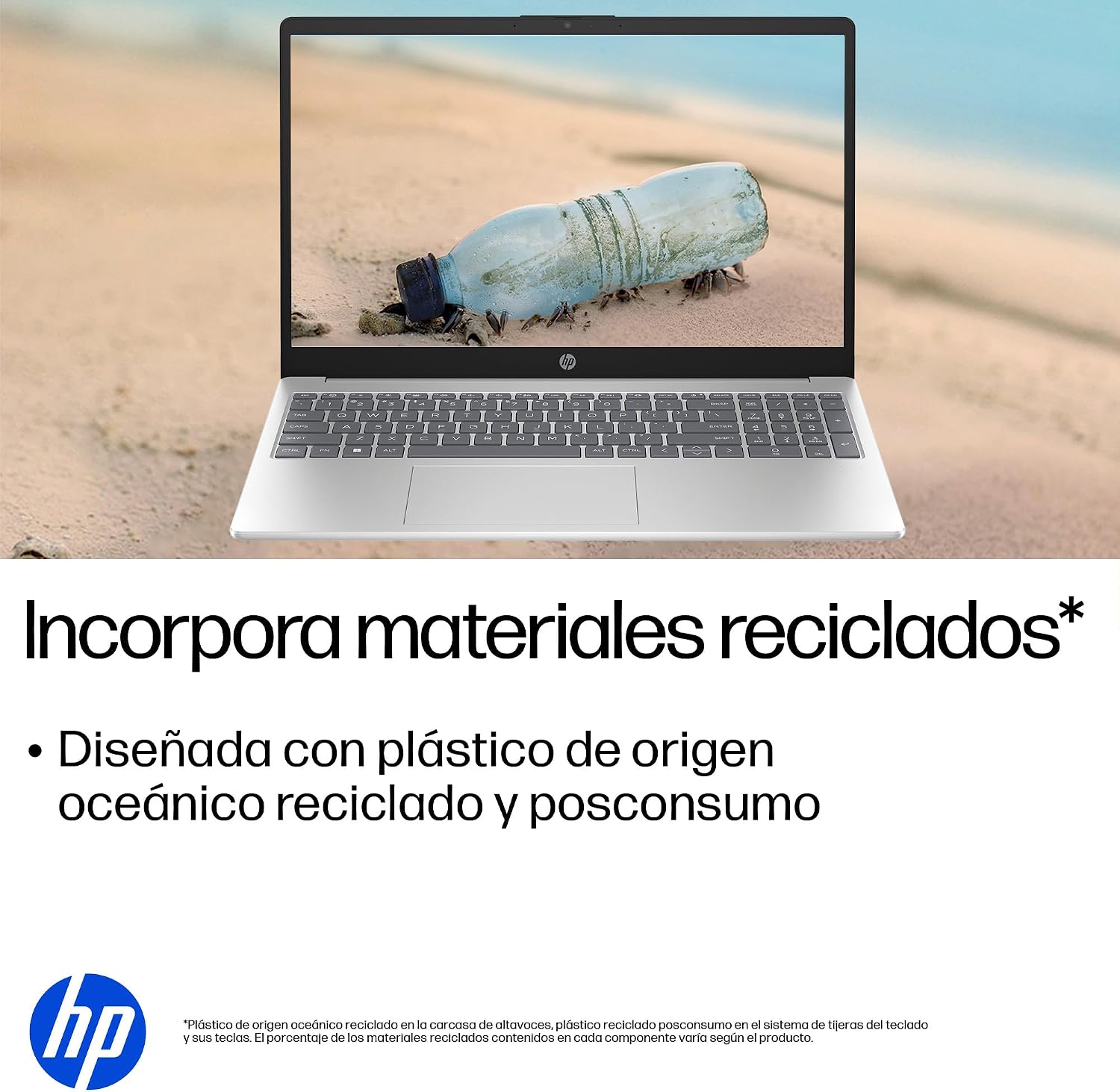
- Trvalo udržateľný dizajn: Constructed with ocean-bound and post-consumer recycled plastics in various components.

The laptop features an integrated webcam shutter for privacy and a clear microphone with external noise reduction.

Experience an immersive visual display with an 85% screen-to-body ratio and an anti-glare Full HD screen.

Enjoy extended use with up to 9 hours and 45 minutes of AI-optimized battery life, and quickly recharge 50% in 30 minutes with HP Fast Charge.

This laptop incorporates recycled materials, including ocean-bound and post-consumer plastics, in its design.
5. Porty a pripojenie
Your HP Laptop 15-fd2353la is equipped with various ports for connecting peripherals and external devices:

Diagram illustrating the location and type of ports on the HP Laptop 15-fd2353la.
- Ľavá strana:
- 1 x USB Type-A 5 Gbps signaling rate port
- 1 x HDMI port
- 1 x USB Type-C 5 Gbps signaling rate port
- 1 x Headphone/Microphone combo jack
- Pravá strana:
- 1 x USB Type-A 5 Gbps signaling rate port
- 1 x Napájací konektor
6. Špecifikácie
| Funkcia | Špecifikácia |
|---|---|
| Značka | HP |
| Názov modelu | 15-fd2353la |
| Veľkosť obrazovky | 15.6 palca |
| Maximálne rozlíšenie obrazovky | 1920 x 1080 pixelov (FHD) |
| Typ zobrazenia | IPS, Anti-glare LCD |
| Farba | Strieborná |
| Model CPU | Intel Core Ultra 5 225U |
| Rýchlosť procesora | Až 4.8 GHz |
| Veľkosť RAM | 24 GB |
| Technológia RAM | DDR5-5600 MT/s |
| Veľkosť pevného disku | 512 GB SSD (PCIe NVMe M.2) |
| Operačný systém | Windows 11 Home |
| Grafický koprocesor | Integrovaná grafika Intel |
| USB porty | 3 (2x USB typu A, 1x USB typu C) |
| Porty HDMI | 1 |
| Typ batérie | Lítium-ión |
| Energetický obsah batérie | 41 watthodiny |
| Rozloženie klávesnice | QWERTY (španielčina) |
| Hmotnosť | 1.65 kg |
| Rozmery (D x Š x V) | 23.6 x 36 x 1.9 cm |
Visual representation of the laptop's dimensions and weight.
7. Údržba
7.1 Čistenie notebooku
- Použite mäkkú handričku, ktorá nepúšťa vlákna dampDisplej očistite vodou alebo čistiacim prostriedkom na obrazovky.
- Na klávesnicu a šasi používajte mäkkú handričku. Vyhnite sa agresívnym chemikáliám alebo abrazívnym materiálom.
- Na odstránenie prachu z klávesov a vetracích otvorov klávesnice použite stlačený vzduch.
7.2 Starostlivosť o batérie
- Vyhnite sa extrémnym teplotám.
- Batériu často úplne nevybíjajte.
- Ak notebook skladujete dlhší čas, uistite sa, že je batéria nabitá približne na 50 %.
7.3 Aktualizácie softvéru
Pravidelne aktualizujte operačný systém Windows a ovládače, aby ste zaistili optimálny výkon a zabezpečenie. Služba Windows Update je dostupná cez Nastavenia > Windows Update.
7.4 Správa úložiska
Pravidelne znovaview a vymažte nepotrebné files to maintain sufficient free space on your 512 GB SSD, which helps in sustaining system performance.
8. Riešenie problémov
8.1 Problémy s napájaním
- Notebook sa nezapína: Uistite sa, že napájací adaptér je bezpečne pripojený k notebooku aj k funkčnej elektrickej zásuvke. Skontrolujte, či je elektrická zásuvka funkčná.
- Batéria sa nenabíja: Verify the power adapter is correctly connected. Try a different power outlet.
8.2 Problémy so zobrazením
- Žiadny obraz na obrazovke: Pripojte externý monitor k portu HDMI a skontrolujte, či je problém s displejom notebooku alebo grafickou kartou.
- Tmavá alebo blikajúca obrazovka: Adjust screen brightness using the keyboard function keys. Update display drivers.
8.3 Problémy s pripojením
- Nepripája sa k sieti Wi-Fi: Uistite sa, že je povolená sieť Wi-Fi. Reštartujte smerovač a modem. Skontrolujte nastavenia siete v systéme Windows.
- USB zariadenia neboli rozpoznané: Skúste pripojiť zariadenie k inému portu USB. Uistite sa, že sú nainštalované ovládače zariadenia.
8.4 Problémy s výkonom
- Pomalý výkon: Zatvorte nepotrebné aplikácie. Skontrolujte procesy na pozadí, ktoré spotrebúvajú veľa zdrojov (Správca úloh). Zaistite dostatok voľného úložného priestoru.
- Systém zamrzne: Restart the laptop. Check for recent software installations or updates that might be causing conflicts.
9. Záruka a podpora
9.1 Informácie o záruke
Your HP Laptop 15-fd2353la comes with a 1-ročná obmedzená záruka. This warranty covers manufacturing defects and hardware failures under normal use conditions. Please refer to the warranty documentation included with your product for full terms and conditions.
9.2 Technická podpora
For technical assistance, warranty claims, or service inquiries, please visit the official HP support website or contact HP customer service. Have your product model number (15-fd2353la) and serial number ready when contacting support.
You can find more information and support resources at the official HP webmiesto: www.hp.com/support