
1. Produkt skončilview
The Philips 55MLED610/94 is a 55-inch 4K Ultra HD QLED Smart QD-Mini LED Google TV. It features advanced display technology, smart connectivity, and integrated audio solutions for an enhanced viewskúsenosti.

Predné view of the Philips 55MLED610/94 55-inch 4K QD-Mini LED Google TV.
Kľúčové vlastnosti:
- Displej: 4K QD-Mini LED Panel, Philips Halo Control Technology, Dolby Vision, Local Dimming, 120 Hz Motion Clarity HSR, HDR 10+, 178 Degree Wide Viewing Angle, MEMC, ALLM.
- Smart TV: Google TV operating system, 2GB RAM, 32GB ROM, Quad Core Processor, Dual band WIFI 5, Hands-Free Voice Control, Screen Mirroring, Google Assistant compatibility.
- Zvuk: 36 Watts Output, Dolby Atmos, Dolby Audio.
- Pripojenie: 3 HDMI Ports (including HDMI 2.1), 2 USB Ports, 1 LAN Port, 1 Antenna Input, 1 Satellite Input, 1 Digital Audio Out (Optical), 1 AV-IN, 1 Earphone port.
2. Nastavenie a inštalácia
2.1 Vybalenie a obsah
Carefully unpack the television and ensure all components are present.
- 1N TV Unit
- 2N Stand Bases
- Stručná úvodná príručka 1N
- 1N záručný list
- Diaľkové ovládanie 1N
- 2N AAA Batteries (for remote)
- 1N Power Cord
- 4N Screws (for stand/mount)
- 1N AV Converting Cable

Illustration showing the TV unit and its included accessories for setup.
2.2 Inštalácia na stojan alebo montáž na stenu
The television supports both table-top stand installation and wall mounting.
- Montáž na stôl: Attach the provided stand bases to the bottom of the TV unit using the included screws. Ensure the stand is stable on a flat surface.
- Upevnenie na stenu: For wall mounting, use a compatible VESA wall mount (not included) and follow the instructions provided with the wall mount. Refer to the TV's back panel for mounting points.

Zadné view of the television, highlighting the mounting points and various input/output ports.
2.3 Pripojenie periférnych zariadení
Connect your external devices such as set-top boxes, gaming consoles, and audio systems to the TV using the appropriate ports.
- HDMI: Use HDMI ports for high-definition video and audio from devices like Blu-ray players or gaming consoles. HDMI 2.1 supports advanced features.
- USB: Pripojte USB disky na prehrávanie médií alebo externé úložisko.
- LAN: Pre stabilné káblové internetové pripojenie.
- Anténa/Satelit: Connect your antenna or satellite dish for broadcast TV.
- Digitálny audio výstup (optický): Na pripojenie k externým zvukovým systémom.
- AV-IN: Pre staršie zariadenia používajúce kompozitné video a stereo zvuk.
- slúchadlá: Na súkromné počúvanie.

Podrobné view of the television's input and output ports, including HDMI, USB, LAN, and audio connections.
3. Návod na obsluhu
3.1 Počiatočné zapnutie a nastavenie Google TV
After connecting the power cord, press the power button on the remote control or TV. Follow the on-screen instructions to complete the initial setup, including language selection, network connection (Wi-Fi or LAN), and Google account sign-in.

Rozhranie Google TV zobrazujúce rôzne streamovacie aplikácie a odporúčania obsahu.
3.2 Funkcie diaľkového ovládača
The provided remote control uses both IR and Bluetooth technology. Insert the two AAA batteries as indicated.

The remote control for the Philips 55MLED610/94 TV, featuring dedicated buttons for streaming services and Google Assistant.
- Tlačidlo napájania: Zapína alebo vypína televízor.
- Navigačný panel: Pre navigáciu v menu a výber.
- Tlačidlo Asistenta Google: Aktivuje hlasové ovládanie pre príkazy a vyhľadávania.
- Tlačidlá hlasitosti/kanálov: Upravuje hlasitosť a prepína kanály.
- Tlačidlá skratiek aplikácií: Direct access to popular streaming services like Netflix and Prime Video.
3.3 Smart TV Features and Applications
The Google TV platform provides access to a wide range of applications and services.
- Predinštalované aplikácie: Access popular streaming services such as Prime Video, Netflix, Hotstar, Zee5, YouTube, Eros Now, Hungama, JioCinema, and SonyLiv.
- Asistent Google: Používajte hlasové ovládanie bez použitia rúk na vyhľadávanie obsahu, ovládanie inteligentných domácich zariadení a získavanie informácií.
- Zrkadlenie obrazovky (Miracast): Prenášajte obsah z kompatibilných mobilných zariadení na televíznu obrazovku.
- Web Prehliadač: Prehliadajte internet priamo na televízore.
3.4 Nastavenia displeja a zvuku
Upravte nastavenia obrazu a zvuku pre optimalizáciu viewzážitok z počúvania.
- Režimy obrazu: Select from various picture modes (e.g., Standard, Vivid, Movie, Game) or customize settings like brightness, contrast, color, and sharpness.
- Dolby Vision a HDR10+: The TV automatically detects and optimizes content for Dolby Vision and HDR10+ for enhanced dynamic range and color.
- Zvukové režimy: Choose sound modes (e.g., Standard, Music, Movie) or adjust equalizer settings. Dolby Atmos provides immersive audio.
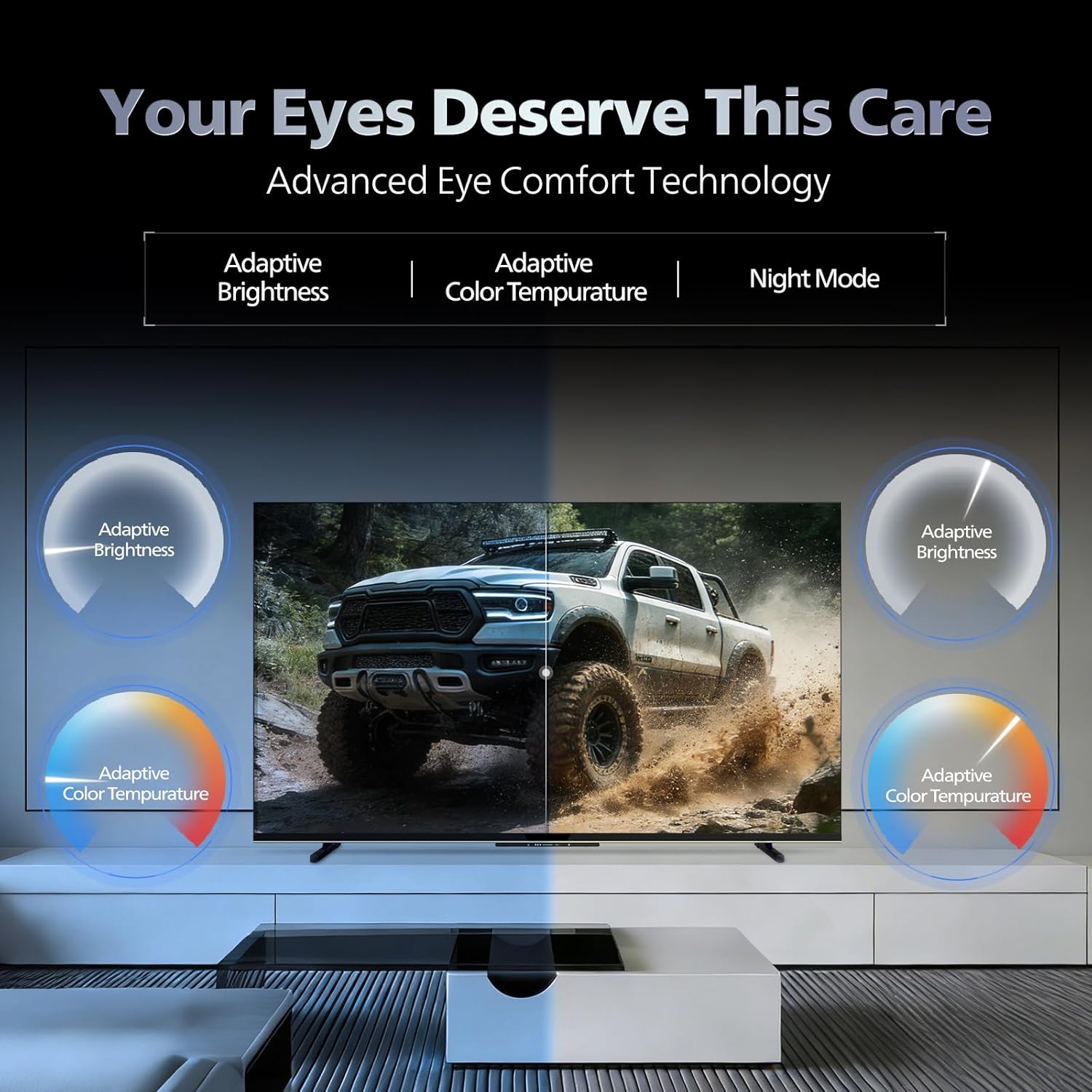
- Technológia Eye Comfort: Features like Adaptive Brightness, Adaptive Color Temperature, and Night Mode are available to reduce eye strain.

Visual representation of the TV's advanced eye comfort technology, including adaptive brightness and color temperature.

A visual demonstrating the immersive multi-dimensional audio experience provided by Dolby Atmos on the television.
4. Údržba
4.1 Čistenie televízora
To clean the screen and cabinet, first unplug the power cord. Use a soft, lint-free cloth. For stubborn marks, lightly damphandričku vodou alebo jemným, neabrazívnym čistiacim prostriedkom na obrazovky. Nikdy nestriekajte čistiaci prostriedok priamo na obrazovku.
Dôležité: The television is nie je vodeodolný. Avoid exposing it to liquids.
4.2 Aktualizácie softvéru
Ensure your TV's software is up to date for optimal performance and security. The TV will typically prompt you for available updates. You can also manually check for updates in the settings menu.
5. Riešenie problémov
If you encounter issues with your television, try the following basic troubleshooting steps before contacting support.
- Bez napájania: Uistite sa, že napájací kábel je bezpečne zapojený do televízora aj do funkčnej elektrickej zásuvky. Skúste inú zásuvku.
- Žiadny obraz/zvuk: Skontrolujte všetky káblové pripojenia (HDMI, AV, anténa). Uistite sa, že na televízore je vybratý správny vstupný zdroj.
- Diaľkové ovládanie nefunguje: Vymeňte batérie v diaľkovom ovládači. Uistite sa, že medzi diaľkovým ovládačom a infračerveným senzorom televízora nie sú žiadne prekážky.
- Problémy s pripojením na internet: Restart your Wi-Fi router. Check the TV's network settings and ensure it's connected to the correct network. Try a wired LAN connection if possible.
- Problémy s kvalitou obrazu: Upravte nastavenia obrazu (jas, kontrast, ostrosť). Uistite sa, že zdroj obsahu je vysokej kvality.
The television displaying a fast-paced gaming scene, highlighting its 120Hz refresh rate and gaming optimization features.
6. Špecifikácie
| Funkcia | Detail |
|---|---|
| Číslo modelu | 55MLED610/94 |
| Veľkosť obrazovky | 55 palca (138 cm) |
| Technológia displeja | QD-Mini LED |
| Rozlíšenie | 4K Ultra HD (3840 2160 x XNUMX XNUMX) |
| Obnovovacia frekvencia | 120 Hz HSR |
| Podporovaný formát HDR | HDR10+, Dolby Vision |
| Viewing uhol | 178 stupňov |
| Zvukový výstup | 36 wattov |
| Kódovanie zvuku | Dolby Atmos, Dolby Audio |
| Operačný systém | Google TV |
| RAM | 2 GB |
| ROM | 32 GB |
| Konektivita | Wi-Fi (Dual band WIFI 5), Bluetooth 5.1, 3 HDMI (1x HDMI 2.1 eARC), 2 USB, 1 LAN, 1 Antenna, 1 Satellite, 1 Digital Audio Out (Optical), 1 AV-IN, 1 Earphone |
| Rozmery produktu (D x Š x V) | 8 H x 144.5 Š x 84 V centimetrov |
| Item Weight Without Stand | 9.4 kg |
| Spotreba energie | 130 wattov |
| Energetické hodnotenie | 3 hviezdičky |
| Ročná spotreba energie | 182 kWh / rok |
| Zahrnuté komponenty | TV Unit, Stand Bases, Quick Start Guide, Warranty Card, Remote, Batteries, Power cord, Screws, AV Converting Cable |

Dimensional drawing of the Philips 55MLED610/94 TV, showing height, width, and depth measurements.
7. Záruka a podpora
7.1 Informácie o záruke
A 1-year warranty is provided by the manufacturer from the date of purchase. Warranty claims can be processed using your Amazon e-invoice.
The warranty covers manufacturing defects but does not cover spares.
7.2 Zákaznícka podpora
For assistance, contact the brand's toll-free number: 18004256396. Please provide the product's model name (55MLED610/94) and seller's details from your invoice. The service center will schedule a convenient service slot.
Výrobca: Radiant Appliances And Electronics Private Limited
Survey No. 111, 112, S-2 A 1, Ecity, Fabcity, Maheshwaram Mandal Raviryala Village, Ranga Reddy, Telangana- 501141
Dovozca: TPV Technology India Private Limited
Unit No. 307-308 3rd Floor, SEWA Corporate Park MG Road Gurugram Haryana 122002