
1. Úvod
This manual provides essential information for the safe and efficient operation of your Lifelong ROAR Projector. Please read it thoroughly before using the device and retain it for future reference.
2. Obsah balenia
Overte si, či sú vo vašom balení všetky nižšie uvedené položky:
- Lifelong ROAR Projector (LLPJEJ42)
- Diaľkové ovládanie
- Napájací kábel
- Používateľská príručka (tento dokument)
Video 1: Unboxing the Lifelong ROAR Projector. This video demonstrates the contents of the package and the initial unboxing process for the projector.
3. Bezpečnostné informácie
- Neblokujte vetracie otvory. Zabezpečte dostatočné prúdenie vzduchu okolo projektora.
- Do not expose the projector to rain or moisture to prevent electric shock or fire.
- Nepozerajte sa priamo do objektívu projektora, keď je lamp je zapnutý, pretože môže spôsobiť poškodenie očí.
- Používajte iba napájací kábel dodaný so zariadením.
- Projektor uchovávajte mimo dosahu zdrojov tepla a priameho slnečného žiarenia.
- Nepokúšajte sa projektor rozoberať ani upravovať. Všetky servisné práce zverte kvalifikovanému personálu.
4. Produkt skončilview
Familiarize yourself with the components and ports of your Lifelong ROAR Projector.

Obrázok 1: Predná strana View. Shows the projector lens and front speaker grille.

Obrázok 2: Bočná strana View. Displays various input/output ports such as HDMI and USB.

Obrázok 3: Chrbát View. Shows the power input and additional ventilation.
5. Nastavenie
- umiestnenie: Place the projector on a stable, flat surface. Ensure there is enough distance from the projection surface (wall or screen) to achieve your desired image size (30 to 150 inches). The optimal throw distance ranges from 2.29 feet to 11.1 feet.
- Napájanie: Connect the provided power cord to the projector's power input and then to a suitable AC 220V power outlet.
- Zapnutie: Stlačením tlačidla napájania na projektore alebo na diaľkovom ovládači zapnite zariadenie.
- Upraviť zaostrenie: Rotate the front ring around the lens to achieve a sharp image.
- Korekcia lichobežníkového skreslenia: The projector features automatic keystone correction. For fine adjustments, use the remote control to manually correct the image angle if needed.
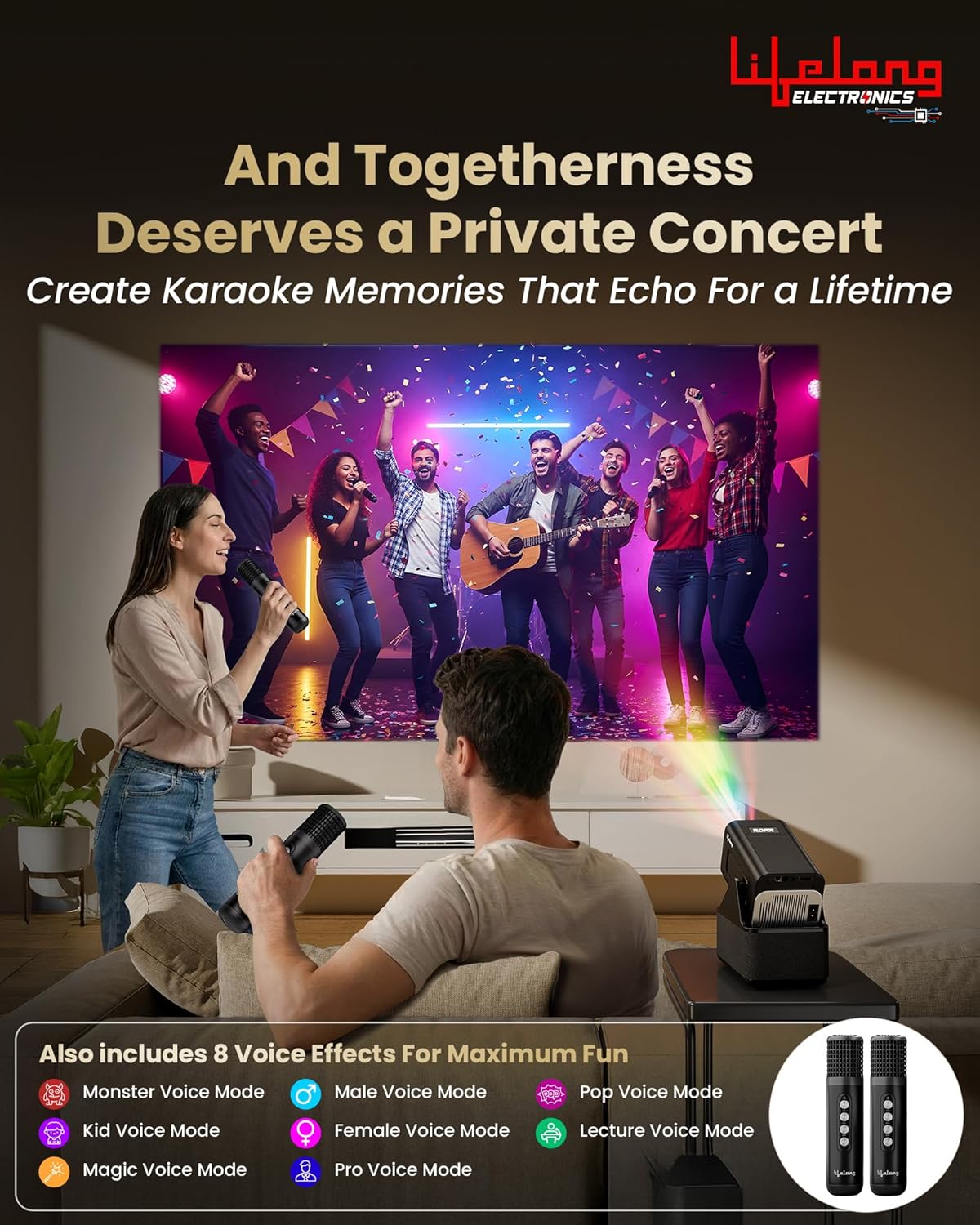
Image 4: Scalable Screen Size. Illustrates the projector's ability to display images from 50 to 150 inches, depending on throw distance.

Image 5: Powerful 20W Speakers. Highlights the integrated 20W stereo surround sound system.
6. Návod na obsluhu
6.1. Navigácia a operačný systém Android
The projector runs on Android OS, providing direct access to various applications. Use the remote control to navigate the interface, select apps, and adjust settings.
Image 6: Smart Features Overview. Shows the Android OS with built-in OTT apps, Wi-Fi 6 connectivity, Miracast functionality, and standalone Bluetooth speaker mode.
6.2. Built-in OTT Apps
Access popular streaming platforms directly from the projector without needing additional devices. Ensure the projector is connected to Wi-Fi (Wi-Fi 6 supported) for optimal streaming performance.
6.3. Pripojenie externých zariadení
Use the HDMI and USB ports to connect laptops, smartphones, tablets, or other compatible devices. Select the appropriate input source from the projector's menu.
6.4. Režim Bluetooth reproduktora
The projector can function as a standalone Bluetooth speaker. Pair your smartphone or tablet with the projector via Bluetooth to play audio through its 20W speakers.
6.5. Miracast Functionality
Mirror the screen of your compatible smartphone or tablet to the projector using Miracast for a larger viewskúsenosti.
6.6. Using Dual Microphones for Karaoke & Commentary
The projector comes with two microphones and 8 voice effects, ideal for karaoke parties or live commentary during sports events.

Image 7: Live Commentary. Demonstrates using the dual microphones for live commentary during a cricket match.

Image 8: Karaoke Party. Shows the projector being used for a karaoke session with the included microphones and various voice effects.
Video 2: Funkcie produktuview. This video highlights key features of the Lifelong ROAR Projector, including its audio, display, and smart capabilities.
Video 3: Projection Quality Demonstration. This video showcases the visual clarity and brightness of the projector's display in a typical home environment.
7. Údržba
- Čistenie objektívu: Na jemné utretie objektívu projektora použite mäkkú handričku, ktorá nepúšťa vlákna a je špeciálne určená na optické šošovky. Nepoužívajte abrazívne čistiace prostriedky ani rozpúšťadlá.
- Odstraňovanie prachu: Regularly clean the projector's exterior with a soft, dry cloth. Ensure ventilation openings are free from dust and debris.
- Ukladací priestor: Ak projektor dlhší čas nepoužívate, skladujte ho na chladnom a suchom mieste, chránenom pred prachom a extrémnymi teplotami.
8. Riešenie problémov
| Vydanie | Možná príčina | Riešenie |
|---|---|---|
| Žiadna sila | Napájací kábel nie je pripojený; Zásuvka je chybná | Uistite sa, že je napájací kábel bezpečne pripojený; skúste inú zásuvku. |
| Žiadny obrázok | Nesprávny vstupný zdroj; Zariadenie nie je pripojené | Select correct input source (HDMI/USB); Check cable connections. |
| Rozmazaný obrázok | Focus not adjusted; Keystone incorrect | Adjust the focus ring; Use keystone correction. |
| Žiadny zvuk | Volume too low; Audio output settings | Increase volume; Check audio settings on projector and source device. |
| Diaľkové ovládanie nefunguje | Dead batteries; Obstruction | Replace batteries; Ensure no obstruction between remote and projector. |
9. Špecifikácie
| Funkcia | Detail |
|---|---|
| Značka | Celoživotné |
| Číslo modelu | LLPJEJ42 |
| Natívne rozlíšenie | 1280 x 720 (720p HD) |
| Maximálne rozlíšenie displeja | 3840 x 2160 (podpora 4K) |
| Typ zobrazenia | LED |
| lúmenov | 4500 lúmenov |
| Prevádzková životnosť svetelného zdroja | 50000 hodín |
| Maximálna veľkosť obrázka | 150 palca |
| Minimálna veľkosť obrázka | 30 palca |
| Maximálna vrhacia vzdialenosť | 11.1 stopy |
| Minimálna vrhacia vzdialenosť | 2.29 stopy |
| Reproduktor Wattage | 20 wattov |
| Technológia pripojenia | Bluetooth, HDMI, USB, Wi-Fi (Wi-Fi 6) |
| Operačný systém | OS Android |
| Špeciálne funkcie | Built-In Speaker, Digital Keystone Correction, Lightweight, Dual Microphones |
| Príkon | 220 voltov (AC) |
| Hmotnosť položky | 1000 gramov |
| Rozmery položky (D x Š x V) | 14.8L x 16.8W x 10.5V centimetrov |
10. Záruka a podpora
Your Lifelong ROAR Projector (LLPJEJ42) comes with a 12-mesačná záruka od dátumu nákupu. Táto záruka sa vzťahuje na výrobné chyby vzniknuté pri bežnom používaní.
For warranty claims, technical support, or service inquiries, please contact Lifelong customer service. Refer to the contact information provided on the product packaging or the official Lifelong webstránky.
Kontaktné údaje výrobcu: Lifelong Online Retail Limited, 5th Floor, Unit No. 508, DLF, South Court, Saket District Center, Saket, New Delhi, India-110017