PowerA Advantage Wireless Controller for Nintendo Switch 2 - Mario & Yoshi
Model: NSGP0569-01V
Úvod
This manual provides comprehensive instructions for the PowerA Advantage Wireless Controller, designed for use with the Nintendo Switch family of devices. It covers setup, operation, maintenance, and troubleshooting to ensure optimal performance and longevity of your controller.
Kľúčové vlastnosti
Hallove moduly: Equipped with contact-free magnetic sensors in the thumbsticks to prevent stick drift, offering smoother control, enhanced precision, and increased longevity.
Pokročilé herné tlačidlá: Two mappable buttons can be programmed on the fly during gameplay without needing to access system settings.
Intuitive Motion Controls: Experience fluid and responsive motion controls for aiming, steering, flying, and other in-game actions.
C tlačidlo: Provides quick access to GameChat features.
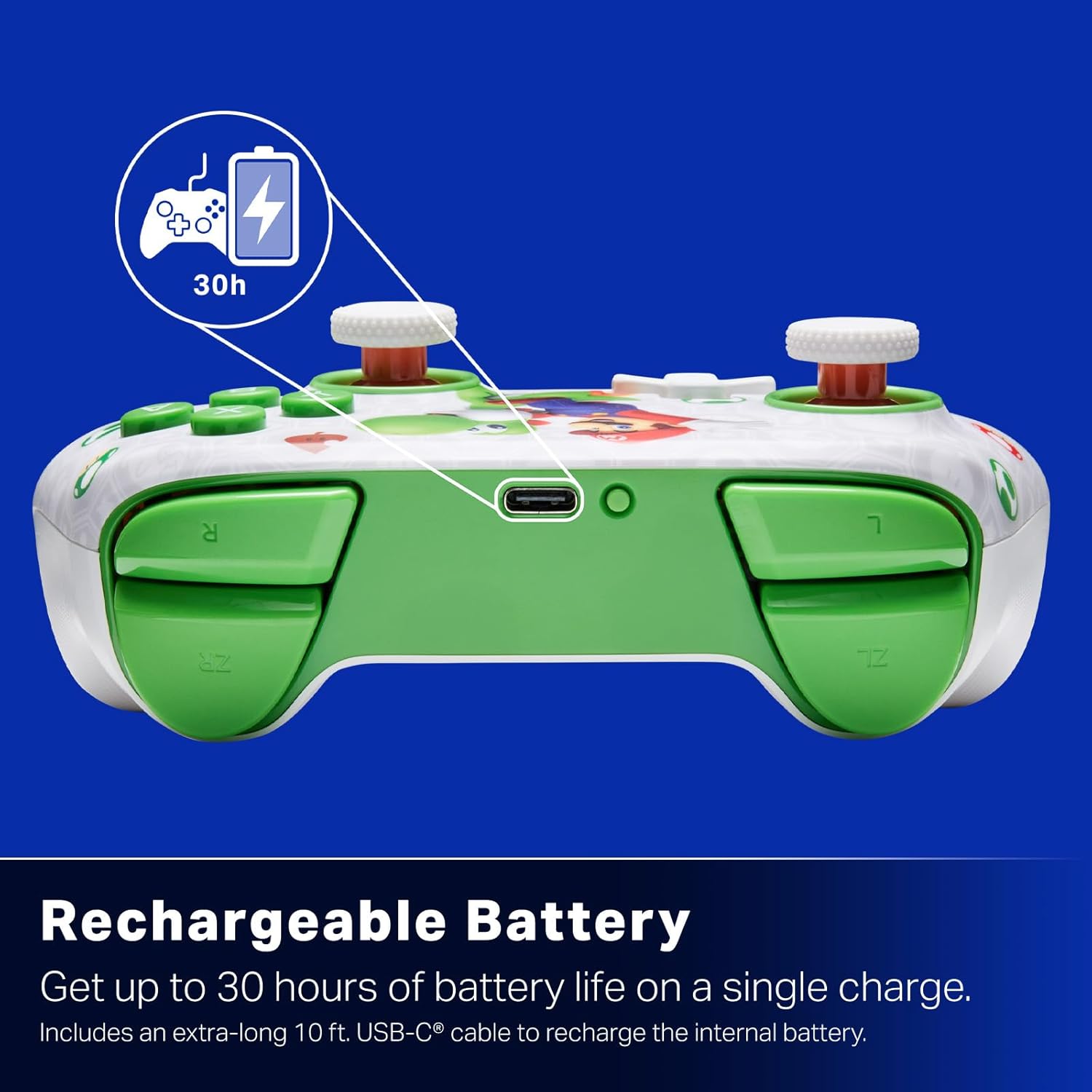
Nabíjateľná batéria: Offers up to 30 hours of gameplay on a single charge. Includes a 10 ft. (3m) USB-C cable for recharging.
Ergonomický dizajn: Crafted for comfort during extended gaming sessions, utilizing cutting-edge ergonomics and high-quality materials.
Nintendo Family Compatibility: Compatible with Nintendo Switch 2, Nintendo Switch, Nintendo Switch – OLED Model, and Nintendo Switch Lite.
Oficiálne licencované: PowerA products undergo rigorous testing by Nintendo to ensure compatibility and quality.
Pokyny na nastavenie
1. Počiatočné nabitie
Before first use, fully charge your PowerA Advantage Wireless Controller. Connect the included 10 ft. (3m) USB-C cable to the controller's USB-C port and the other end to a powered USB port on your Nintendo Switch dock or a USB wall adapter.
Figure 1: Controller connected via USB-C for charging, highlighting the rechargeable battery feature.
2. Párovanie s Nintendo Switch
Uistite sa, že vaša konzola Nintendo Switch je zapnutá a aktualizovaná na najnovší systémový softvér.
V ponuke HOME vyberte možnosť Ovládače, potom Zmeniť uchopenie/poradie.
On the PowerA Advantage Wireless Controller, press and hold the Tlačidlo SYNC located on the top edge of the controller for at least three seconds. The player indicator LEDs on the bottom of the controller will begin to flash.
Once the controller successfully pairs, the player indicator LED(s) corresponding to the controller number will remain lit.
Stlačte tlačidlo Tlačítko to confirm and exit the pairing screen.
For subsequent uses, simply press the HOME button on the controller to wake it up and automatically reconnect to your Switch console.
Návod na obsluhu
Základné ovládacie prvky
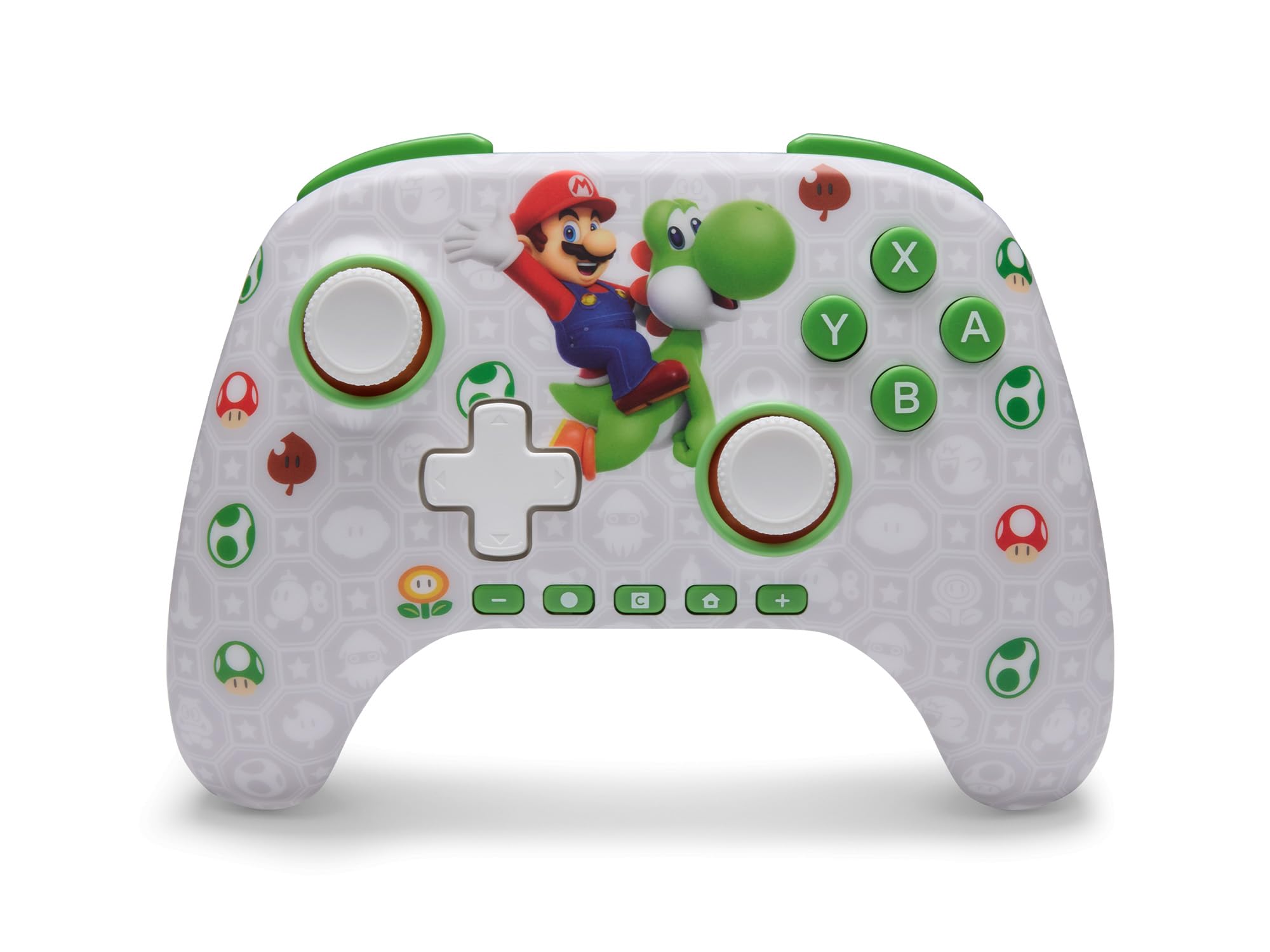
PowerA Advantage Wireless Controller features standard Nintendo Switch button layouts, including A, B, X, Y buttons, L/R and ZL/ZR shoulder buttons, a D-pad, and dual analog sticks. Familiarize yourself with these controls for general gameplay.
Obrázok 2: Predná strana view z PowerA Advantage Wireless Controller, highlighting the Mario and Yoshi design and button layout.
Pokročilé herné tlačidlá (AGB)
The controller includes two mappable Advanced Gaming Buttons (AGR and AGL) on the back. These buttons can be assigned to replicate any other button on the controller for quick access during gameplay.
Stlačte tlačidlo Program Button (PRGM) on the back of the controller. The Program LED will flash.
Stlačte tlačidlo Tlačidlo pre pokročilé hry (AGR or AGL) you wish to map. The Program LED will flash rapidly.
Stlačte tlačidlo tlačidlo you want to assign to the Advanced Gaming Button (e.g., A, B, X, Y, L, R, ZL, ZR, D-pad directions). The Program LED will stop flashing, indicating successful mapping.
To clear a mapped button, repeat steps 1-2, then press the Programové tlačidlo znova.
Figure 3: Advanced Gaming Buttons (AGB) on the back of the controller, with an illustration of mappable functions.
Ovládanie pohybu
The controller supports motion controls, allowing for intuitive interaction in compatible games. These controls are automatically enabled when supported by the game.
Figure 4: Controller demonstrating motion control capabilities through tilting.
C Button (GameChat)
The dedicated C Button provides quick access to GameChat features in supported titles, enhancing your multiplayer experience.
Figure 5: The 'C' button, used for GameChat features.
Údržba
Čistenie: Na čistenie ovládača používajte mäkkú, suchú handričku. Nepoužívajte agresívne chemikálie ani abrazívne materiály.
Ukladací priestor: Ovládač skladujte na chladnom a suchom mieste mimo dosahu priameho slnečného žiarenia a extrémnych teplôt.
Starostlivosť o batérie: Pre predĺženie životnosti batérie sa vyhýbajte častému úplnému vybíjaniu ovládača. Pravidelne ho nabíjajte, aj keď ho nepoužívate neustále.
Starostlivosť o káble: Handle the USB-C charging cable with care. Avoid bending or twisting it excessively.
Riešenie problémov
Ovládač sa nepripája/nepáruje
Uistite sa, že ovládač je úplne nabitý.
Overte, či je konzola Nintendo Switch aktualizovaná na najnovší systémový softvér.
Repeat the pairing process (see "Pairing with Nintendo Switch" in Setup Instructions).
If issues persist, try restarting both the controller and the Nintendo Switch console.
Drift palice
PowerA Advantage Controller features Hall Effect modules designed to prevent stick drift. If you experience any unintended input, ensure the controller's firmware is up to date (check PowerA's official webstránka s aktualizáciami).
Recalibrate the joysticks through the Nintendo Switch system settings if necessary (System Settings > Controllers and Sensors > Calibrate Control Sticks).
Krátka výdrž batérie
Ensure the controller is fully charged before each use.
Battery life can vary based on game usage and features enabled.
Pre optimálne nabíjanie použite dodaný kábel USB-C.
Špecifikácie
Funkcia
Detail
Číslo modelu
NSGP0569-01V
Konektivita
Wireless (Bluetooth), USB-C (for charging)
Kompatibilné zariadenia
Nintendo Switch 2, Nintendo Switch, Nintendo Switch – OLED Model, Nintendo Switch Lite
Životnosť batérie
Až 30 hodín (líši sa podľa použitia)
Dĺžka kábla
10 ft. (3m) USB-C
Rozmery
5.88 x 4.21 x 2.36 palca
Hmotnosť
0.66 libier
Špeciálne funkcie
Hall Effect Thumbsticks, Mappable Advanced Gaming Buttons, Motion Controls, C Button
Záruka a podpora
PowerA Advantage Wireless Controller comes with a Dvojročná obmedzená zárukaPodrobné informácie o záruke, produktovej podpore alebo registrácii produktu nájdete na oficiálnych webových stránkach PowerA. webmiesto na PowerA.com/Support.
Figure 6: Official Nintendo Licensed Product badge, ensuring quality and compatibility.
Súvisiace dokumenty - NSGP0569-01V
PowerA Fusion Pro Wired Controller User Manual Comprehensive user manual for the PowerA Fusion Pro Wired Controller for Xbox, detailing setup, features, troubleshooting, and safety information.
Používateľská príručka bezdrôtového ovládača PowerA Enhanced pre Nintendo Switch Oficiálna používateľská príručka pre vylepšený bezdrôtový ovládač PowerA pre Nintendo Switch, podrobný popis nastavenia, inštalácie batérií, bezdrôtového párovania, LED indikátorov, pokročilého priradenia tlačidiel, riešenia problémov, bezpečnostných upozornení a informácií o zhode.
Bezdrôtový ovládač PowerA FUSION Pro pre Xbox: Používateľská príručka Preskúmajte funkcie a návod na nastavenie bezdrôtového ovládača PowerA FUSION Pro pre Xbox, ktorý je vybavený osvetlením Lumectra, programovateľnými tlačidlami a prispôsobiteľnými ovládacími prvkami pre vylepšený herný zážitok.
Používateľská príručka bezdrôtového ovládača PowerA Enhanced pre Nintendo Switch Používateľská príručka pre vylepšený bezdrôtový ovládač PowerA pre Nintendo Switch, podrobný popis nastavenia, inštalácie batérií, bezdrôtového párovania, LED indikátorov, priradenia tlačidiel, riešenia problémov a bezpečnostných upozornení.
PowerA Fortnite Wireless Controller User Manual Official user manual for the PowerA Fortnite Special Edition Wireless Controller (Model XBGPSWLI). Includes instructions for setup, connecting via wired or wireless modes, programming advanced gaming buttons, profile nastavenia a riešenie problémov.
Ask a question about this manual
Ask about setup, troubleshooting, compatibility, parts, safety, or missing instructions. Manuals+ will review the question and use this page’s manual context to help answer it.