
1. Úvod
Thank you for choosing the THOMSON TDF-1001P Digital Photo Frame. This device allows you to display your favorite photos and videos, play music, and utilize features like a calendar, clock, and alarm. With Wi-Fi connectivity, you can easily share media and receive weather updates. Please read this manual thoroughly before operating the device to ensure proper use and maintenance.
2. Bezpečnostné informácie
- Nevystavujte zariadenie vlhkosti, dažďu ani extrémnym teplotám.
- Neumiestňujte zariadenie do blízkosti zdrojov tepla alebo na priame slnečné svetlo.
- Používajte iba dodaný napájací adaptér. Použitie neschválených adaptérov môže poškodiť zariadenie a viesť k strate záruky.
- Nepokúšajte sa zariadenie rozoberať ani opravovať sami. Všetky servisné práce zverte kvalifikovanému personálu.
- Udržujte zariadenie mimo dosahu silných magnetických polí.
- Clean the screen with a soft, dry cloth. Do not use liquid cleaners or sprays directly on the screen.
3. Obsah balenia
Skontrolujte, prosím, balenie, či neobsahuje nasledujúce položky:
- THOMSON TDF-1001P Digital Photo Frame
- Napájací adaptér
- Používateľská príručka (tento dokument)
- Stojan (ak je to relevantné)
4. Produkt skončilview
Familiarize yourself with the components of your digital photo frame.
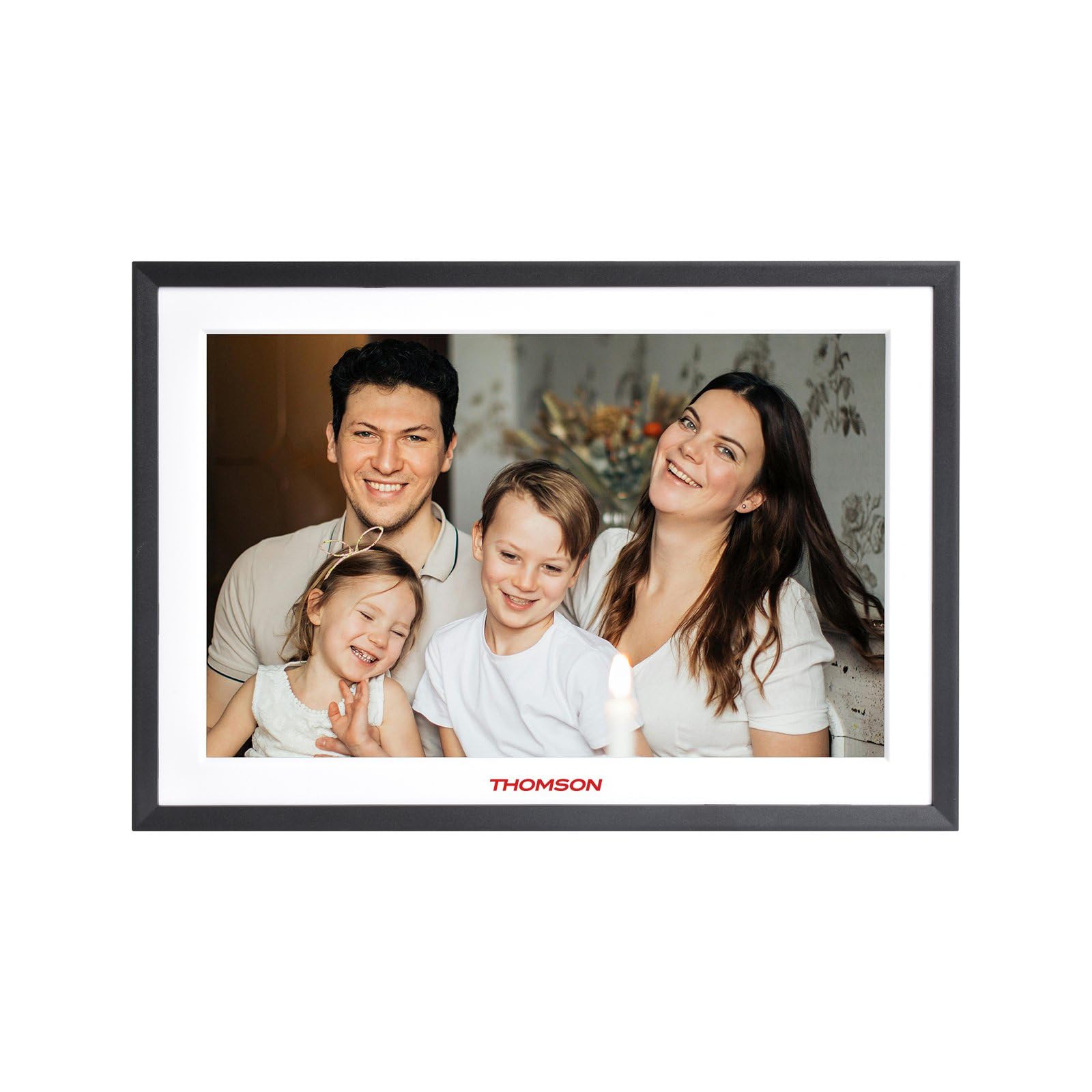
Obrázok 4.1: Predné view of the THOMSON TDF-1001P Digital Photo Frame. This image shows the 10.1-inch IPS display with a black frame, designed for clear photo and video playback.
4.1. Predný panel
- 10.1-palcová dotyková IPS obrazovka: The main display for viewing content and interacting with the device.
4.2. Zadný panel a porty
The rear panel typically includes various ports for connectivity and power.
- Príkon: Pripája sa k dodanému napájaciemu adaptéru.
- USB port: Na pripojenie USB kľúčov na prenos médií.
- Slot na SD kartu: For inserting SD cards to expand storage or transfer media.
- Resetovacie tlačidlo: A small pinhole button to reset the device if necessary.
5. Nastavenie
5.1. Počiatočné zapnutie
- Unpack the digital photo frame and its accessories.
- Attach the stand to the back of the frame, ensuring it is securely fastened.
- Connect the power adapter to the power input port on the frame.
- Zapojte napájací adaptér do elektrickej zásuvky. Rám sa automaticky zapne.
- Podľa pokynov na obrazovke vyberte jazyk a región.
5.2. Pripojenie Wi-Fi
Connecting to Wi-Fi enables online features like photo sharing and weather updates.
- V hlavnej ponuke klepnite na „Nastavenia“.
- Select 'Wi-Fi' or 'Network Settings'.
- Toggle Wi-Fi to 'On'. The frame will scan for available networks.
- Vyberte požadovanú sieť Wi-Fi zo zoznamu.
- Zadajte heslo Wi-Fi pomocou klávesnice na obrazovke a klepnite na „Pripojiť“.
- Po pripojení sa v stavovom riadku zobrazí ikona Wi-Fi.
5.3. App Setup for Sharing
To share photos and videos via Wi-Fi, you will need to install the dedicated app on your smartphone.
- Locate the app name or QR code in the frame's settings under 'Cloud Services' or 'App Connection'.
- Download and install the app on your smartphone from your device's app store.
- Otvorte aplikáciu a vytvorte si účet alebo sa prihláste.
- Follow the app's instructions to pair your smartphone with the digital photo frame, typically by scanning a QR code displayed on the frame or entering a unique device ID.
- Once paired, you can send photos and videos directly from your smartphone to the frame.
6. Operating the Digital Photo Frame
6.1. Navigácia v rozhraní
The frame features a touch screen for easy navigation. Tap icons to open applications and swipe to browse content or menus.
6.2. Prehrávanie fotografií a videa
- From the main menu, tap the 'Photos' or 'Gallery' icon.
- Select the source of your media (Internal Storage, SD Card, USB Drive, or Cloud/App).
- Browse through your albums or individual files. Tap on a photo or video to view to.
- During playback, you can typically swipe left/right to navigate between files, or tap the screen to reveal playback controls (play/pause, next, previous, rotate, delete).
6.3. Prehrávanie hudby
- Tap the 'Music' icon from the main menu.
- Select the source of your music files.
- Browse and tap on a song to begin playback.
- Use the on-screen controls for play/pause, skip, volume adjustment, and repeat modes.
6.4. Calendar, Clock, and Alarm
- Kalendár: Tap the 'Calendar' icon to view the current date and month. Some models may allow adding events.
- hodiny: The current time is usually displayed on the home screen. Time settings can be adjusted in the 'Settings' menu.
- Budík: Access the 'Alarm' function via the main menu or 'Settings'. You can set multiple alarms with custom times and sounds.
6.5. Weather Updates
If connected to Wi-Fi, the frame can display local weather information.
- Uistite sa, že rám je pripojený k sieti Wi-Fi.
- Go to 'Settings' and find 'Weather' or 'Location Services'.
- Enable weather updates and set your location (either automatically or manually).
- The weather forecast will then be displayed on the home screen or a dedicated weather widget.
7. Údržba
7.1. Čistenie zariadenia
- Pred čistením vždy vypnite a odpojte zariadenie zo siete.
- Na jemné utrenie obrazovky a rámu použite mäkkú handričku, ktorá nepúšťa vlákna.
- V prípade odolných šmúh na obrazovke jemneampen the cloth with water or a screen-safe cleaning solution, then wipe gently. Do not spray liquids directly onto the screen.
- Vyhnite sa abrazívnym čistiacim prostriedkom alebo rozpúšťadlám.
7.2. Skladovanie
When not in use for extended periods, store the digital photo frame in a cool, dry place, away from direct sunlight and extreme temperatures. It is recommended to keep the original packaging for storage.
8. Riešenie problémov
Táto časť sa zaoberá bežnými problémami, s ktorými sa môžete stretnúť.
| Problém | Možná príčina | Riešenie |
|---|---|---|
| Rám sa nezapne. | Napájací adaptér nie je pripojený alebo je chybný. | Uistite sa, že napájací adaptér je bezpečne pripojený k rámu a k funkčnej elektrickej zásuvke. Skúste inú zásuvku. |
| Nedá sa pripojiť k sieti Wi-Fi. | Nesprávne heslo, mimo dosahu alebo problém so smerovačom. | Verify the Wi-Fi password. Move the frame closer to the router. Restart your Wi-Fi router. |
| Fotografie/videá sa nezobrazujú. | Nepodporované file formát, poškodený files, or incorrect source selected. | Zaistite files are in supported formats (e.g., JPEG for photos, MP4 for videos). Check if the files are corrupted. Select the correct storage source (SD card, USB, internal). |
| Dotyková obrazovka nereaguje. | Dočasná chyba softvéru. | Restart the frame by unplugging and replugging the power adapter. If the issue persists, use a pin to press the reset button on the back. |
9. Špecifikácie
| Funkcia | Špecifikácia |
|---|---|
| Model | TDF-1001P |
| Veľkosť displeja | 10.1 palca |
| Rozlíšenie | 800 * 1280 IPS |
| Pomer strán | 16:10 |
| Internal Flash Storage | 32 GB |
| Dotyková obrazovka | G+P Type |
| Konektivita | Wi-Fi |
| Funkcie | Photo, Music, Video, Calendar, Clock, Alarm, Weather, Wi-Fi Sharing |
| Materiál | Plastic black frame and white middle frame |
| Rozmery položky (D x Š) | 7.25 cm D x 10.44 cm Š |
| Zdroj napájania | Káblové elektrické |
10. Informácie o záruke
The THOMSON TDF-1001P Digital Photo Frame comes with a 1-ročná obmedzená záruka from the date of purchase. This warranty covers manufacturing defects in materials and workmanship under normal use. It does not cover damage caused by misuse, accidents, unauthorized modifications, or external causes such as power surges.
Please retain your proof of purchase for warranty claims. For detailed warranty terms and conditions, refer to the warranty card included in your package or contact customer support.
11. Zákaznícka podpora
If you have any questions, require technical assistance, or need to make a warranty claim, please contact THOMSON customer support. Refer to the contact information provided on the product packaging or the official THOMSON webstránky.
When contacting support, please have your product model number (TDF-1001P) and proof of purchase readily available.