
1. Úvod
This manual provides instructions for the Re-Flix Light Remote Control, specifically designed for use with the BLAUPUNKT 40FGC5500S television. This remote offers immediate functionality without complex programming, serving as an ideal replacement or secondary remote.
Medzi kľúčové vlastnosti patrí:
- Immediate Use (Plug & Play): No complicated programming or code entry is required; simply insert batteries and immediately use all functions.
- Smart TV Control: Designed for modern smart TVs, it may include dedicated buttons for popular streaming services like Netflix and YouTube. Please verify the presence of these specific buttons on your remote.
- Ergonomický dizajn: Navrhnuté pre pohodlnú manipuláciu a jednoduché používanie.
2. Nastavenie
2.1 Inštalácia batérie
To begin using your Re-Flix Light Remote Control, you must first install the batteries.
- Nájdite priehradku na batérie na zadnej strane diaľkového ovládača.
- Posuňte kryt priehradky na batérie smerom nadol alebo stlačte západku a zdvihnite ho, aby ste ho otvorili.
- Vložte dve batérie typu AAA (nie sú súčasťou balenia) a uistite sa, že kladný (+) a záporný (-) pól správne zapadajú do priehradky na batérie.
- Nasaďte kryt priehradky na batérie tak, že ho zasuniete späť na miesto, kým bezpečne nezacvakne.

Obrázok 1: Späť view diaľkového ovládača, znázorňujúci umiestnenie priehradky na batérie.
2.2 Prvé použitie
Once batteries are installed, the remote control is ready for immediate use with your BLAUPUNKT 40FGC5500S TV. No additional pairing or programming steps are required. Point the remote control towards your television and press any button to confirm functionality.
3. Ovládanie diaľkového ovládača
The Re-Flix Light Remote Control provides full functionality for your BLAUPUNKT 40FGC5500S TV. Familiarize yourself with the button layout for optimal use.
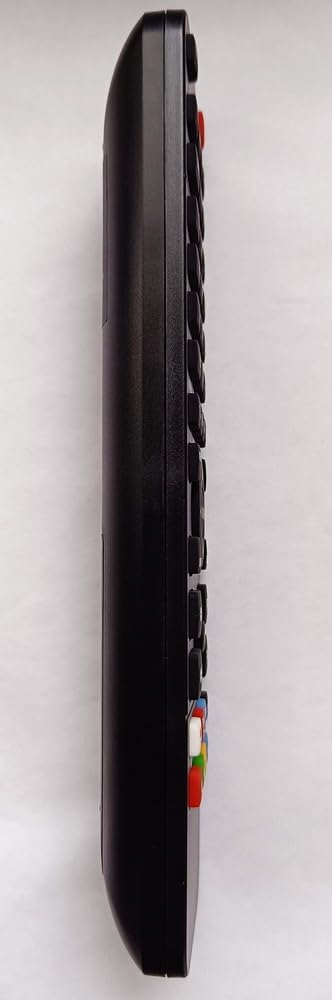
Obrázok 2: Strana view of the remote control, highlighting the ergonomic design and button placement.
3.1 Základné funkcie
- Tlačidlo napájania: Zapína alebo vypína televízor.
- Zvýšenie/zníženie hlasitosti: Upravuje úroveň zvuku.
- Kanál hore/dole: Mení televízne kanály.
- Tlačidlo Stlmiť: Stíší zvuk televízora.
- Číselné tlačidlá (0-9): Priamy výber kanálov.
- Tlačidlo vstupu/zdroja: Prepína medzi rôznymi vstupnými zdrojmi (HDMI, AV atď.).
3.2 Funkcie inteligentného televízora
If your BLAUPUNKT 40FGC5500S TV is a Smart TV, this remote may include dedicated buttons for quick access to streaming services and smart features. Look for buttons labeled with service logos such as Netflix, YouTube, or a 'Smart Hub' button. Pressing these buttons will launch the corresponding application directly.
Note: The availability and functionality of Smart TV buttons depend on your specific TV model and its installed applications.
4. Údržba
4.1 Čistenie
Pre zachovanie vzhľadu a funkčnosti diaľkového ovládača ho pravidelne čistite:
- Na utretie povrchu použite mäkkú suchú handričku.
- Na odolnú špinu mierneamphandričku namočte do vody alebo jemného, neabrazívneho čistiaceho prostriedku.
- Nepoužívajte agresívne chemikálie, rozpúšťadlá alebo abrazívne materiály, pretože môžu poškodiť povrchovú úpravu alebo vnútorné komponenty diaľkového ovládača.
4.2 Výmena batérie
Replace the batteries when the remote control's response becomes sluggish or stops working. Always replace both batteries at the same time with new AAA batteries. Do not mix old and new batteries, or different types of batteries.
5. Riešenie problémov
If you experience issues with your Re-Flix Light Remote Control, refer to the following common solutions:
- Diaľkové ovládanie nereaguje:
- Skontrolujte, či sú batérie vložené správne so správnou polaritou.
- Vymeňte batérie za nové.
- Uistite sa, že medzi diaľkovým ovládačom a infračerveným senzorom televízora nie sú žiadne prekážky.
- Uistite sa, že sa nachádzate v dosahu IR prijímača televízora.
- Konkrétne tlačidlá nefungujú:
- Clean the remote control, especially around the problematic buttons, to remove any dirt or debris that might be preventing contact.
- If it's a Smart TV button, ensure your TV model supports that specific function or streaming service.
- Televízor nereaguje na žiadny ovládač:
- Check if the TV's power is on.
- Try using the manual controls on the TV itself to rule out a TV issue.
6. Špecifikácie
| Značka | Re-Flix |
| Číslo modelu | 747516 |
| Farba | Čierna |
| Kompatibilné zariadenia | Television (BLAUPUNKT 40FGC5500S) |
| Technológia pripojenia | Infračervené |
| Maximálny počet podporovaných zariadení | 1 |
7. Záruka a podpora
For information regarding warranty coverage or technical support, please refer to the documentation provided with your purchase or contact the retailer. Keep your proof of purchase for any warranty claims.