
Úvod
This manual provides comprehensive instructions for the setup, operation, and maintenance of your BLAUPUNKT 24WGC5501S 24-inch HD Ready Smart TV. This compact television features Google TV with integrated Chromecast, a clear 1366x768 LED display, Dolby Audio, Wi-Fi, Bluetooth 5.0, and various connectivity options. Please read this manual thoroughly before using your TV to ensure proper functionality and safety.
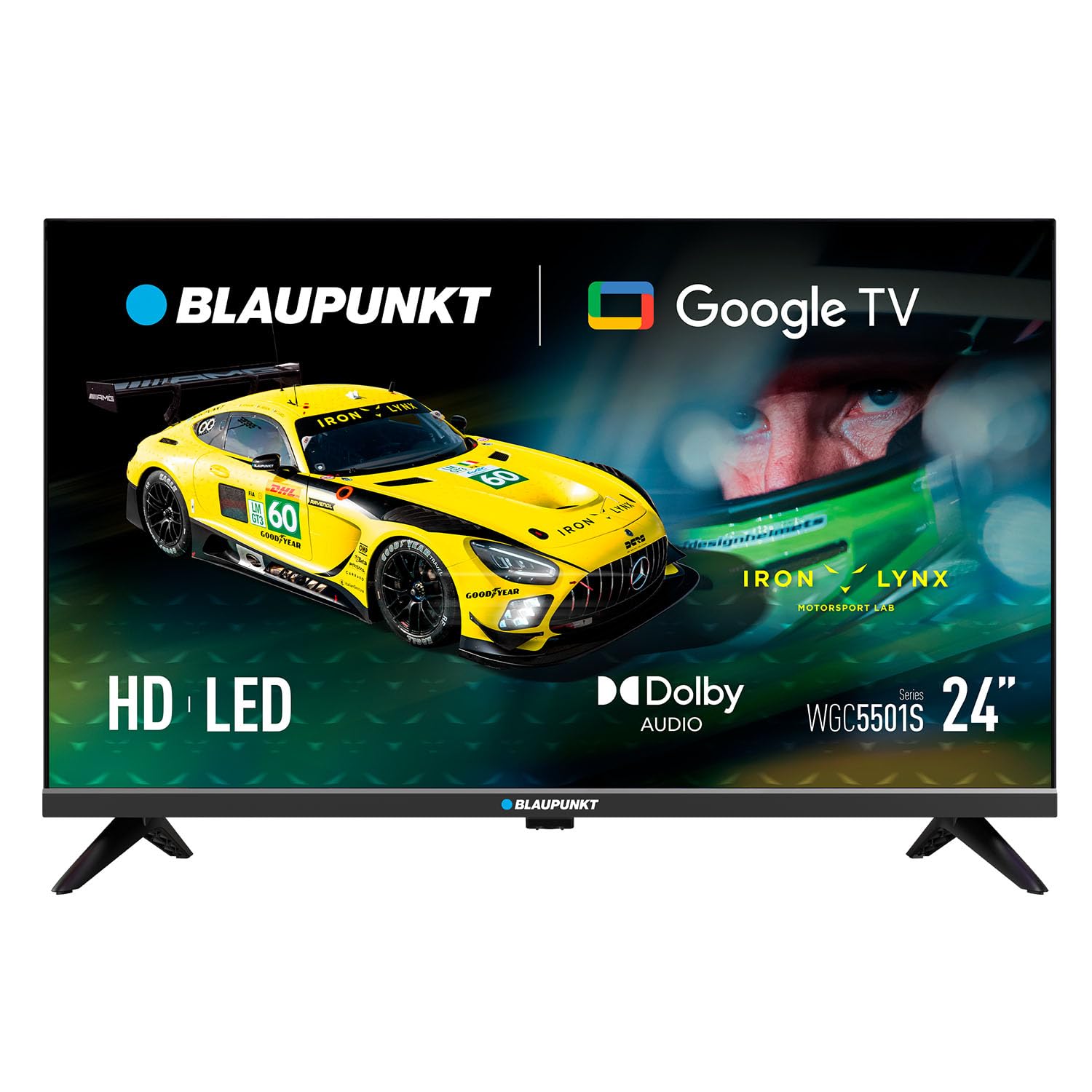
Obrázok: Predná strana view of the BLAUPUNKT 24WGC5501S 24-inch Smart TV, showcasinjeho elegantný dizajn a displej.
Bezpečnostné informácie
Always follow basic safety precautions when using this television to reduce the risk of fire, electric shock, and injury. Keep the TV away from water and moisture. Do not block ventilation openings. Use only attachments/accessories specified by the manufacturer. Unplug the TV during lightning storms or when unused for long periods. Refer to the full safety guidelines in the included printed manual.
Kľúčové vlastnosti
The BLAUPUNKT 24WGC5501S Smart TV offers a range of features designed for a comprehensive entertainment experience:
- Displej pripravený na HD: 24-inch LED LCD screen with 1366 x 768 pixel resolution for clear visuals.
- Google TV 5.0: Intuitive smart TV platform with access to a wide array of streaming applications.
- Vstavaný Chromecast: Easily cast content from your mobile devices directly to the TV.
- Dolby Audio: Enhanced sound quality with 8W (2x4W) stereo speakers.
- Všestranná konektivita: Includes Wi-Fi, Bluetooth 5.0, 2 HDMI ports, 1 USB port, Ethernet, AV Mini, and SPDIF Optical Out.
- Integrovaný tuner: Supports DVB-T/T2/C/S/S2 for various digital broadcasting standards.
- Praktické funkcie: Features like EPG, Teletext, PVR recording, HDMI-ARC, and HDMI-CEC for convenience.
- Kompaktný dizajn: Lightweight and VESA compatible (200 x 100 mm) for flexible placement.
Čo je v krabici
Po vybalení skontrolujte, či sú všetky komponenty prítomné:
- BLAUPUNKT 24WGC5501S Smart TV
- Diaľkové ovládanie
- Napájací kábel
- User manual (printed version)
- Stojan (2 kusy)
Nastavenie
1. Pripevnenie stojana
- Televízor opatrne položte obrazovkou nadol na mäkký, rovný povrch, aby ste predišli poškodeniu obrazovky.
- Zarovnajte každý kus stojana s príslušnými otvormi na spodnej strane televízora.
- Secure the stands using the screws provided (typically included with the stand pieces).

Obrázok: Zadná strana view of the TV, illustrating the VESA mounting points and the areas where the stand legs attach.
2. Montáž na stenu (voliteľné)
This TV supports VESA standard 200 x 100 mm wall mounts. Ensure you use a compatible wall mount bracket and follow the instructions provided with the mount. Disconnect the stand before wall mounting.
3. Pripojenie externých zariadení
Televízor ponúka rôzne porty na pripojenie externých zariadení:
- HDMI (x2): Pripojte Blu-ray prehrávače, herné konzoly alebo set-top boxy.
- USB 2.0 (x1): Na prehrávanie médií z USB diskov.
- LAN (RJ45): Pre káblové pripojenie na internet.
- AV Mini: Pre staršie analógové zariadenia.
- SPDIF Optical Out: Pre digitálny audio výstup do soundbarov alebo systémov domáceho kina.
- Slot CI+: For conditional access modules (CAM) for encrypted channels.
- Anténny/satelitný vstup: For DVB-T/T2/C/S/S2 tuner connection.

Obrázok: Ľavá strana view of the TV, detailing the HDMI, USB, and CI+ ports for various connections.

Obrázok: Pravá strana view of the TV, showing the power input connection.
4. Pripojenie napájania
Connect the power cable to the TV's AC input and then plug it into a suitable wall outlet (100–240 V AC).
5. Úvodné nastavenie
Po prvom zapnutí vás televízor prevedie procesom úvodného nastavenia:
- Výber jazyka: Vyberte požadovaný jazyk.
- Sieťové pripojenie: Connect to your Wi-Fi network or use an Ethernet cable.
- Prihlásenie do účtu Google: Prihláste sa pomocou svojho účtu Google a získajte prístup k funkciám a aplikáciám služby Google TV.
- Skenovanie kanála: The TV will scan for available digital channels via the connected antenna or satellite.
Návod na obsluhu
1. Diaľkové ovládanie
Use the provided remote control to navigate the TV's functions. Insert two AAA batteries (not included) into the remote control, observing polarity.
- Tlačidlo napájania: Zapína alebo vypína televízor.
- Hlasitosť +/-: Upravuje úroveň hlasitosti.
- Kanál +/-: Mení televízne kanály.
- Navigačné tlačidlá: Používa sa na pohyb v menu a výber možností.
- Domovské tlačidlo: Prístup na domovskú obrazovku služby Google TV.
- Tlačidlá aplikácie: Direct access to popular streaming services like Netflix, YouTube, Prime Video, Disney Plus.
2. Rozhranie Google TV
The Google TV interface provides a personalized experience with recommendations based on your viewing habits. From the home screen, you can access:
- Aplikácie: Stiahnite si a spravujte svoje obľúbené streamovacie aplikácie.
- Živé televízne vysielanie: Prístup k vysielacím kanálom.
- Knižnica: Váš zakúpený alebo požičaný obsah.
- Pre vás: Personalizované odporúčania obsahu.

Image: The Google TV 5.0 interface, showing various streaming app icons and content recommendations.
3. Vstavaný Chromecast
With Chromecast built-in, you can cast content from your compatible smartphone, tablet, or computer directly to your TV. Look for the Cast icon (a rectangle with three curved lines in the bottom-left corner) within supported apps on your mobile device.
4. Tuner Functions
- DVB-T/T2/C/S/S2: Supports various digital terrestrial, cable, and satellite broadcasting standards.
- EPG (elektronický programový sprievodca): View upcoming program schedules.
- teletext: Access text-based information services.
- PVR (Personal Video Recorder): Nahrávajte televízne programy na pripojené úložné zariadenie USB.
5. Funkcie zvuku a videa
The TV features Dolby Audio for enhanced sound quality. The integrated stereo speakers provide 2 x 4 W (8 W total) output. It also supports HDR for improved contrast and color depth.

Image: Visual representation of Dolby Audio, emphasizing balanced and harmonious sound.

Image: Visual representation of HDR technology, highlighting enhanced detail in both bright and dark scenes.
Údržba
1. Upratovanie
- Obrazovka: Obrazovku jemne utrite mäkkou handričkou, ktorá nepúšťa vlákna. Na odolné škvrny použite čistiaci roztok určený na obrazovky nanesený na handričku, nie priamo na obrazovku.
- Telo televízora: Wipe with a soft, dry cloth. Avoid using abrasive cleaners or solvents.
- Pred čistením vždy odpojte televízor zo siete.
2. Aktualizácie softvéru
The TV may receive software updates to improve performance and add new features. Ensure your TV is connected to the internet to receive these updates. You can usually check for updates in the TV's settings menu. Guaranteed software updates are not specified beyond the initial purchase.
Riešenie problémov
Ak sa vyskytnú problémy s televízorom, pozrite si nasledujúce bežné riešenia:
- Bez napájania: Skontrolujte, či je napájací kábel bezpečne pripojený k televízoru aj k elektrickej zásuvke. Skúste inú zásuvku.
- Žiadny obraz/zvuk: Uistite sa, že je vybratý správny vstupný zdroj. Skontrolujte všetky káblové pripojenia k externým zariadeniam.
- Žiadne internetové pripojenie: Verify your Wi-Fi password. Restart your router and the TV. If using Ethernet, check the cable connection.
- Nefunguje diaľkové ovládanie: Vymeňte batérie. Uistite sa, že medzi diaľkovým ovládačom a infračerveným senzorom televízora nie sú žiadne prekážky.
- Problémy s aplikáciou: Try restarting the app or clearing its cache in the TV's settings.
For more detailed troubleshooting, consult the full user manual (PDF) or contact customer support.
Špecifikácie
| Funkcia | Detail |
|---|---|
| Názov modelu | 24WGC5501S |
| Technológia obrazovky | LED LCD HD Ready |
| Rozlíšenie | 1366 x 768 px |
| Veľkosť obrazovky | 24" (59.9 cm) |
| Pomer strán | 16:9 |
| Typical Contrast | 2250:1 |
| Jas | 150–180 nits |
| Obnovovacia frekvencia | 60 Hz |
| Viewing uhol | 178° (V) / 178° (V) |
| Čas odozvy | 9.5 ms |
| Farby | 16.7 milióna |
| Výkon zvuku | 2 × 4 W (8 W total) |
| Technológia zvuku | Dolby Audio |
| Podpora tunera | DVB-T/T2/C/S/S2 |
| Slot CI+ | 1 |
| OS Smart TV | Google TV 5.0 |
| CPU | ARM Cortex-A55 Quad Core 1.45 GHz |
| GPU | G31MP2 Dual Core |
| RAM | 1 GB |
| Flash pamäť | 8 GB |
| Chromecast | Integrovaný |
| Wi-Fi | 2T2R Integrated |
| Bluetooth | Verzia 5.0 |
| Porty HDMI | 2 |
| Port USB 2.0 | 1 |
| LAN (RJ45) | 1 |
| AV Mini Input | 1 |
| SPDIF Optical Out | 1 |
| Napájanie | 100–240 V AC |
| Prevádzková spotreba | 17 W |
| Spotreba v pohotovostnom režime | ≤ 0.5 W |
| Spotreba v pohotovostnom režime siete | 2 W |
| Energy Class SDR/HDR | E |
| Dimensions with Stand (L×W×H) | 536 × 156 × 360 mm |
| Dimensions without Stand (L×W×H) | 536 × 77 × 330 mm |
| Čistá hmotnosť so stojanom | 2.25 kg |
| Montáž VESA | 200 × 100 mm |
| EAN | 8594213441658 |
| Krajina pôvodu | Česká republika |

Image: The energy efficiency label for the 24WGC5501S model, showing its Class E rating and power consumption.
For more details on energy efficiency, scan the QR code or visit: https://eprel.ec.europa.eu/qr/2522775
Záruka
This BLAUPUNKT television comes with a two-year manufacturer's warranty. Please retain your proof of purchase for warranty claims. The warranty covers manufacturing defects under normal use. It does not cover damage caused by misuse, accidents, unauthorized modifications, or normal wear and tear. For specific terms and conditions, refer to the warranty documentation included with your product or contact BLAUPUNKT customer service.
Podpora
For technical assistance, product inquiries, or warranty support, please contact BLAUPUNKT customer service. Contact information can typically be found on the manufacturer's official website or in the printed user manual. Ensure you have your model number (24WGC5501S) and serial number ready when contacting support.


