Úvod
This manual provides essential information for setting up, operating, maintaining, and troubleshooting your HP 15 Laptop Computer. Please read this guide thoroughly to ensure optimal performance and longevity of your device. This laptop is equipped with an AMD Ryzen 3 processor, 16GB RAM, and a 512GB SSD, running on Windows 11 Home.

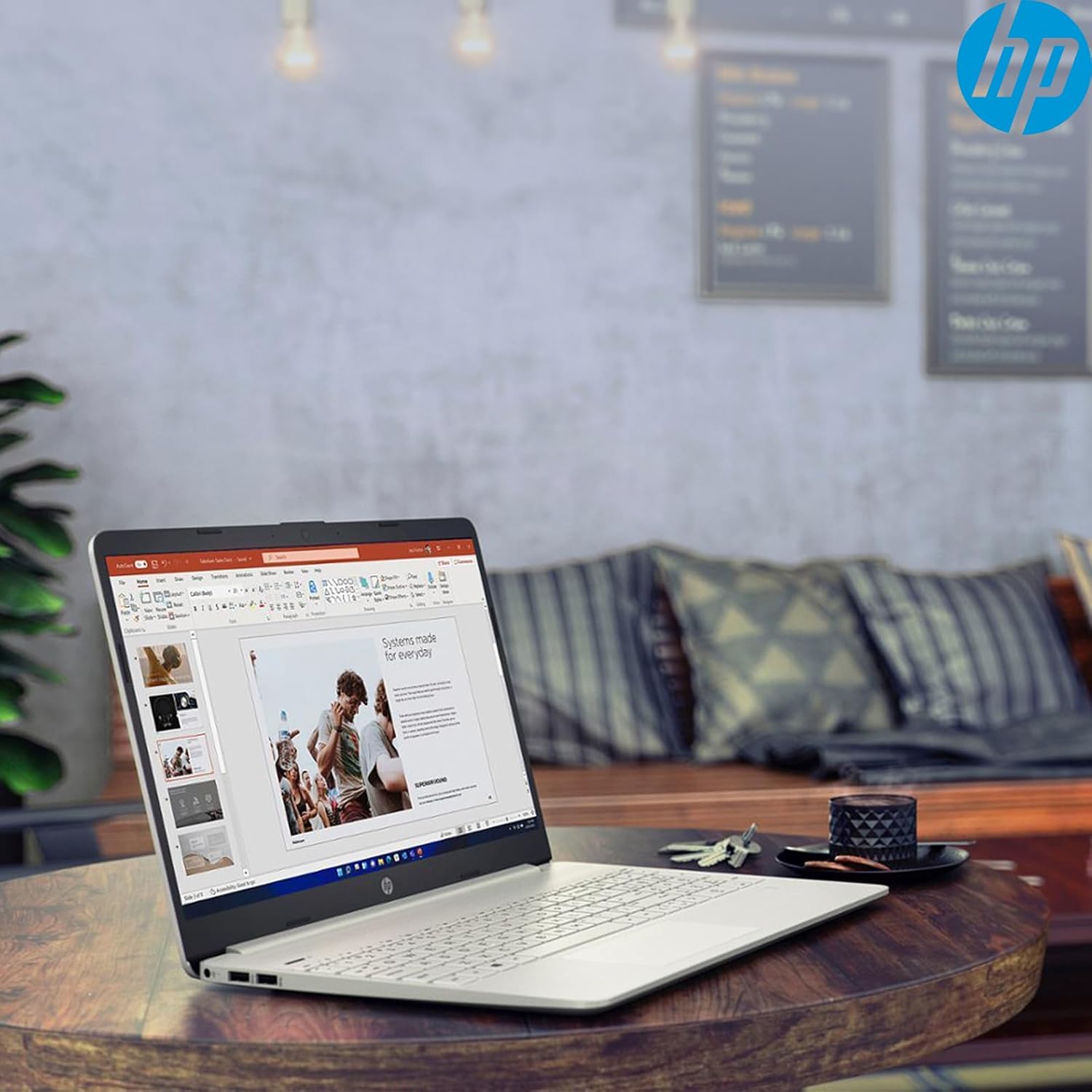
Image: The HP 15 Laptop Computer open, displaying the Windows 11 Home operating system, AMD Ryzen 3 processor, and AMD Radeon Graphics on its screen. An HP earphone case is visible on the palm rest, and the Microsoft Office logo is present on the bottom right.
1. Nastavenie
1.1 Vybalenie a úvodná kontrola
Carefully remove all components from the packaging. Verify that all items listed in the 'What's in the Box' section are present. Inspect the laptop for any visible damage.
- Notebook HP 15
- Napájací adaptér
- HP Earphone
- Bezdrôtová myš
1.2 Pripojenie napájacieho adaptéra
Connect the power adapter to the laptop's power jack and then plug it into a wall outlet. It is recommended to fully charge the battery before initial use.
1.3 Počiatočné zapnutie a inštalácia systému Windows 11
Stlačením tlačidla napájania zapnite notebook. Postupujte podľa pokynov na obrazovke a dokončite proces inštalácie systému Windows 11 Home. Patria sem výber regiónu, pripojenie k sieti Wi-Fi a vytvorenie používateľského účtu.
2. Obsluha notebooku HP 15
2.1 Základné funkcie
- Tlačidlo napájania: Located on the top right of the keyboard deck. Press to turn on/off, or put the laptop to sleep.
- klávesnica: Features a full-size keyboard with a 10-key numeric keypad for efficient data entry.
- Touchpad: Supports multi-touch gestures for navigation.
Obrázok: Detailný záber view of the HP 15 laptop's keyboard, clearly showing the integrated 10-key numeric keypad on the right side and the central touchpad below the spacebar.
2.2 Porty a pripojenia
Your HP 15 laptop is equipped with various ports for connectivity:
- USB-C (5Gbps signaling rate): Na prenos dát.
- USB-A (2x): Štandardné USB porty pre periférie.
- HDMI 1.4b: Na pripojenie k externým displejom.
- Čítačka SD kariet: Na čítanie pamäťových kariet.
- Jack pre slúchadlá: Na pripojenie slúchadiel alebo headsetu.

Image: This image provides a detailed side view of the HP 15 laptop, illustrating the locations of its various connectivity ports including the power jack, two USB-A ports, an HDMI 1.4b port, an SD card reader, a headset jack, and a SuperSpeed USB Type-C port.
2.3 Webkamera a zvuk
The laptop features an HP True Vision 720p HD camera with dual array digital microphones for video calls. Audio is delivered through B&O-tuned stereo speakers.
2.4 Správa batérie
The laptop offers up to 9.75 hours of battery life. HP Fast Charge technology allows for a 50% charge in approximately 45 minutes when the laptop is powered off or in sleep mode.
3. Údržba
3.1 Čistenie notebooku
Použite mäkkú handričku, ktorá nepúšťa vlákna dampened with water or a specialized screen cleaner to clean the display. For the keyboard and chassis, use a soft, dry cloth. Avoid harsh chemicals.
3.2 Aktualizácie softvéru
Regularly check for and install Windows updates and HP driver updates to ensure optimal performance and security. Access Windows updates via Settings > Windows Update.
3.3 Správa úložiska
Pravidelne znovaview a vymažte nepotrebné files to maintain sufficient free space on your 512GB SSD. Utilize cloud storage or external drives for large files.
4. Riešenie problémov
4.1 Problémy s napájaním
- Notebook sa nezapne: Uistite sa, že napájací adaptér je bezpečne pripojený a zásuvka je funkčná. Skúste inú zásuvku.
- Batéria sa nenabíja: Verify the power adapter connection. Check for any damage to the adapter or charging port.
4.2 Problémy so zobrazením
- Prázdna obrazovka: Connect an external monitor to check if the laptop is outputting video. If it displays, the laptop screen may be faulty.
- Stlmený displej: Adjust brightness settings using the function keys (Fn + F2/F3 typically).
4.3 Problémy s výkonom
- Pomalá prevádzka: Close unnecessary applications. Check Task Manager for high resource usage. Ensure sufficient free storage space.
- Prehrievanie: Uistite sa, že vetracie otvory sú čisté. Používajte notebook na tvrdom a rovnom povrchu.
4.4 Problémy s pripojením
- Nepripája sa k sieti Wi-Fi: Restart your router and laptop. Check Wi-Fi settings in Windows.
- Zariadenie Bluetooth sa nespáruje: Ensure the device is in pairing mode and within range. Check Bluetooth settings.
5. Špecifikácie
| Funkcia | Detail |
|---|---|
| Model | HP 15 |
| Operačný systém | Windows 11 Home |
| Procesor | AMD Ryzen 3 (up to 3.8GHz, 4 cores, 8 threads) |
| Grafika | Grafická karta AMD Radeon (integrovaná) |
| RAM | 16 GB DDR4 |
| Skladovanie | 512 GB PCIe NVMe M.2 SSD |
| Displej | 15.6" HD (1366 x 768), micro-edge, anti-glare, 250 nits, 45% NTSC |
| Bezdrôtové pripojenie | Realtek Wi-Fi 5, Bluetooth 5 |
| Porty | 1x USB-C (5Gbps), 2x USB-A, 1x HDMI 1.4b, 1x SD Card Reader, 1x Headset Jack |
| Webvačka | Kamera HP True Vision 720p HD |
| Zvuk | Dual B&O-tuned stereo speakers |
| Životnosť batérie | Up to 9.75 hours (HP Fast Charge: 50% in 45 mins) |
| Rozmery (DxŠxV) | 14.11 x 9.53 x 0.78 palca |
| Hmotnosť | 3.75 libry |
6. Záruka a podpora
6.1 Záruka na výrobok
Your HP 15 Laptop Computer comes with a standard manufacturer's warranty. Please refer to the warranty card included with your product or visit the official HP support webna stránke s podrobnými podmienkami.
6.2 Technická podpora
Pre technickú pomoc, stiahnutie ovládačov alebo ďalšie informácie navštívte oficiálnu stránku podpory HP website or contact HP customer service. Have your product model and serial number ready when contacting support.
Podpora HP Webmiesto: support.hp.com