Úvod
This manual provides essential information for setting up, operating, and maintaining your HP 17.3 Inch Laptop. Designed for productivity and entertainment, this laptop features a 13th Gen Intel Core i7 processor, a vibrant 17.3-inch HD+ touchscreen, 36GB RAM, and a 1TB SSD, running on Windows 11 Pro.
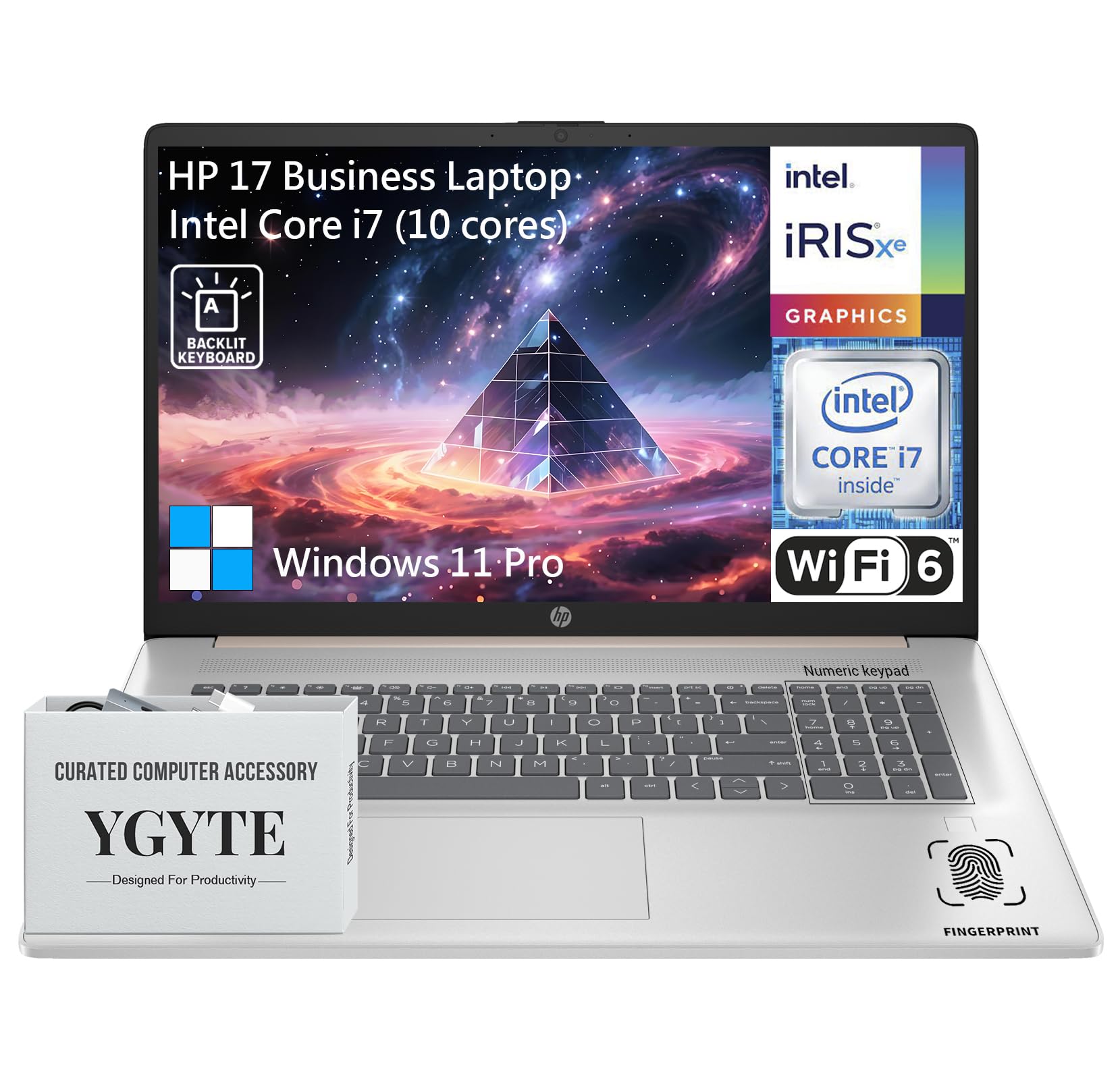
Generál view of the HP 17.3 Inch Laptop, showcasing its design and large display.

Koniecview of the HP 17.3 Inch Laptop, highlighting its core components: Intel Core i7 processor, Intel Iris Xe Graphics, and Windows 11 Pro operating system.
Čo je v krabici
Upon unpacking your HP 17.3 Inch Laptop, ensure all the following items are present:
- HP 17.3 Inch Laptop
- Sieťový adaptér
- Dokumentácia (Stručná úvodná príručka, informácie o záruke)
Nastavenie
1. Počiatočné zapnutie a nabíjanie
- Pripojte napájací adaptér: Plug the AC power adapter into the laptop's power port and then into a wall outlet.
- Nabite batériu: Pred prvým použitím nechajte notebook nabíjať aspoň 30 minút alebo kým indikátor batérie neukazuje dostatočné nabitie.
- Zapnutie: Otvorte veko notebooku a stlačte tlačidlo napájania, ktoré sa zvyčajne nachádza na klávesnici.
2. Inštalácia systému Windows 11 Pro
Follow the on-screen instructions to complete the Windows 11 Pro setup process. This includes:
- Výber regiónu a rozloženia klávesnice.
- Pripája sa k sieti Wi-Fi.
- Prihlásenie sa pomocou alebo vytvorenie účtu Microsoft.
- Nastavenie PIN kódu alebo hesla.
- Configuring privacy settings.
3. Sieťové pripojenie
Your laptop supports Wi-Fi 6 for fast wireless connectivity. During Windows setup, you will be prompted to connect to a Wi-Fi network. If you need to connect later:
- Kliknite na ikonu Wi-Fi na paneli úloh.
- Vyberte požadovanú sieť zo zoznamu.
- Ak sa zobrazí výzva, zadajte bezpečnostný kľúč siete (heslo).
- Kliknite Pripojte sa.
Obsluha notebooku
Displej
The HP 17.3 Inch Laptop features a 17.3-inch HD+ (1600 x 900) BrightView Touchscreen. This display offers crisp details and vibrant colors, providing amppriestor pre multitasking a pohlcujúce prostredie viewskúsenosti.

The 17.3-inch HD+ touchscreen display offers a resolution of 1600x900 pixels with BrightView technology for enhanced visual clarity.
Výkon
Your laptop is equipped with a 13th Gen Intel Core i7 processor (10 cores, 12 threads, up to 5.0GHz) and Intel Iris Xe Graphics. This configuration provides robust performance for demanding applications, multitasking, and immersive entertainment.

Details of the Intel Core i7-1355U processor, including its 10 cores, 12 threads, 12MB cache, and a maximum turbo frequency of 5.0 GHz, designed for fast response and processing speed.
Storage and Multitasking
With 36GB of high-bandwidth DDR4 RAM, the laptop allows for seamless switching between applications. The 1TB high-speed SSD provides rapid boot times, quick application loading, and ampúložný priestor pre vaše files.

The laptop features 36GB DDR4 RAM for swift multitasking efficiency, a 1TB SSD for fast access and ample storage, and Wi-Fi 6 for faster wireless connectivity.
Konektivita
The HP 17.3 Inch Laptop offers a range of ports and wireless technologies to keep you connected:
- USB-C: SuperSpeed USB-C (5Gbps signaling rate) for data transfer and power delivery.
- USB-A: Two SuperSpeed USB-A ports (5Gbps signaling rate).
- HDMI 1.4b: Na pripojenie k externým displejom.
- Wi-Fi 6: Advanced wireless networking for faster and more reliable internet.
- Bluetooth: Na pripojenie bezdrôtových periférií.
- Kombinovaný konektor pre slúchadlá/mikrofón: Pre audio vstup a výstup.
- Inteligentný PIN kód pre AC: Pre pripojenie napájacieho adaptéra.

Bočný profíkfile of the HP 17.3 Inch Laptop illustrating the placement of USB Type-A, HDMI 1.4b, headphone/microphone combo, USB Type-C, and AC smart pin ports, along with its dimensions and weight.
Zvuk a kamera
Engage in clear video calls and enjoy immersive audio with the integrated features:
- HP Wide Vision 720p HD Camera: Provides clear visuals for video conferencing.
- Dual Array Digital Microphones: Ensures your voice is captured clearly.
- B&O Dual Speakers: Delivers rich, authentic audio tuned by Bang & Olufsen.

The HP 17.3 Inch Laptop features an HP True Vision 720p HD camera, dual array digital microphones, and B&O dual speakers for enhanced communication and audio experience.
Klávesnica a touchpad
The full-size backlit keyboard includes a 10-key number pad for comfortable and efficient typing. The larger trackpad provides precise navigation.
Čítačka odtlačkov prstov
For enhanced security and quick login, utilize the integrated fingerprint reader. You can set this up through Windows Hello in your laptop's settings.
Údržba
Správna údržba zaisťuje dlhú životnosť a optimálny výkon vášho notebooku HP:
- Čistenie: Na čistenie obrazovky a vonkajšieho povrchu použite mäkkú handričku, ktorá nepúšťa vlákna. V prípade odolných škvŕn...amphandričku vodou alebo čistiacim prostriedkom na obrazovky. Vyhnite sa agresívnym chemikáliám.
- Aktualizácie softvéru: Pravidelne kontrolujte a inštalujte aktualizácie systému Windows a aktualizácie ovládačov HP, aby ste zaistili stabilitu a bezpečnosť systému.
- Starostlivosť o batérie: To prolong battery life, avoid extreme temperatures. If storing the laptop for an extended period, charge the battery to about 50-70%.
- Vetranie: Uistite sa, že vetracie otvory notebooku nie sú zablokované, aby ste predišli prehriatiu. Používajte notebook na tvrdom a rovnom povrchu.
- Zálohovanie dát: Pravidelne zálohujte dôležité dáta na externý disk alebo cloudové úložisko, aby ste predišli ich strate.
Riešenie problémov
Tu sú niektoré bežné problémy a ich riešenia:
| Vydanie | Riešenie |
|---|---|
| Notebook sa nezapne. | Uistite sa, že napájací adaptér je bezpečne pripojený k notebooku aj k funkčnej elektrickej zásuvke. Skontrolujte, či je elektrická zásuvka funkčná. Skúste inú zásuvku. |
| Obrazovka je prázdna alebo čierna. | Press the power button to ensure the laptop is on. Connect an external monitor to check if the display output is working. Adjust screen brightness using function keys. |
| Problémy s pripojením k Wi-Fi. | Ensure Wi-Fi is enabled in Windows settings. Restart your router and modem. Check for updated Wi-Fi drivers. Try connecting to a different network if available. |
| Pomalý výkon. | Close unnecessary applications. Check for background processes consuming high resources (Task Manager). Ensure Windows and drivers are up to date. Run a disk cleanup. |
| Klávesnica alebo touchpad nereaguje. | Restart the laptop. Check for any physical obstructions. Ensure drivers are updated. |
Špecifikácie
| Funkcia | Detail |
|---|---|
| Značka | HP |
| Názov modelu | Essential 17 (HP 17) |
| Veľkosť obrazovky | 17.3 palca |
| Rozlíšenie obrazovky | 1600 x 900 pixelov (HD+) |
| Procesor | 13th Gen Intel Core i7 (10 Cores, up to 5.0 GHz) |
| RAM | 36 GB DDR4 |
| Skladovanie | 1 TB SSD (PCIe x 16 interface) |
| Grafický koprocesor | Grafická karta Intel Iris Xe (integrovaná) |
| Operačný systém | Windows 11 Pro |
| Bezdrôtový typ | 802.11ax (Wi-Fi 6) |
| Konektivita | USB-C (5Gbps), 2x USB-A (5Gbps), HDMI 1.4b, Headphone/Microphone Combo |
| Špeciálne funkcie | Backlit Keyboard, Fingerprint Reader, Touchscreen |
| Hmotnosť položky | 4.61 libry |
| Rozmery produktu (DxŠxV) | 15.78 x 10.15 x 0.78 palca |
| Farba | Ružové zlato |
| Batérie | 1 lítium-iónová batéria (súčasťou balenia) |
Záruka a podpora
Your HP 17.3 Inch Laptop comes with a standard manufacturer's warranty. For detailed warranty terms and conditions, please refer to the documentation included with your product or visit the official HP support webstránky.
Pre technickú pomoc, stiahnutie ovládačov alebo ďalšiu podporu navštívte oficiálnu stránku podpory HP webmiesto:
Oficiálna podpora spoločnosti HP
Užitočné zdroje a komunitné fóra nájdete aj na stránke HP. webstránky.