Úvod
This manual provides essential information for setting up, operating, maintaining, and troubleshooting your HP Omen 45L GT22 Gaming Desktop. Please read this guide thoroughly to ensure optimal performance and longevity of your system.
1. Nastavenie
1.1 Rozbalenie
Carefully remove all components from the packaging. Ensure all accessories, including the Thunderobot KG3089R Gaming Keyboard, are present.
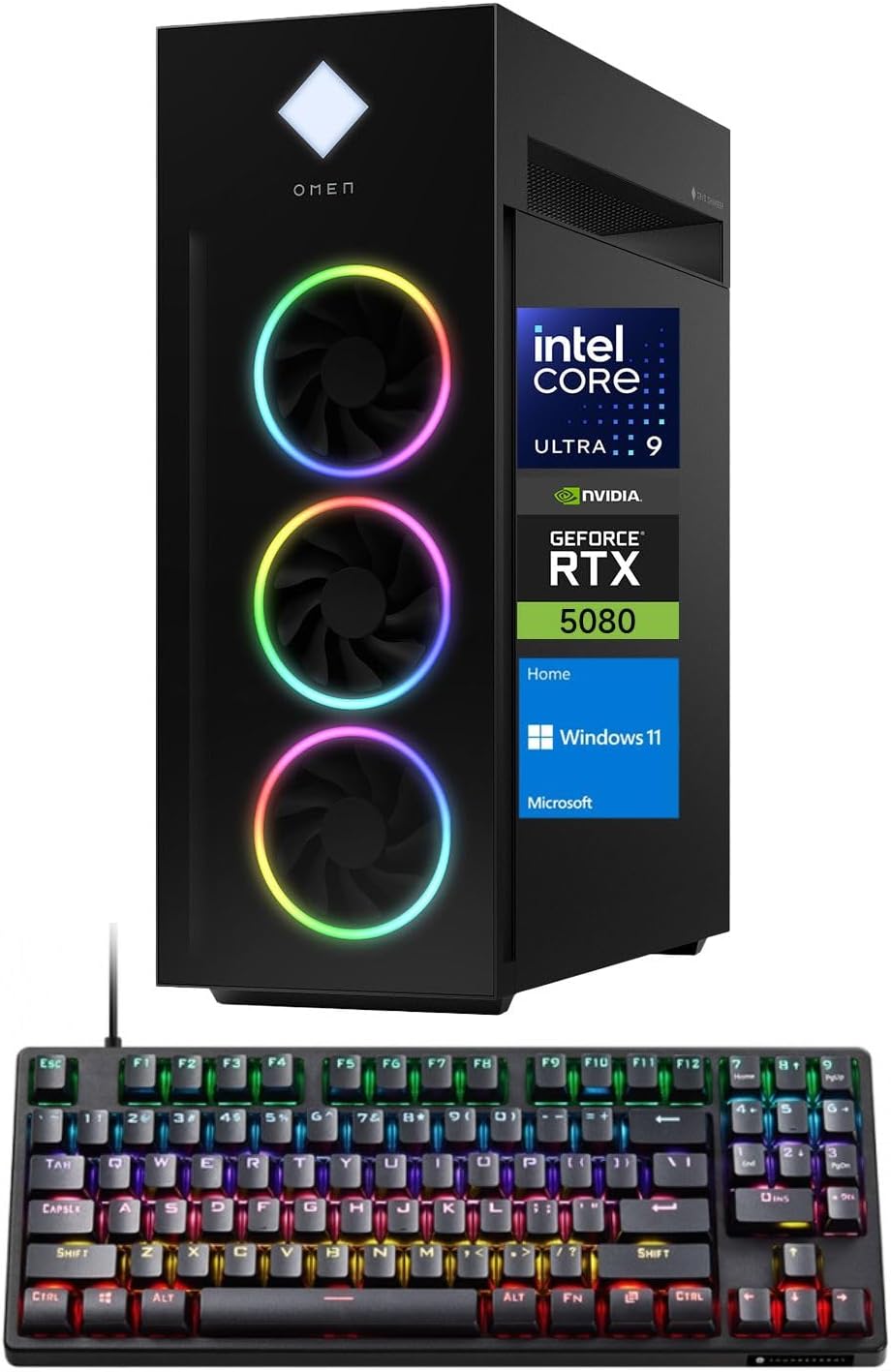
Image: The HP Omen 45L Gaming Desktop tower shown alongside the bundled Thunderobot KG3089R Gaming Keyboard.
1.2 Pripojenie periférnych zariadení
- Connect your monitor(s) to the NVIDIA GeForce RTX 5080 graphics card using DisplayPort or HDMI cables.
- Connect the Thunderobot KG3089R Gaming Keyboard and any other USB devices to the available USB ports.
- Connect the power cable to the desktop and a power outlet.
- For internet access, connect an Ethernet cable to the RJ-45 port or ensure Wi-Fi 6 is configured after initial setup.

Obrázok: Podrobný view of the rear I/O panel of the HP Omen 45L, highlighting the various ports for connectivity.
1.3 Prvé spustenie
Press the power button located on the top of the desktop. Follow the on-screen instructions to complete the Windows 11 Home setup process.
2. Ovládanie počítača
2.1 Windows 11 Domov
Your HP Omen 45L GT22 comes pre-installed with Windows 11 Home, offering a modern interface, enhanced performance features, and compatibility with a wide range of applications and games.
2.2 Herný výkon
Leverage the Intel Core Ultra 9 285K processor and NVIDIA GeForce RTX 5080 graphics for an immersive gaming experience. Adjust in-game settings for optimal frame rates and visual quality.

Image: A gaming setup featuring the HP Omen 45L desktop, a monitor displaying a game, and gaming peripherals, illustrating its intended use.
3. Údržba
3.1 Čistenie
Regularly clean the exterior of your desktop with a soft, dry cloth. Use compressed air to clear dust from vents and fans to maintain optimal airflow and cooling.
3.2 Aktualizácie softvéru
Keep your Windows operating system, graphics drivers, and other software up to date to ensure security, stability, and performance. Check for updates regularly through Windows Update and NVIDIA GeForce Experience.
4. Riešenie problémov
4.1 Žiadny displej
- Ensure monitor cables are securely connected to both the desktop and the monitor.
- Skontrolujte, či je monitor zapnutý a nastavený na správny vstupný zdroj.
- Skúste sa pripojiť k inému portu displeja alebo monitoru, ak je k dispozícii.
4.2 Problémy s výkonom
- Zatvorte nepotrebné aplikácie na pozadí.
- Uistite sa, že ovládače sú aktuálne.
- Skontrolujte teploty systému, aby ste predišli tepelnému škrteniu.
5. Špecifikácie
| Komponent | Detail |
|---|---|
| Procesor | Intel Core Ultra 9 285K (24 Cores, 24 Threads, 36MB L3 Cache, up to 5.70GHz) |
| Grafická karta | NVIDIA GeForce RTX 5080 (16 GB GDDR7) |
| RAM | 64 GB RAM DDR5 (4800 MHz) |
| Skladovanie | 4TB PCIe NVMe M.2 SSD disk |
| Operačný systém | Windows 11 Home |
| Bezdrôtové pripojenie | Wi-Fi 6, Bluetooth |
| Porty (predné) | 2x SuperSpeed USB Type-A, 1x Headphone/Microphone Combo, 1x Microphone |
| Porty (zadné) | 4x SuperSpeed USB Type-A, 2x SuperSpeed USB Type-C, 6x USB Type-A 2.0, 1x HDMI, 1x RJ-45, 3x DisplayPort, 5x Audio Port |
| Rozmery (DxŠxV) | 21.85 cm x 8.03 cm x 18.5 cm |
| Hmotnosť | 49.82 libry |
6. Záruka a podpora
Your HP Omen 45L GT22 Gaming Desktop is covered by a manufacturer's warranty. For specific warranty terms and conditions, please refer to the documentation included with your product or visit the official HP support website. Technical support is available through HP's customer service channels.
Pre ďalšiu pomoc môžete navštíviť Obchod HP na Amazone.
7. Oficiálne videá o produktoch
Alienware Aurora Gaming Desktop Overview
Video: Stručný prehľadview of the Alienware Aurora Gaming Desktop, showcasing its design and features. Note: This video is a general overview of a similar product and not specific to the HP Omen 45L GT22.
MSI Aegis Series Gaming Desktops Overview
Video: A short promotional video for MSI Aegis Series Gaming Desktops, highlighting key features. Note: This video is a general overview of a similar product and not specific to the HP Omen 45L GT22.