1. Zariadenie sa skončiloview
The Samsung Galaxy A56 5G is a powerful smartphone designed for reliable performance and a rich user experience. It features a 6.7-inch FHD+ Super AMOLED display, a 50MP camera system, and IP67 dust and water resistance. This manual provides essential information for setting up, operating, and maintaining your device.
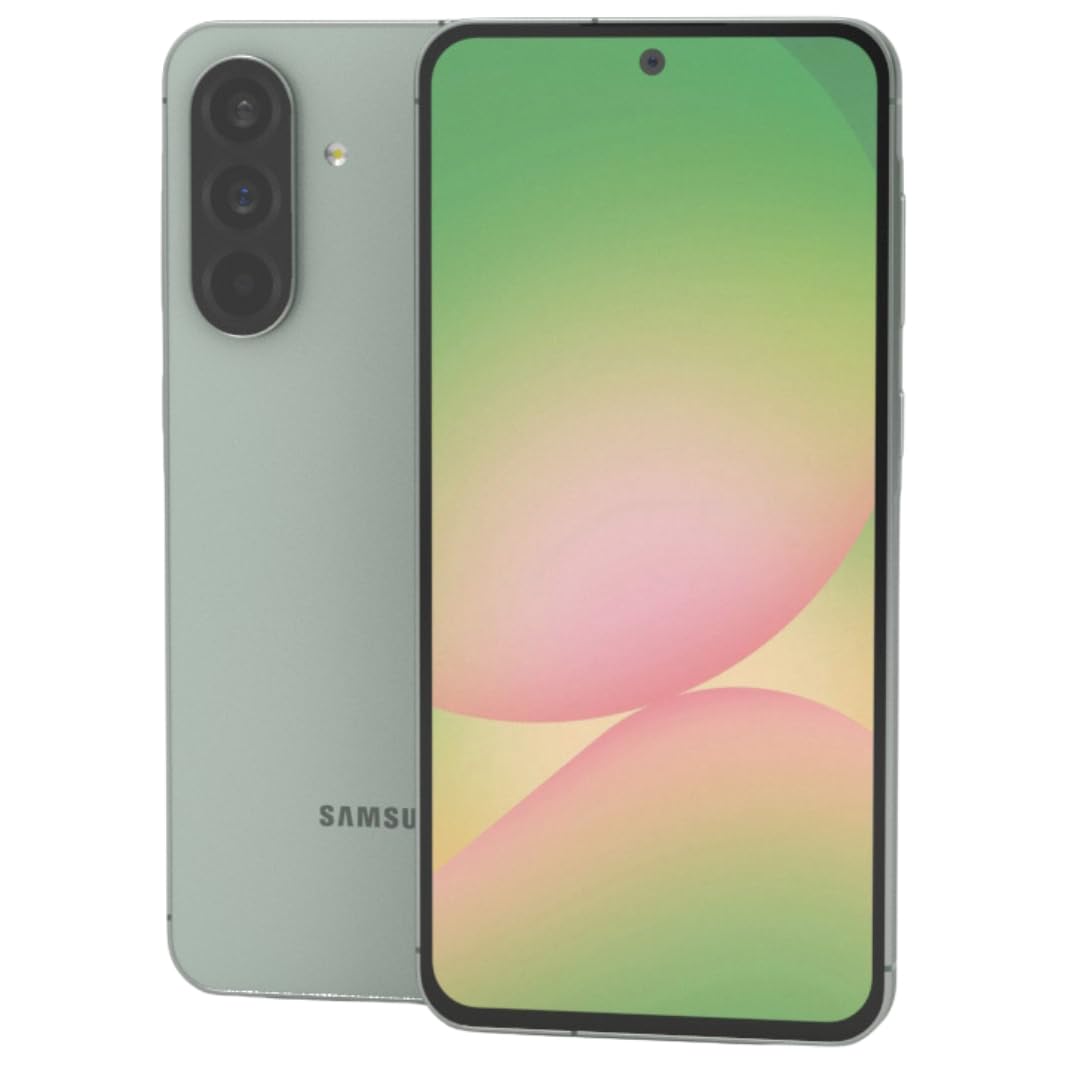
Obrázok 1: Predné view smartfónu Samsung Galaxy A56 5G, ukážkaasinjeho veľký displej.
2. Inštalačná príručka
2.1. Rozbalenie a počiatočná kontrola
Opatrne vyberte všetky položky z obalu. Skontrolujte, či sú prítomné nasledujúce komponenty:
- Smartfón Samsung Galaxy A56 5G
- Kábel USB-C na USB-C
- 25W Samsung Super Fast Charger
- Nástroj na vysunutie SIM karty
- Stručná úvodná príručka (ak je súčasťou balenia)
Pred pokračovaním skontrolujte zariadenie, či nie je fyzicky poškodené.
2.2. Inserting SIM Card(s) and eSIM
The Galaxy A56 5G supports Dual SIM functionality and eSIM. You can use two physical Nano-SIM cards or one physical Nano-SIM and one eSIM simultaneously.
- Nájdite zásuvku na SIM kartu na boku zariadenia.
- Vložte nástroj na vysunutie SIM karty do malého otvoru vedľa zásuvky a jemne zatlačte, kým zásuvka nevyskočí.
- Vložte kartu (karty) Nano-SIM do zásuvky zlatými kontaktmi smerom nadol. Uistite sa, že sú správne osadené.
- Opatrne vložte zásuvku na SIM kartu späť do zariadenia.
- Pre aktiváciu eSIM karty postupujte podľa pokynov na obrazovke počas úvodného nastavenia alebo prejdite na Nastavenia > Pripojenia > Správca SIM kariet.
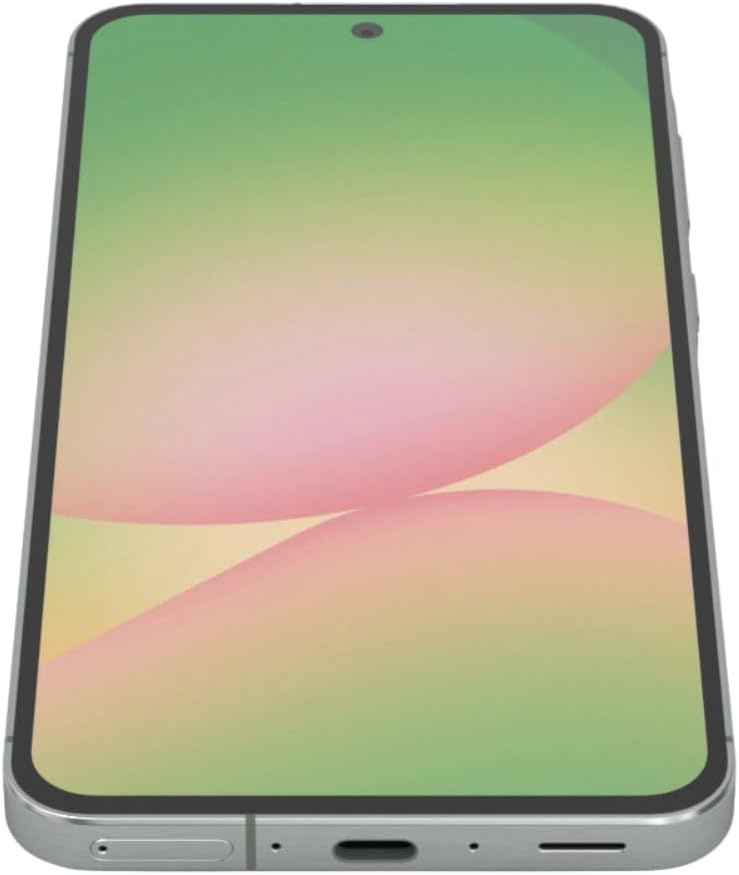
Obrázok 2: Side view of the Samsung Galaxy A56 5G, showing the location of the SIM card tray and USB-C port.
2.3. Nabíjanie batérie
Before first use, fully charge the device battery. Use only the provided 25W Samsung Super Fast Charger and USB-C cable.
- Pripojte kábel USB-C k nabíjaciemu portu v spodnej časti telefónu.
- Druhý koniec kábla pripojte k 25W napájaciemu adaptéru.
- Zapojte napájací adaptér do elektrickej zásuvky.
- Na obrazovke sa zobrazí indikátor nabíjania.
Poznámka: The device supports 25W Super Fast Charging. Using a lower wattage charger may result in slower charging times.
2.4. Zapnutie/vypnutie
- Zapnutie: Stlačte a podržte bočné tlačidlo (tlačidlo napájania), kým sa nezobrazí logo Samsung.
- Vypnutie: Press and hold the Side key and Volume Down button simultaneously, then tap "Power off" on the screen. Alternatively, swipe down from the top of the screen to open the Quick Panel, tap the Power icon, and select "Power off".
- Ak chcete reštartovať: Follow the power off steps, but select "Restart".
2.5. Počiatočné nastavenie zariadenia
Po prvom zapnutí vás zariadenie prevedie procesom úvodného nastavenia. Ten zahŕňa:
- Výber jazyka
- Pripojenie k sieti Wi-Fi
- Prihlásenie do účtu Google
- Data transfer from an old device (using Samsung Smart Switch)
- Nastavenie zámku obrazovky (PIN, vzor, heslo, odtlačok prsta)
- Reviewing and agreeing to terms and conditions
3. Obsluha vášho zariadenia
3.1. Navigácia a používateľské rozhranie
The Galaxy A56 5G runs on Android 15 with Samsung's One UI 7. Navigation is primarily touch-based.
- Domovská obrazovka: Vaše centrálne centrum pre aplikácie a widgety.
- Zásuvka aplikácie: Pre prístup ku všetkým nainštalovaným aplikáciám prejdite prstom nahor z domovskej obrazovky.
- Rýchly panel: Potiahnutím prsta nadol z hornej časti obrazovky získate prístup k rýchlym nastaveniam a upozorneniam.
- Najnovšie aplikácie: Swipe up and hold from the bottom of the screen (if using gesture navigation) or tap the Recent Apps button (if using navigation buttons) to view nedávno použité aplikácie.
3.2. Google Circle to Search Feature
The Circle to Search with Google feature allows for quick information retrieval. Simply circle, highlight, or tap an object or text on your screen to initiate a Google Search.
3.3. Uskutočňovanie hovorov a odosielanie správ
- hovory: Otvorte Telefón aplikáciu, zadajte číslo a klepnite na ikonu hovoru.
- Správy: Otvorte Správy app, tap the new message icon, enter the recipient's number or select from contacts, type your message, and tap send.
3.4. Používanie fotoaparátu
The device features a 50MP main camera, 12MP ultra-wide, 5MP macro, and a 12MP front camera. The camera system includes AI enhancements that optimize image quality by recognizing elements like sky, skin, and hair. The front camera supports Super HDR for high-resolution selfie videos with optimized colors and contrast. The camera app also includes an Object Eraser tool that allows you to remove unwanted elements from your photos.
- Otvorte Fotoaparát aplikácie.
- Vyberte požadovaný režim (Fotografia, Video, Portrét, Profesionálny atď.).
- Klepnutím na tlačidlo spúšte nasnímate fotografiu alebo spustí/zastaví nahrávanie videa.
- Na nastavenie zväčšenia použite ovládacie prvky priblíženia na obrazovke.
- Prepínajte medzi predným a zadným fotoaparátom pomocou ikony prepínača fotoaparátu.
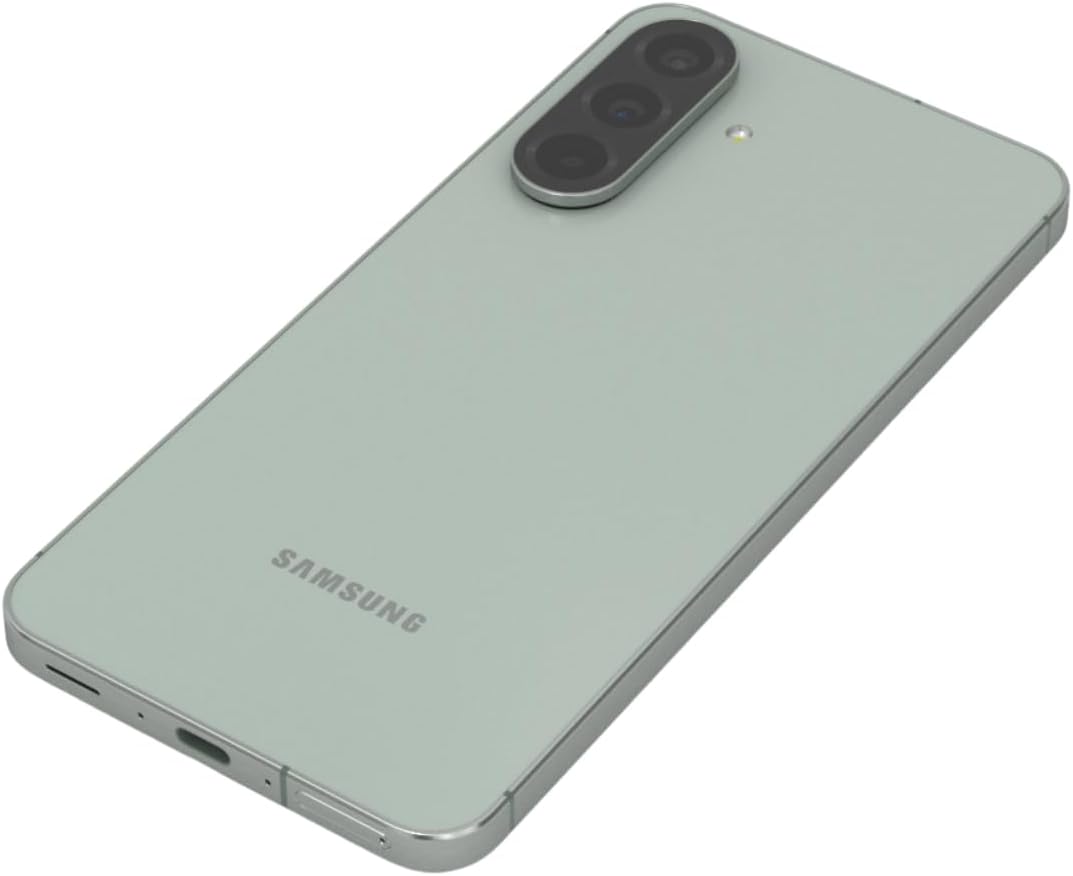
Obrázok 3: Zadné view of the Samsung Galaxy A56 5G, highlighting the triple camera system.
3.5. Internet a pripojenie
- Wi-Fi: Prejsť na Nastavenia > Pripojenia > Wi-Fi na pripojenie k dostupným sieťam.
- Mobilné dáta: Uistite sa, že sú povolené mobilné dáta v Nastavenia > Pripojenia > Využitie dát.
- Bluetooth: Spárovanie s inými zariadeniami prostredníctvom Nastavenia > Pripojenia > Bluetooth.
- NFC: Use for contactless payments and quick sharing via Settings > Connections > NFC and contactless payments.
3.6. Bezpečnostné funkcie
The Galaxy A56 5G includes an in-display optical fingerprint sensor for secure unlocking.
- Prejsť na Nastavenia > Zabezpečenie a súkromie > Biometria > Odtlačky prstov.
- Postupujte podľa pokynov na obrazovke a zaregistrujte si odtlačok prsta.
- You can also set up Face Recognition for convenient unlocking.
4. Údržba a starostlivosť
4.1. Optimalizácia batérie
To maximize battery life (5000mAh capacity):
- Upravte jas obrazovky.
- Povoliť režim úspory energie (Nastavenia > Starostlivosť o batériu a zariadenie > Batéria).
- Zatvorte nepoužívané aplikácie bežiace na pozadí.
- Obmedzte spotrebu dát na pozadí pre určité aplikácie.
4.2. Aktualizácie softvéru
Keep your device's software up to date for optimal performance and security. Samsung provides up to 6 major Android upgrades for this model.
- Prejsť na Nastavenia > Aktualizácia softvéru.
- Klepnite Stiahnite si a nainštalujte.
- Postupujte podľa pokynov na obrazovke.
4.3. Čistenie zariadenia
Use a soft, lint-free cloth to clean the screen and body of the phone. Avoid harsh chemicals or abrasive materials. The device has an IP67 rating for dust and water resistance, meaning it can withstand immersion in up to 1 meter of fresh water for up to 30 minutes. However, it is not recommended for beach or pool use and water resistance may decrease over time with normal wear.
5. Riešenie problémov
5.1. Bežné problémy a riešenia
| Problém | Riešenie |
|---|---|
| Zariadenie sa nezapne | Uistite sa, že batéria je nabitá. Stlačte a podržte tlačidlo napájania aspoň 10 sekúnd, aby ste vynútili reštart. |
| Slabé sieťové pripojenie | Check SIM card insertion. Toggle Airplane mode on/off. Restart the device. Verify network settings with your carrier. |
| Aplikácie padajú alebo zamrzajú | Vymazať vyrovnávaciu pamäť aplikácie (Nastavenia > Aplikácie > [Názov aplikácie] > Úložisko > Vymazať vyrovnávaciu pamäť). Update the app. Restart the device. |
| Batéria sa rýchlo vybíja | Review spotreba batérie v Nastavenia > Starostlivosť o batériu a zariadenie > Batéria. Reduce screen brightness. Close background apps. |
| Snímač odtlačkov prstov nefunguje | Uistite sa, že váš prst a obrazovka sú čisté a suché. V prípade potreby znova zaregistrujte svoj odtlačok prsta. |
6. Špecifikácie
| Funkcia | Detail |
|---|---|
| Názov modelu | Galaxy A56 5G |
| Číslo modelu | A566E/DS |
| Displej | 6.7-inch FHD+ Super AMOLED, 120Hz Refresh Rate, 1080 x 2340 Resolution |
| Procesor | Exynos 1580 (4nm), osemjadrový, rýchlosť procesora 2.9 GHz |
| RAM | 12 GB |
| Skladovanie | 256 GB (bez slotu na SD kartu) |
| Zadná kamera | 50 MP (f/1.8) hlavný, 12 MP (f/2.2) ultraširokouhlý, 5 MP (f/2.4) makro |
| Predná kamera | 12MP (f/2.2) |
| Batéria | 5000 mAh, 25W super rýchle nabíjanie |
| Operačný systém | Android 15 (with up to 6 major Android upgrades) |
| Konektivita | 5G, 4G LTE, Wi-Fi, Bluetooth 5.3, GPS, NFC |
| Typ SIM karty | Dual SIM + eSIM |
| Odolnosť voči vode / prachu | IP67 |
| Rozmery | 6 x 4 x 2 palca |
| Hmotnosť | 10.6 uncí |
| Špeciálne funkcie | Fingerprint (under display, optical), Accelerometer, Internet Browser, Music Player, Speakerphone, Touchscreen, Unlocked |
7. Záruka a podpora
This is an International Model and may not include a U.S. manufacturer warranty. Please refer to the seller's return policy for details regarding returns and exchanges.
For technical assistance, you can visit the official Samsung support website or contact their customer service. For issues related to your purchase, please contact your seller directly.
Optional protection plans may be available for purchase to extend coverage beyond the standard return policy. Please check with your retailer for details on available plans.
8. Videá o produktoch
Watch these official videos for additional guidance and feature demonstrations.
Video 1: Device Overview
Toto video poskytuje stručný prehľadview of the Samsung Galaxy A56 5G, highlighting its key features and design. (Duration: 0:17)
Video 2: Advanced Features
A detailed video demonstrating some of the advanced functionalities and user interface elements of the device. (Duration: 1:25)
Video 3: Camera Capabilities
Explore the various camera modes and features available on the Galaxy A56 5G. (Duration: 0:36)
Video 4: Performance and Gaming
This video showcases the device's performance, including its capabilities for gaming and multitasking. (Duration: 0:48)
Video 5: Durability and Design
Learn about the robust design and IP67 water resistance of the Samsung Galaxy A56 5G. (Duration: 1:27)
Video 6: Display Features
This video highlights the vibrant 6.7-inch FHD+ Super AMOLED display and its Vision Booster technology. (Duration: 1:17)
Video 7: Software Experience
Koniecview of the Android 15 operating system and Samsung's One UI 7 interface. (Duration: 0:36)
Video 8: Quick Features
A short video highlighting some quick and convenient features of the device. (Duration: 0:10)
Video 9: Connectivity Options
This video explains the various connectivity options, including 5G, Wi-Fi, and Bluetooth. (Duration: 1:12)
Video 10: Ecosystem Integration
Discover how the Galaxy A56 5G integrates with the broader Samsung ecosystem. (Duration: 1:04)