📘 Westcom manuals • Free online PDFs
Logo Westcom

Westcom Manuals & User Guides

Westcom Wireless specializes in professional digital wireless intercom systems designed for robust and clear group communication in occupational settings.

Tip: include the full model number printed on your Westcom label for the best match.

About Westcom manuals on Manuals.plus

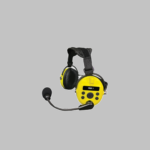
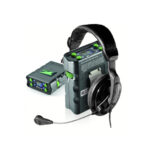
Westcom, officially known as Westcom Wireless, Inc., designs and manufactures professional digital wireless intercom systems such as the Atlas REX-3, Atlas EXP, Atlas Pro, and Atlas Max series. Operating efficiently on the license-free 900MHz ISM band, these devices are built specifically for occupational and professional environments requiring reliable, multi-channel communication over considerable distances.

Their robust communication solutions feature options for extended battery life, noise cancellation capabilities, and multiple radio modes tailored to varied environmental demands.

Westcom manuals

Najnovšie manuály od manuals+ vybrané pre túto značku.

Westcom support FAQ

Časté otázky týkajúce sa manuálov, registrácie a podpory pre túto značku.

  • Why can't I join a group communication on my Westcom intercom?

    Check if other users are connected on the display and ensure there is a Master Device in the group. Also, make sure you are not too far from the Master Device to receive its signal.

  • How do I change the user number on the Westcom Atlas?

    Press and hold the menu button, choose 'User' from the menu, and select a unique user number using the PTT button to confirm.

  • What should I do if my Westcom device submerges in water?

    Do not attempt to take apart or repair the device yourself. Immediately turn off the power and contact the customer service center.

  • How do I charge my Westcom Atlas digital intercom?

    Use only the provided charging adapter (or a 5V/2A adapter). Turn the device off before charging. A green light on the lower display will illuminate and become dimmer once the device is fully charged.